





ztatzu
Members
-
Joined
-
Last visited
Everything posted by ztatzu
-
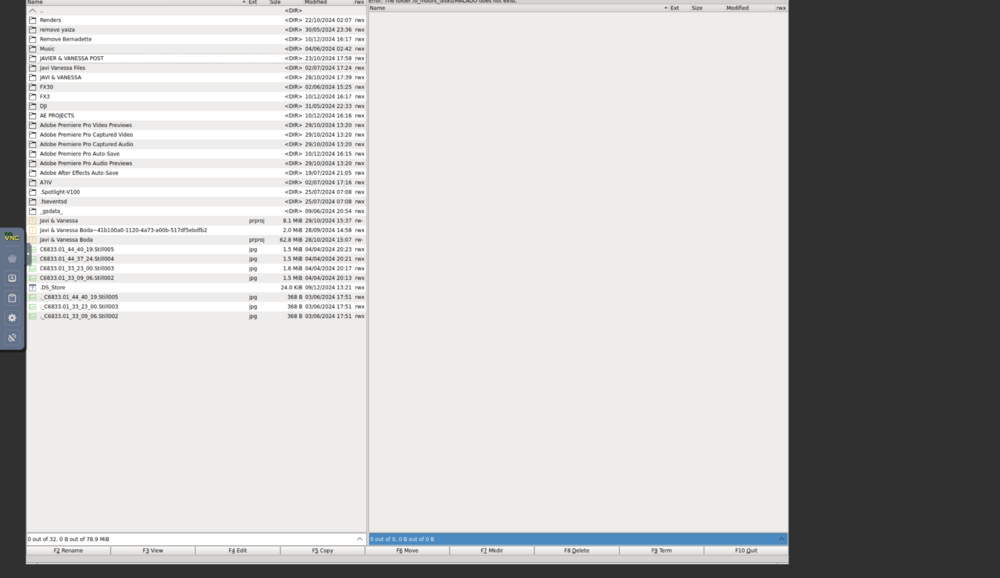
I'm using Krusader in unraid and I'm unable to reach the minimise or maximise or even the tools menu, for someone reason it's hiding behind the tabs in safari. Here's a picture to show what I mean.
-
thank you kindly both of you, I'll try it out and see what happens.
-
thanks Jorge, I'm a bit of a noob when it comes to all this, could you specify what you mean by v7? Version 7? to update unraid?
-
So the first file is connecting the device before rebooting and the second file is after rebooting, I hope this helps.. sexybard-diagnostics-20250105-0028.zip sexybard-diagnostics-20250105-0031.zip
-
As the title says, it doesn't recognise the SSD when I plug it into the NAS USB-C - USB-C, even thought it does recognise External HDDs I connect to the USB-A port, is there a way around this so I don't have to reboot the nas each time I want to connect the SSD I'm working with? Thanks
-
I’m currently using Unraid with the Unassigned Devices plugin to manage external drives. The NAS easily recognizes HDDs connected via USB-A immediately after plugging them in, but SSDs connected via USB-C are only recognized after rebooting the entire system. Steps Taken: Verified the SSD and USB-C cable are functioning correctly on other systems. Ensured the Unassigned Devices plugin is updated to the latest version. Checked Unraid logs for any errors or unrecognized device messages when plugging in the SSD via USB-C. Issue Persistence: USB-C SSDs remain unrecognized until a full reboot of the NAS. USB-A HDDs work flawlessly without requiring a reboot. Question: Is there a way to fix this issue so USB-C SSDs are recognized immediately after being plugged in, without the need to reboot? Could it be related to driver support, power delivery differences between USB-A and USB-C, or a configuration setting in Unraid?
-
I’m having trouble accessing my Unraid shares on my MacBook. When I try to view photos, thumbnails hardly load, making it nearly impossible to browse files efficiently & opening files are even worse in that matter, so slow and laggy. Interestingly, I use the FileBrowserGo app on my iPhone, and it works perfectly without any delays. Unfortunately, that app isn’t available for macOS, so I’m looking for a solution to improve performance on my MacBook. Has anyone encountered this issue or found a way to make browsing Unraid shares faster on macOS? Any advice or workarounds would be greatly appreciated! Thanks so much for your help! ZTAZU
-
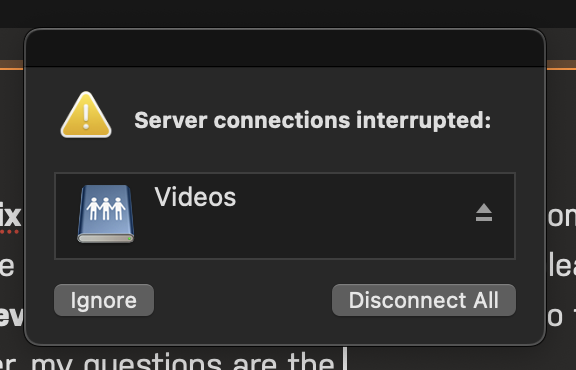
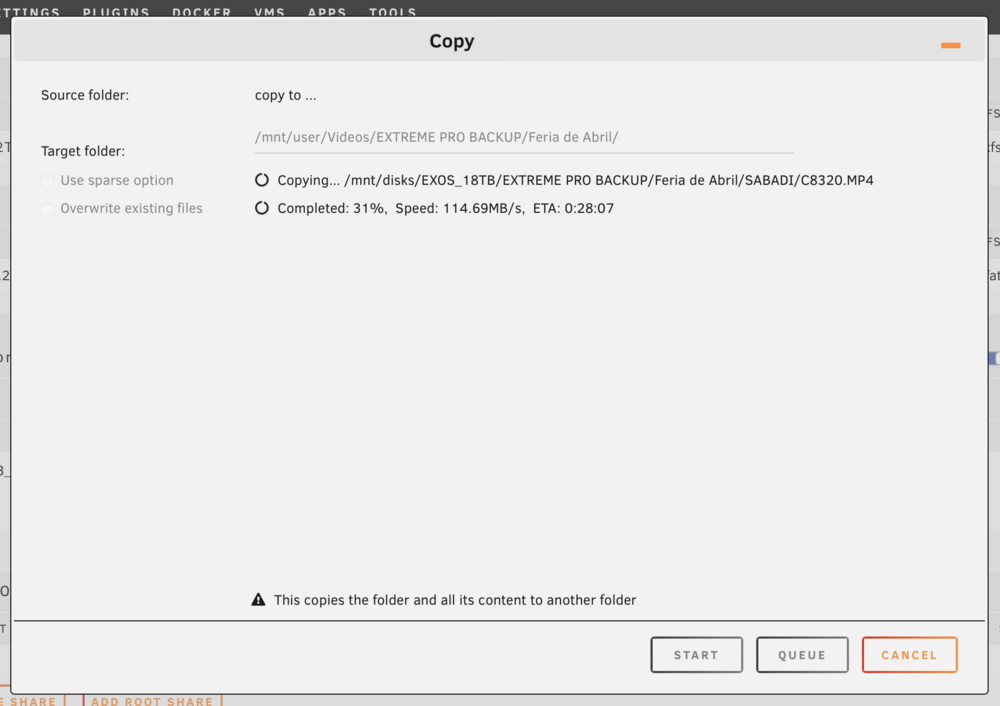
sexybard-diagnostics-20240601-0151.zipsexybard-diagnostics-20240601-0151.ziphey guys, so I haven't gone back to the Krusader, I downloaded the Dynamix File Manager and I tried to look up some tutorials on YouTube but couldn't find anything. I read somewhere that you can control sharing files within the Main section of the raid, would that be called the GUI? please correct me if I'm mistaken. I'm still learning every single minute of the day when it comes to this and what I did on the Unassigned Disk Devices was find a folder to copy over to the unRaid server by right clicking on the file then it would open up the trajectory so I could choose a specific folder and it started copying over, my questions are the following: I will add screenshots for context. Why does the server connections get interrupted? will this interrupt the transfer of files? I noticed when going back into the unRaid the files are still transferring even though it lost connection. But a second time it lost connection it stopped transferring and I had to manually select the missing files in the folder that didn't copy to start where it left off. I wan't to understand as I'm looking for a stable way for this to not let me down. Also if there's no problem whilst closing the server and ejecting the folder connected to the MacBook that is linked to the server. Will the files still transfer? is there a message when the transfers are complete to let you know that it was successful? Thank you guys. for your time and help. ** I just edited the post because I keep getting disconnected from the server whilst I'm trying to select the files I need to copy over. I uploaded the Diagnostics which I think I uploaded twice, sorry for that!!!** Just got logged out right about 2 minutes ago so it should show up guessing?
-
So here's an update on the following discussion, I did forget to mention that under the Unassigned Disk Devices which would be the external HDD that I have plugged into the motherboard to copy to the HDD on the NAS so I can make a backup of 5.50 TB. Which would take about a day and a half using just the WIFi. I thought I could solve it by using the Krusader Plugin which disconnects after a while of transferring files. I noticed that when searching over to the Unassigned Disk Devices under the Main Tab. The Disk is no longer mounted and is greyed out and says Reboot. This can't be the reason Krusader disconnects, because after refreshing the page where Krusader is running the files are still transferring until I get the error message in Krusader and that is when I notice that the Drive is greyed out and no longer mounted. Furthermore I am going to try it again right now and see if the problem persists. By the way another question, is it normal for Unraid to disconnect. Sometimes I've noticed that after a while it randomly disconnects and I can't connect to the server unless I manually reboot the Nas. This is a bit annoying and I don't know if this is part of the problem, there's obviously something wrong here if it isn't normal. Thank you guys once again!
-
perfect I'll look into it, thank you Frank!
-
It happens quite often than not, the unRaid looses connection then reconnects after shutting it down manually or after refreshing the browser many times, and last night I had quite a few different problems trying to transfer the files from the Unassigned Disk Device to the unRaid Nas through Krusader, lost connection many different times, not so sure how I can check the times it actually got disconnected, I've only had it set up a day and it's a bit underwhelming. But I guess that's what you get with little IT experience.
-
sexybard-diagnostics-20240531-1603.zipDon't mind the name, I named it after the guy who helped me set it up for fun. Here they are, not so sure what to do with them.
-
hey guys, thanks for the kind responses. I was referring to the browser disconnecting the GUI from the server. (At least that's what I think), also I've notices after it transferring the files that I have from the external hard drive that is connected to the NAS hence it being a Unassigned Disk Device, the problem that I'm having is that the Krusader disconnects after a while and I have to reconnect, it still stays online transferring files, went to sleep and noticed that it failed the transfer, when I went back into the Main tab and looked at Unassigned Disk Devices, the Drive was disconnected and said Reboot. I can only get to mount the Drive again once I've rebooted the system or closed it down to turn it back on again. Little bit confusing but we'll just have to wait and see if I can find the solution, thanks once again!
-
Had it set up by a friend who know what he's doing, he's in IT and has been for the past 30 odd years anyways, he help me set up Unraid and now I'm running Krusader to transfer files Locally from one Drive to the Nas to speed things up. But after a while the browser disconnects from the Server, after an about under a minute or over after refreshing it logs back into the UnRaid and the Krusader which is still transferring files, so I'm looking for the problem, anybody can give me a helping hand? I'm new to this and I my friend isn't really available 24/7 like customer service, I need to learn things and this a solution to a problem that I desperately need and want, just want it to go smoothly. Thank you community! much love from the Canary Islands

