





JoezzySLO
Members
-
Joined
-
Last visited
Everything posted by JoezzySLO
-
I have find those two folders "Movies" and "Series", that i said, content got missing a while ago with find /mnt/disk1/Media -type f >> /root/duplicates disk1 had some errors (are fixed now) I deleted many folders manually, but i got an issue with some "leftovers" (photo). Run in maintenance mode, "xfs_repair -d". After i was able to delete all, now everything looks OK. Thank you very much for ALL your help.

-
There are only 2 users, root and one that i use for everything. Since there is no private files on this server, there were no permisions nor limitations set to any share/folder. I have checked under both users, but still cant find that missing 1.4TB
-
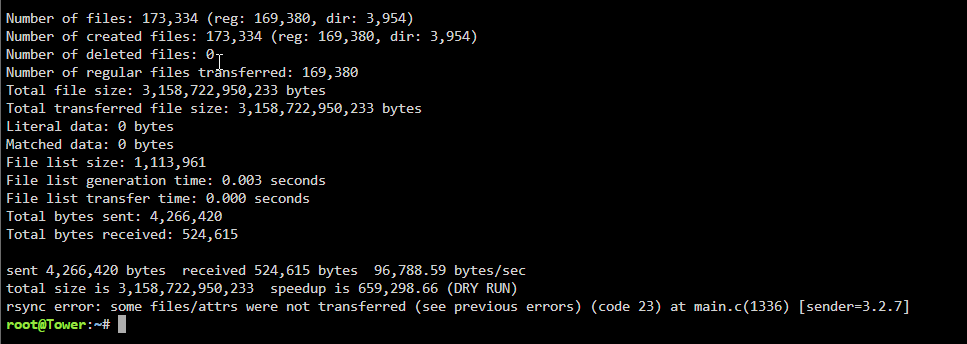
Strange, here is 4.6TB. And this looks like two missing folders.. about 3k files and 1.4TB difference - those must be missing movies and series, since it looks like they are "bigger" files
-
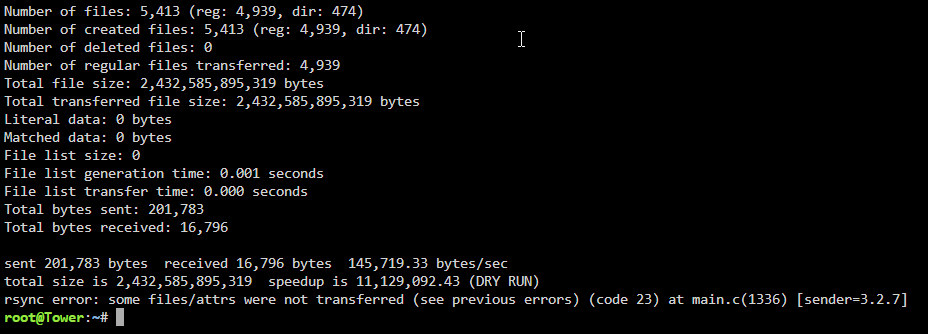
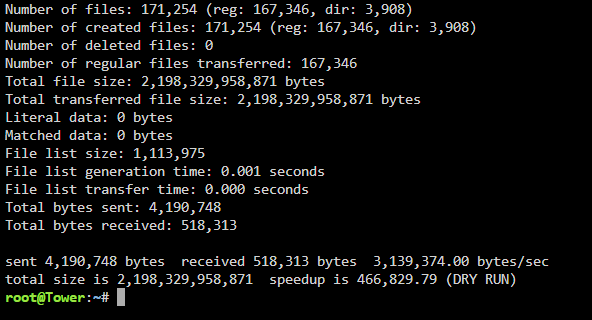
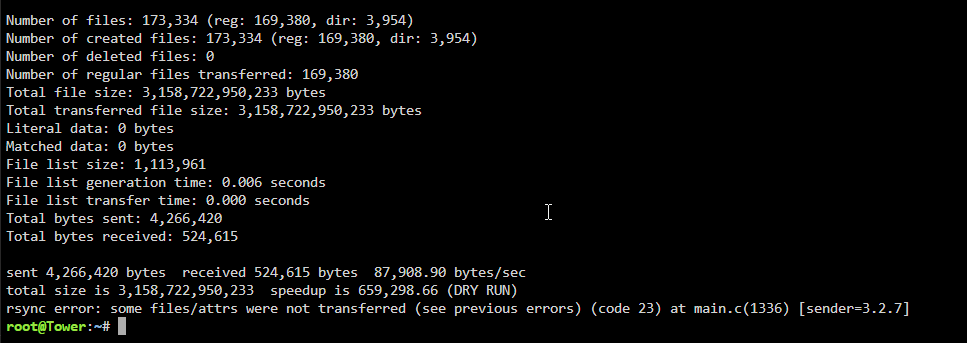
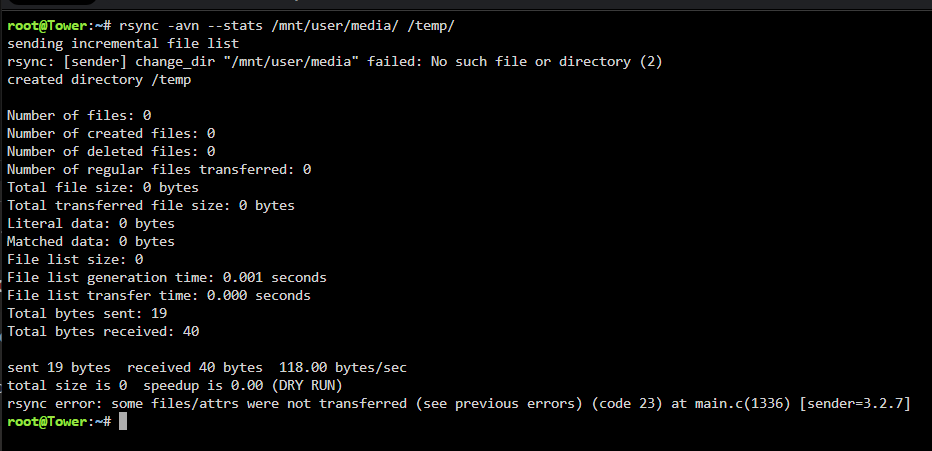
Sory for two threads, looks like i missclicked or something, didn't even knew i created two. Thank you very much for merging. A ok, i understand. Thought that command was just checking for "temp" content, so results seemed ok to me. Here are new ones. BTW, if it helps. There are two folders of which content got lost after an update a while ago. They are both empty, both are stated as 0 files/folders/MB, but size of missing files is similar to the size that is "Taken" - 1.4TB. Maybe there is some sort of connection, which i can't find
-
Hi As far as i can see, second was a reply to first, so i can't (or don't find a way to) merge them. Temp seem to be empty
-
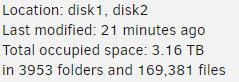
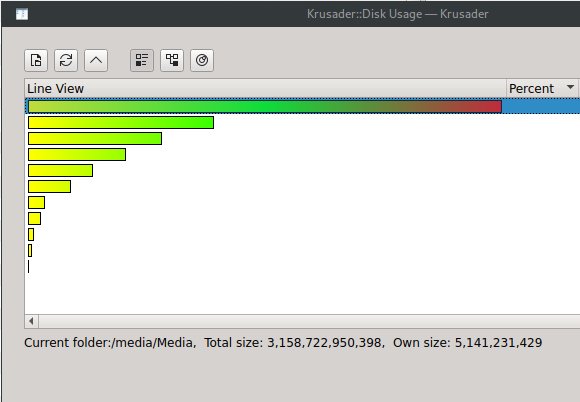
Hi I have a bit of an issue. I have user share named "Media", which is used as SMB network drive. My problem is, there is about 3.2TB files on it - i get about same info in windows explorer, Windirstat, Krusader and when in user shares calculate all files and folders containing in MEDIA folder. But when i compute MEDIA folder under user shares, i get about 4.6TB used - which is wrong. Also under MAIN tab, used free space aligns with 4.6TB, not 3.2TH which is actual. There must be something wrong with MEDIA folder. There are no duplicats, can't find anything wrong. I also have a clone of this MEDIA folder on Synology, where it also says about 3.2TB tower-diagnostics-20240605-1644.zip

-
Hi I have a bit of an issue. I have user share named "Media", which is used as SMB network drive. My problem is, there is about 3.2TB files on it - i get about same info in windows explorer, Windirstat, Krusader and when in user shares calculate all files and folders containing in MEDIA folder. But when i compute MEDIA folder under user shares, i get about 4.6TB used - which is wrong. Also under MAIN tab, used free space aligns with 4.6TB, not 3.2TH which is actual. There must be something wrong with MEDIA folder. There are no duplicats, can't find anything wrong. I also have a clone of this MEDIA folder on Synology, where it also says about 3.2TB


