





jperry30
Members
-
Joined
-
Last visited
-
changed back as per your recommendation after a server restart and everything worked fine this time, no clue why I was getting the error in the first place. Thank you Best regards, Perry
-
The original path also gave me the same error which is why I changed it referenced below Edit: now re-reading the post here, better explains why the error came up, as I didn't have the cache already, as well as me not reading the finer details of the post and just going for the "quickest" fix
-
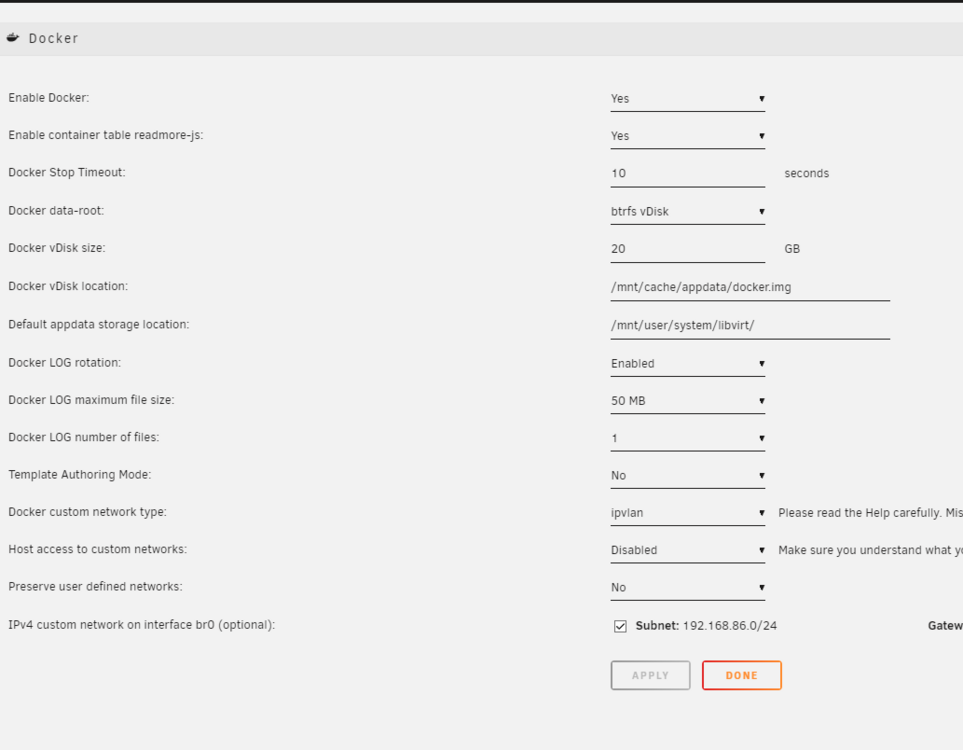
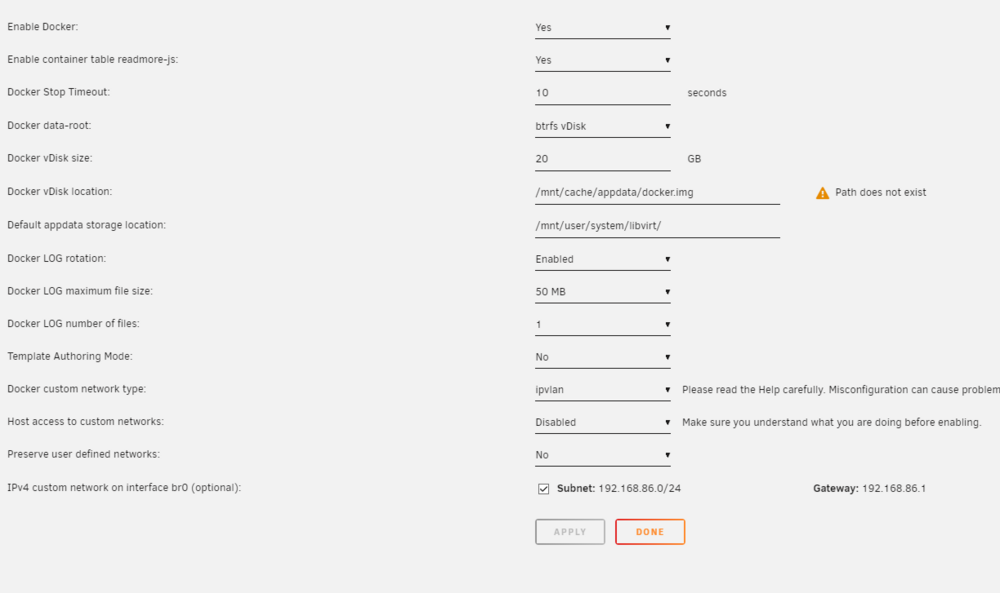
After restarting the server, path now no longer exists
-
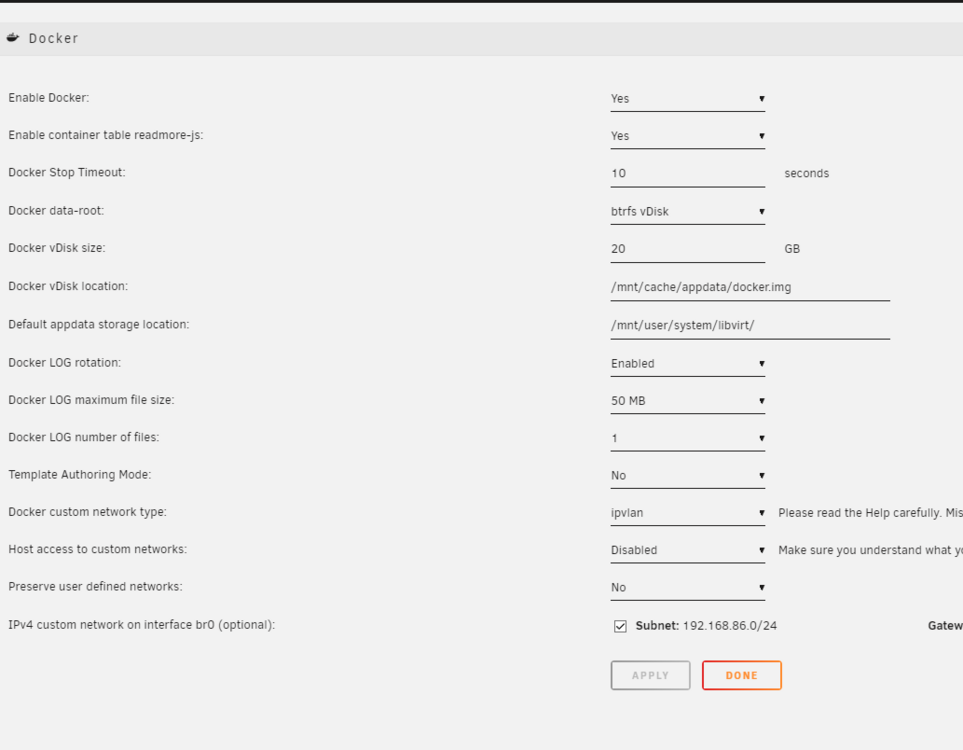
Trying to start docker by following the support threads, but can't make heads or tails of what I am doing wrong and what I should be doing in order to make it start. Above is a screenshot of the folder DIR used and recommended by the support thread linked here. Below is what pops ups in the terminal when trying to find the file in the directory. image of what I see on the docker page in the GUI Here is diagnostics thepalace-diagnostics-20240627-2102.zip any help would be great


-
Made sure all was good. IP is 192.168.X.X thank you for your help in getting my first server started. Best regards, Perry
-
forgot to add that this was also a possible solution, but preferred method would be to move rather than restart everything else.
-
moved server to different room closer to WAP and obtained valid IP (SOLUTION)
-
Unsure, will get back on this one. Also Unsure, but a good possibility. The 192.168.86.x was my wi-fi connection, so I'm pretty sure that is what's handed out to each of the wireless devices in my household The WAPs have single ethernet ports. Also would require I run more than 80ft of wire to connect to them
-
the ethernet port in my room-netgear prosafe 8 port gigabit switch-Motorola modem
-
That is an excellent question. I can't say for sure, but might be something to do with the WAPs throughout my household/something something ISP maybe.
-
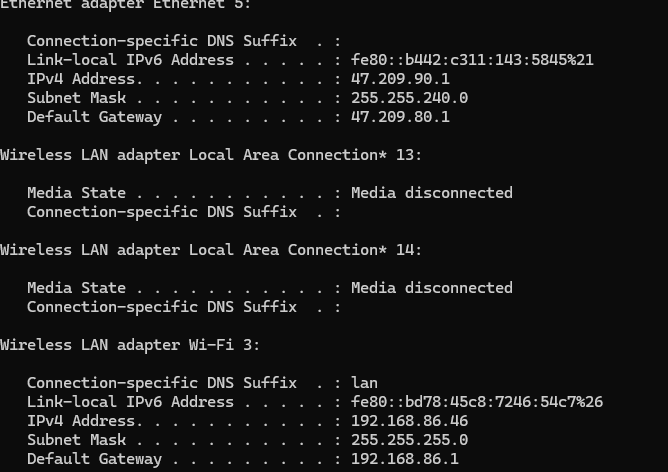
Connected the same cable to my PC to see if it would return a normal IP address, and it did. Don't understand fully why the server can't talk properly and get an actual IP.
-
I do - also figured out that my router is assigning 169.254 ; so not just an installation problem
-
Have not set up an Unraid server before, but after getting the USB in and getting the IP address set up, I am unable to connect to the web GUI which by all means should have been the easy part I believe it has something to do with the bootable USB On version 6.12.10 DHCP enabled UEFI boot allowed Steps I took after the server was up to see if the issue persisted with each way of getting to the GUI Tried using Ping Command returns with [ 192.168.86.46 DH Unreachable ] Tried connecting through 3 different browsers all telling me to check internet connection Tried http://IP as well as http://servername no connection Attached diagnostics folder to see what y'all think thepalace-diagnostics-20240627-1042.zip Only other reason I would see it not working would be because my router cannot give it a proper IP


