Vinney
Members
-
Joined
-
Last visited
Everything posted by Vinney
-
Understood - I will look for proxmox VMs in future - got it working already and have been able to increase vdisk size. you're a star.
-
what's the difference between qcow2 version (labelled for proxmox) or raw img version? Also how do you load these images into UNRaid?
-
thank you both.
-
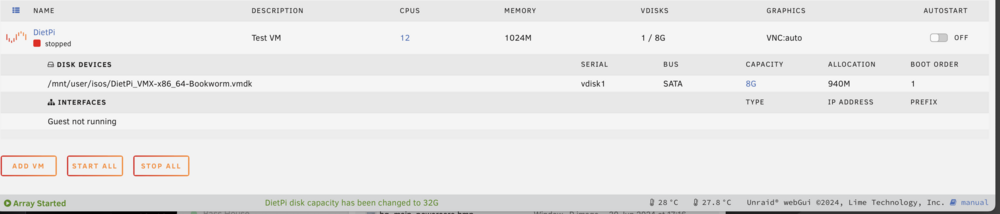
Hi, Pulling my hair out, could someone please advise? Ive created a DietPI VM using vmdk file. Everything has booted OK, however I am unable to increase the 8GB partition either via Unraid or within the VM. See below - VM stopped and when changing CAPACITY to 32G I get green confirmation, however it doesn't change. What am I doing wrong please?

-
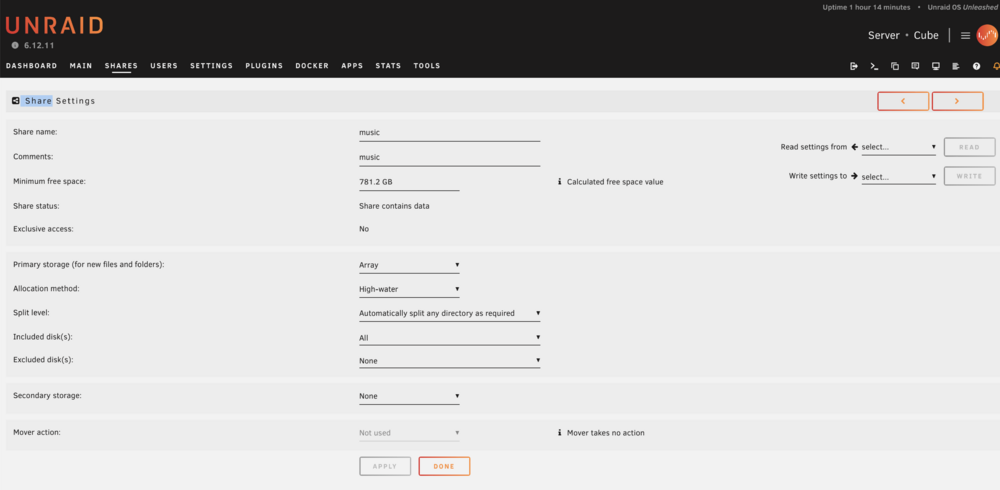
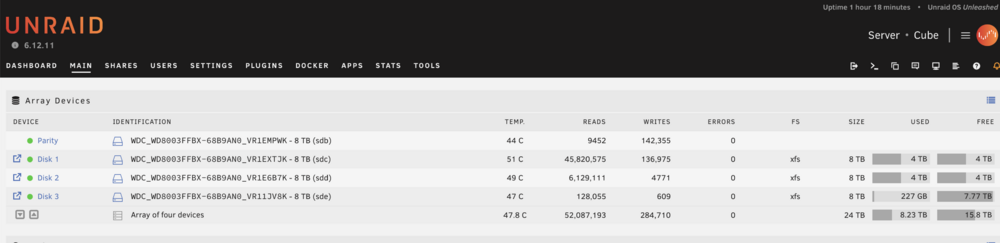
Good afternoon. I have moved my music collection to an array share called "music". My concern is, by the looks of how the music is being distributed across my 3 array disks, if I loose disk 1 or disk 2 I am going to lose half my music files, therefore I ask what is the point of the Parity drive, as I am not going to be able to recover full files stored on disk 1 or disk 2, if a disk fails? Am I being thick? I've historically used in the past and my brain use to RAID5. I just can't get my head around how would UNRAID work in this instance and the relationship with the dedicated Parity disk? Any help would be very much appreciated, thank you in advance.
-
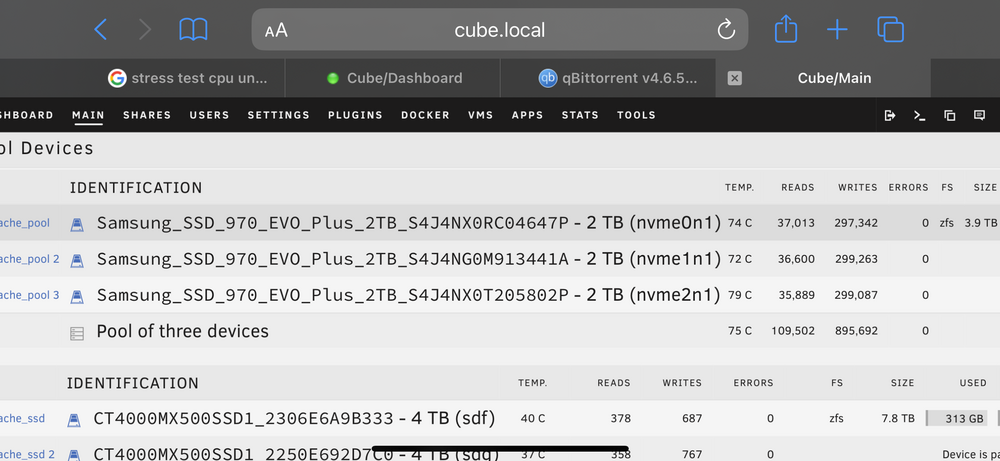
Good evening, Under normal usage I don't have any issues, but as soon as I fire up qBitorrent temps sky rocket as high as 85c Can anyone help me understand why and how I can mitigate this, please?
-
Does thunderbolt networking work?
-
Hey, I have a zimacube pro which has onboard TB. Could someone kindly outline the process to get TB networking working UnRAID please? I understand you need Linux Kernel 6.8, does UnRAiD have any plans to move to it?????
-
Yeah sorry not that helpful, presented more questions than answers. Namely, the reference to symlinking being related to zfs which I’m not using? Sorry ….
-
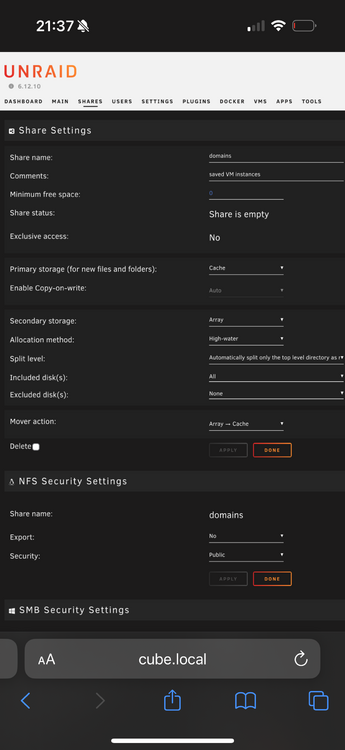
Good morning I’m a new user to UnRAID with some experience setting up home lab type of stuff. Bringing myself up to speed on UnRaid, I’ve watched and read many tutorials, however since the release of UnRAID 6.9, much of the terminology within what I’ve learned related to shares, I am finding highly confusing. If I quick fire a couple of questions, could someone plesse respond but also kindly explain the why. - Terminology like prefer has now been superseded by ‘Primary storage’ correct? - In the case of a cache pool, all Data for a given share will be sent to the cache pool? - If a secondary storage option is selected i.e my array, files will be transferred to the array only when 1) insufficient space on the pool when or 2) files being sent exceeds the available storage as set by the minimum free storage option? - On the basis of the current configuration attached, when the mover action is set to Array —> what does this mean, in what scenario would it be invoked? - On the basis files are in fact moved off the array to the cache pool, what files are moved? Earlier someone advised me files in alphabetical order? Further questions to this would be, 1) how many files would mover move and what determines this? 2) are only files associated with that share moved back from the array? (Logically this much be true?) - Lastly, looking at Including / Excluding Disks, what is the point of having a separate exclude option, when you can deselect what drives within the Include - surely this is the same thing no? Thank you in advance and hopefully my questions aren’t too stupid. Look forward to becoming part of the common here. Ant