




Skip to content
View in the app

A better way to browse. Learn more.

Unraid

A full-screen app on your home screen with push notifications, badges and more.

To install this app on iOS and iPadOS
  1. Tap the Share icon in Safari
  2. Scroll the menu and tap Add to Home Screen.
  3. Tap Add in the top-right corner.
To install this app on Android
  1. Tap the 3-dot menu (⋮) in the top-right corner of the browser.
  2. Tap Add to Home screen or Install app.
  3. Confirm by tapping Install.

Jab0rnal

Members
  • Joined

  • Last visited

Everything posted by Jab0rnal

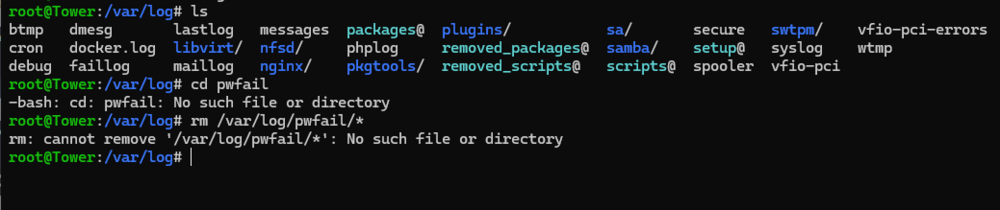
  1. Thanks for the response, but unfortunately that directory doesn't exist.
  2. I have tried that - use_ssl no, rebooted and still the same - 500 Http error.
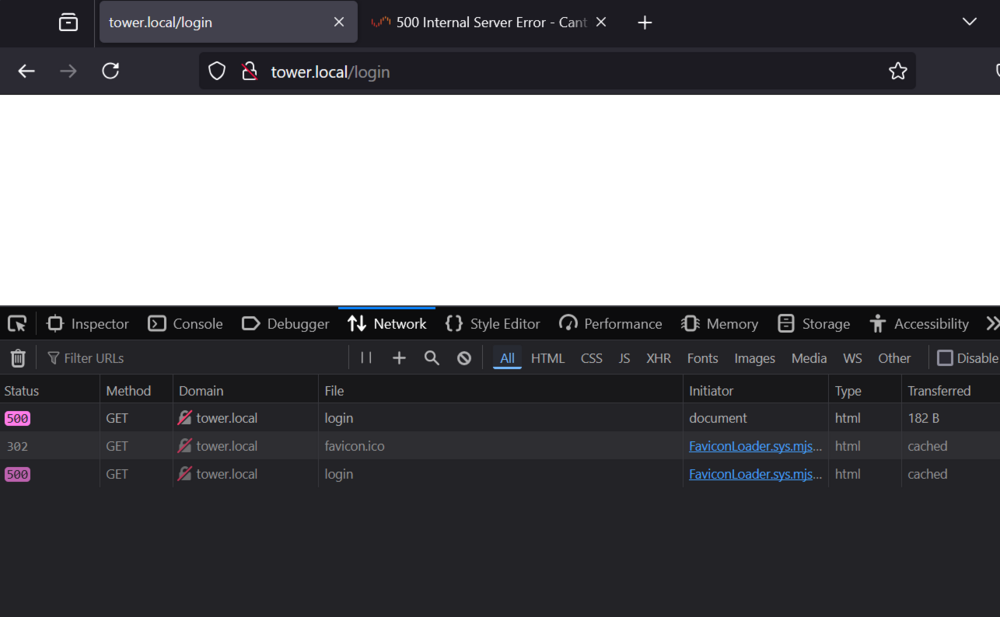
  3. Hi All, If i try to navigate to my server via the web UI i get a 500 internal server error. I have tried safe mood boot but still get the same thing. This appears to be a permanent issue now on a server that has been working fine since January. I can still access via SSH. Ive tried multiple reboots but still get the 500 error. Any ideas? tower-diagnostics-20240714-0400.zip

Account

Navigation

Search

Search

Configure browser push notifications

Chrome (Android)
  1. Tap the lock icon next to the address bar.
  2. Tap Permissions → Notifications.
  3. Adjust your preference.
Chrome (Desktop)
  1. Click the padlock icon in the address bar.
  2. Select Site settings.
  3. Find Notifications and adjust your preference.