





SmirkAction
Members
-
Joined
-
Last visited
Everything posted by SmirkAction
-
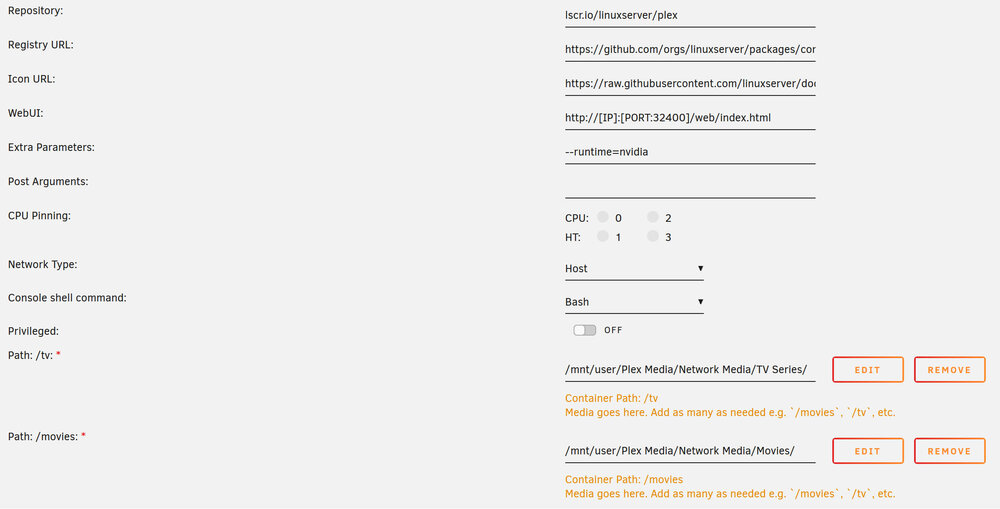
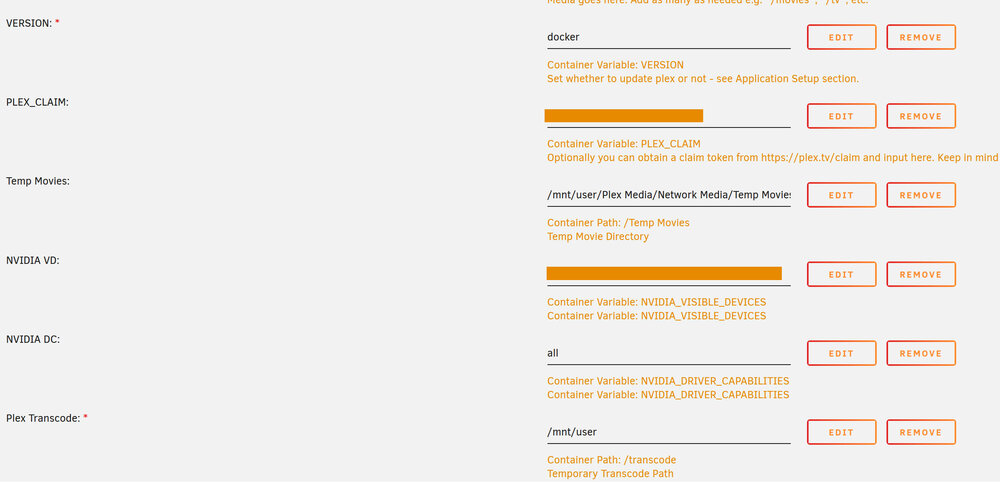
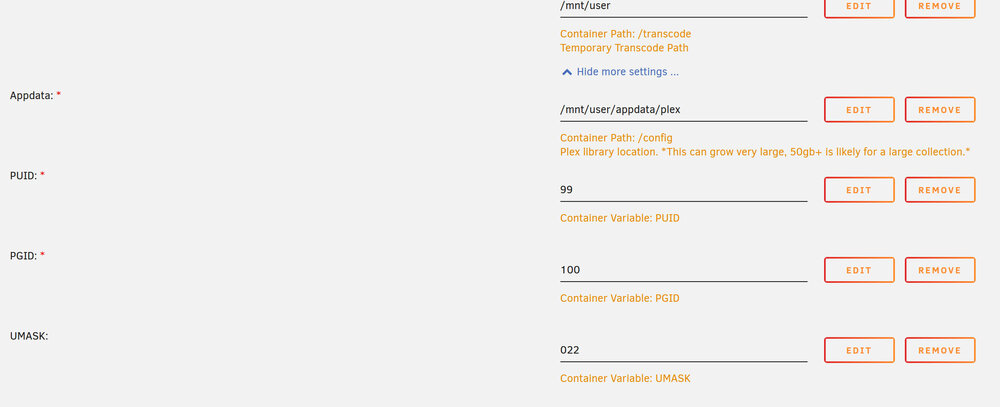
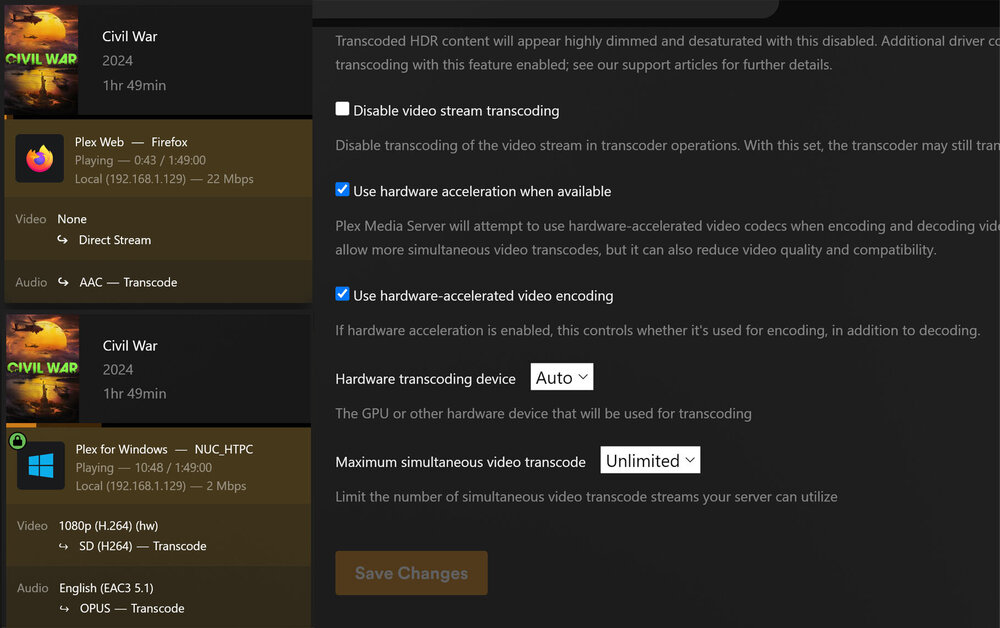
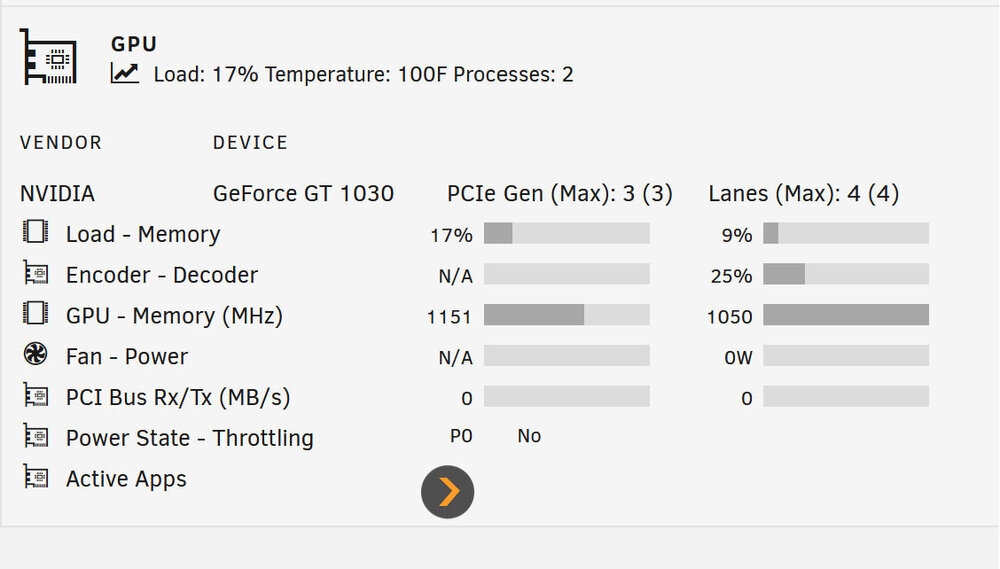
to the best of my knowledge, I have followed the instructions to the letter. I have some concerning issues are in my Transcoding settings page on my Web UI and my Windows App, I don't see my GPU as an option, only 'Auto'. The Web UI the videos play fine, no skipping or stuttering, but it's only playing direct play. On my Windows App, it is showing 'hw'. However, no matter what settings I chose in my transcoding setup, it still seems to stutter. I installed GPU Statistics to see how my GT1030 is handling the load and it seems like it could be doing more (last pic) Can anyone see a setting I have missed? Thank you n advanced!
-
Thank you for the response, this is kind of my thoughts as well. I already purchased my new storage I plan to use. I will be starting out small with two 8TB drives that I plan to run in a mirrored (Raid-1 I believe, is this right?). My current media library is small in comparison to most currently at less than 3TB and I don't plan to get much bigger. But unless I am wrong, I will now be more than doubling that. As for my existing backup protocol, I use a program called SyncBackPro that mirrors all my data between two separate drives to an external USB 3.0 5TB drive. One of the data sets/drives it backs up is a very old 320GB USB 2.0 external drive I have had for nearly 10 years that stores less important files/programs/exe's/etc, and the other is my current media drive from the HTPC that will eventually be my new NAS hardware. That media now, totals less than 3TB and consists of two 2TB drives in a striped configuration, totalling 4TB. Risky, I know. So now you know why a NAS is long overdue and I am no stranger to the risks as running a stripped configuration for 3 years now was just a ticking time bomb. Other than the aforementioned Windows 11 compatibility issues, a NAS was long overdue. So to me, because I run that SyncBack mirror to an external drive and I have always had a backup I accepted the risk. SyncBack is simple and elegant and has worked well for at least 10 years. Ye, I am aware that this external drive being 5TB is less than my future 8TB NAS, but until I start filling the NAS's drives, it will do. With that said, unless I stand corrected, and keeping in mind I am looking for beginner simplicity, I will have a backup, of my backup as the Raid-1 is just mirroring my 2nd 8TB NAS drive, right? So with that, the risk IMO is small do to redundancy. I will explore a motherboard/case upgrade in the future, but with that said, will I be able to swap the drives over to a new build, or will I have to do a clean install and run from my backup? Thanks again!I am retiring an old, still very robust Windows 10 PC that was mainly my Plex server, but still used for a lot of computing tasks, aka, Photoshop, video editing, research/web browsing, etc. But now Windows is stopping support for Win 10, and my CPU is not compatible with Win 11. Fast forward to its time to make use of that PC for a long over due NAS. I like what Unraid offers and it seems easy enough for a beginner like me, but when I went down the road on this quest, I was exploring other software's, one being TrueNAS (or FreeNAS as it used to be called), I was halted in my tracks when I found that TrueNAS although will work with my hardware, It's not preferred. The reason being, my motherboard FM2A88X Extreme6 with a AMD A10 7860k CPU doe not support ECC memory. How will this effect my build if I stay with this hardware and run Unraid? Thank you in advance for your support!


