




Skip to content
View in the app

A better way to browse. Learn more.

Unraid

A full-screen app on your home screen with push notifications, badges and more.

To install this app on iOS and iPadOS
  1. Tap the Share icon in Safari
  2. Scroll the menu and tap Add to Home Screen.
  3. Tap Add in the top-right corner.
To install this app on Android
  1. Tap the 3-dot menu (⋮) in the top-right corner of the browser.
  2. Tap Add to Home screen or Install app.
  3. Confirm by tapping Install.

xAlias

Members
  • Joined

  • Last visited

  1. Woah, stopping the mover and clicking move seems to have moved the files! Not sure what was wrong earlier.. Thanks a lot for the help!
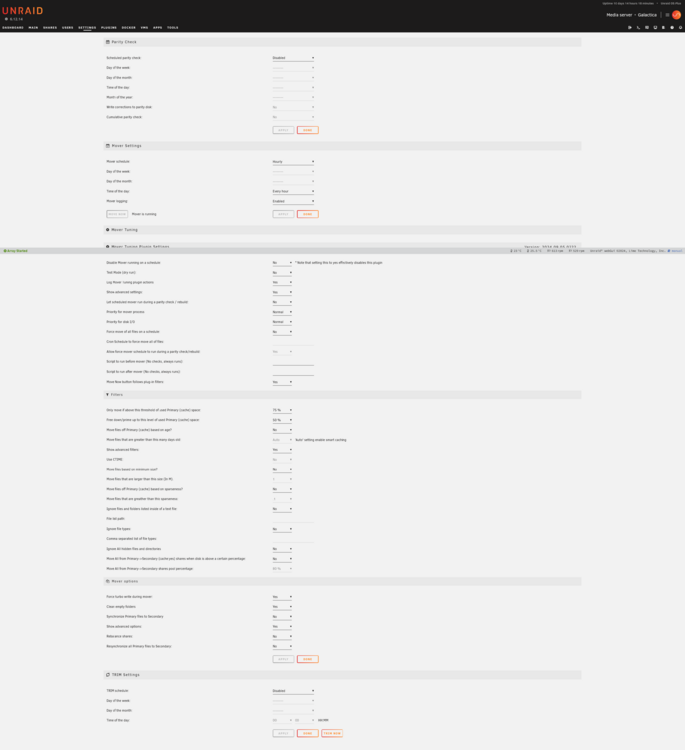
  2. Seeking help as a new unraid user (first post here!) who configured this plugin hoping to move files from my cache_ssd drive once it hits 75-80% to move to my array and stop around 50%. But unfortunately somehow it hasnt been working and my drive is now nearly 95% full. Would someone be able to review my settings to check what I am doing wrong here? Thanks in advance!

Account

Navigation

Search

Search

Configure browser push notifications

Chrome (Android)
  1. Tap the lock icon next to the address bar.
  2. Tap Permissions → Notifications.
  3. Adjust your preference.
Chrome (Desktop)
  1. Click the padlock icon in the address bar.
  2. Select Site settings.
  3. Find Notifications and adjust your preference.