





makem
Members
-
Joined
-
Last visited
-
Thank you. So as we travel quite a lot I could miss at lest one time and possible more. To be safe, best to notice (as I did), the time lapse and maybe make a manual check.
-
If the set parity schedule is missed is a parity check carried out as soon as possible afterwards? I notice my last parity check was done 50 days ago and it is set to monthly, 1st day. I was not able to find it in the documents.
-
Reboot fixed it
-
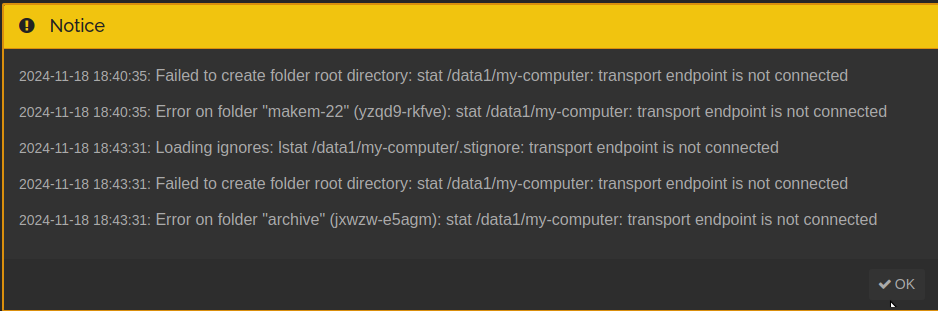
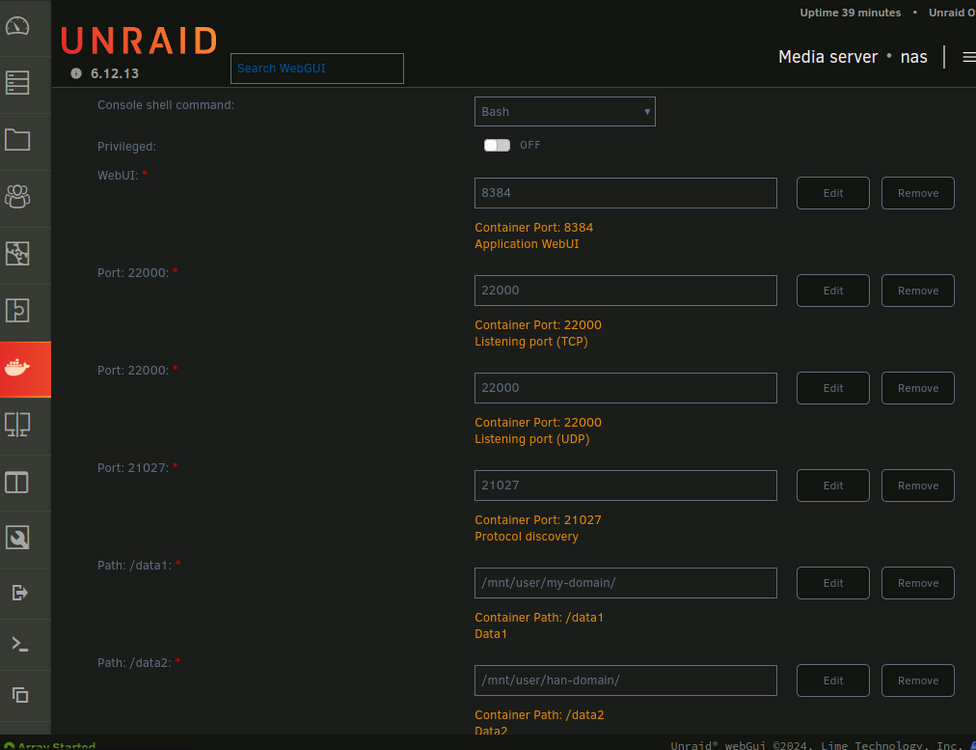
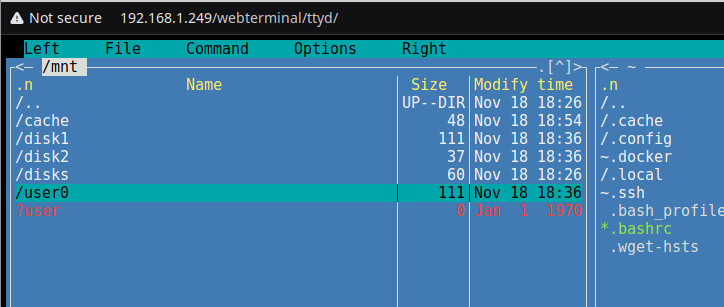
nas-diagnostics-20241118-2050.zipI have been using unraid for some time now with syncthing and after moving a share today I noticed that the config. entries in syncthing each had a red dot against them. I also noticed that in the terminal list ?user was shown in red instead of my usual 'user'. I am also getting an error: transport end point not connected. I do not know where to start to find how to fix. Can anyone assist please?
-
In my simple case I would like to resolve conflicts simply by making my desktop machine the 'master' and the slave always defaults to the master in a conflict. I am not sure if that could be arranged. Maybe in this statement there is my solution, "If the modification times are equal, the file originating from the device which has the larger value of the first 63 bits for his device ID will be marked as the conflicting file." Needs looking into as a solution for me.
-
Thank you @bmartino1 for your offer but I only work inside the home network. I have just finished syncing the laptop to the nas using syncthing. I had one conflict with a jpg so far but its late here so will look at that tomorrow. I read somewhere there is 'conflict' help, instructions, docker, plugin or something available. I sync docs, video, pics and desktop only, for when we travel. ( Madeira end of the month) Its handy to sort trips and take data with you. I never use the laptop apart from that. All my machines are dual boot windows/xubuntu and I am syncing only xubuntu. Windows is only used where necessary for games. I like your use of 'portforwaind'. I used that when I first started into syncing using Nextcloud. Dropped Nextcloud in a few days when I found they had not fixed a serious error for 5 years. I am happy with syncthing.
-
I have unraid 6.12.13 syncing with my linux (unbuntu) desktop pc on my home network using NFS shares and syncthing. When I travel I want to first sync my laptop with my desktop pc before leaving home. I do not need to connect the laptop with my home network until I return home. I have searched around and can find a possible use in Unassigned Devices but it is so complex I am not sure if it is OTT for my simple requirement. I am thinking maybe on the laptop ignoring syncthing and simply use rsync as and when I need the two machines to be identical. However this introduces a manual syncing method when I think it may be possible to use syncthing even for such a simple use, to automate the sync as and when needed. What is the forum thinking on this? Are there any guides available to help me decide which way to choose?
-
Answer found here: https://forums.unraid.net/topic/150414-mounting-an-unraid-share-in-ubuntu-linux/ And in /etc/fstab I entered: 192.168.1.249:/mnt/user/my-domain /media/my-domain nfs x-systemd.automount 0 0 To make it auto connect.
-
I have a NAS running Unraid and am trying to access an NFS share to a folder on the NAS from my despktop xubuntu pc . The /etc/fstab contains: 192.168.1.249:/mnt/disk1/my-domain /mnt/my-domain nfs x-systemd.automount 0 0 In the NAS the NFS share /mnt/disk1/my-domain is exported and shared as public. I get this error: mount.nfs: access denied by server while mounting 192.168.1.249:/mnt/disk1/my-domain Any guidance would be appreciated.
-
Yes it's certainly not regular. Con go once a day or twice in a day or miss days.
-
No, never heard of it till you mention. I don't suppose I could be anything to do with intermittent wifi? My router seems to be running down and affecting wifi so looking for a new one.
-
Thanks, at least I can stop searching for solution. I would have hoped that when an issue comes up its advertised a bit.
-
I am still running the trial version 6.12.13. Every now and then whilst using the WebUI, when I return to the Main page I find it is totally empty of any information about the drives, cache or flash. I have checked the whole SD card for '\flash\config\plugins\dynamix.plg' but do not find any .plg file mentioning Dynamix except for Dynamix File Manager.plg and Dynamix S3 Sleep.plg. I have used Fix Common Problems plugin and it warns about the nas - Investigate/User Utilities/Fix Common Problems. This app said bittorrent needed an update. I did this but that warning persisted although the app reported no errors or warnings. The 'What is checked' page was blank white. The 'Warnings' bell on the Main WebUI is still orange in colour and still reports 1 warning. I found a post which mentioned that dynamix.plg was an old WebUI and that it caused the effect I am experiencing now and that it should be removed. As the file does not exist on my SD card, is there another solution available please?
-
I failed to see that the full path of data/ is /mnt/user/data/ sudo mount -t nfs 192.168.1.249:/mnt/user/data /media/nas-media
-
Ubunto 24.04 mount point named nas-media: makem@makem-22:/media$ ls -lh total 12K drwxrwxrwx 1 root root 4.0K Sep 27 00:58 games drwxr-xr-x 7 root root 4.0K Sep 30 13:17 makem drwxr-xr-x 2 makem makem 4.0K Sep 27 12:53 nas-media Linux mount command: makem@makem-22:/media$ sudo mount -t nfs 192.168.1.249:/data /media/nas-media mount.nfs: access denied by server while mounting 192.168.1.249:/data makem@makem-22:/media$ I fail to see why it is denied. Is it peculiar to Unraid?

