




Skip to content
View in the app

A better way to browse. Learn more.

Unraid

A full-screen app on your home screen with push notifications, badges and more.

To install this app on iOS and iPadOS
  1. Tap the Share icon in Safari
  2. Scroll the menu and tap Add to Home Screen.
  3. Tap Add in the top-right corner.
To install this app on Android
  1. Tap the 3-dot menu (⋮) in the top-right corner of the browser.
  2. Tap Add to Home screen or Install app.
  3. Confirm by tapping Install.

zhuzm

Members
  • Joined

  • Last visited

  1. Thank you very much. I know that I need to change the log to none. I turned it on to see where the problem occurred. I tried changing those settings, but none of them worked. Finally, I reinstalled the unraid system and it solved the problem. I guess it was a bug in the system, not a setting problem. Thank you again for your reply!
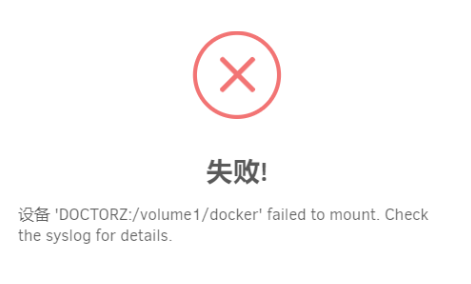
  2. Hi, I'm a newbie and I just started playing with unraid. I use unraid as the underlying system and then run Synology in a virtual machine. Synology uses NFS to share folders, and unraid can add them, but I can't mount them on unraid anyway. Is there something wrong with my settings?

Account

Navigation

Search

Search

Configure browser push notifications

Chrome (Android)
  1. Tap the lock icon next to the address bar.
  2. Tap Permissions → Notifications.
  3. Adjust your preference.
Chrome (Desktop)
  1. Click the padlock icon in the address bar.
  2. Select Site settings.
  3. Find Notifications and adjust your preference.