spark94
Members
-
Joined
-
Last visited
-
Okay I’m able to get the config folder from boot using midnight commander, but seeing as I’m in safe mode plugins are disabled which means unassigned devices isn't showing my new usb to copy the config folder. I could try booting normally, but I don’t want to try booting again if I don’t have to
-
The problem with changing the usb drive is I don’t have a backup of the usb. And it’s not readable when in another PC. yeah it’s weird, if I do a full boot from power off, I can get into unraid locally, but not from a browser. But if I then restart the server I get the USB error. It’s super inconsistent. If I’m able to backup the flash drive through the terminal I could then use a new flash drive
-
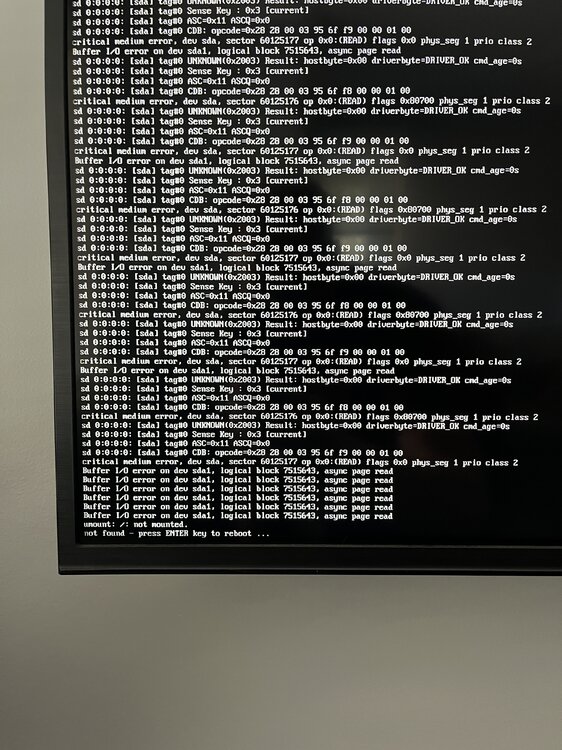
I can only get Unraid to boot (somewhat) properly if I completely shut down the PC, then power on and boot. If any restarts or bios changes occur unraid just won't boot at all or give me the error in photo 1. If I am able to get unraid to boot, the web interface doesn't load, either on my laptop or locally. The terminal seems to work locally though. I have booted in safe mode to ensure its not a plugin causing the issue. I also don't have a backup of the flash drive.. If a plug the flash drive into my laptop (linux mint) or my desktop (win 11) both devices basically become useless and riddled with glitches/bugs and neither device can open the flash drive. I've currently got my unraid machine booted to the webui locally, but the gui interface is not loading, just the terminal. This all started after I updated to 6.12.13, and replacing the CMOS battery. I've got the bios settings the same as they were before, fast boot disabled, boot priority set to the Sandisk USB and the other boot options disabled and set current date & time. Pls help me