





zdonk
Members
-
Joined
-
Last visited
-
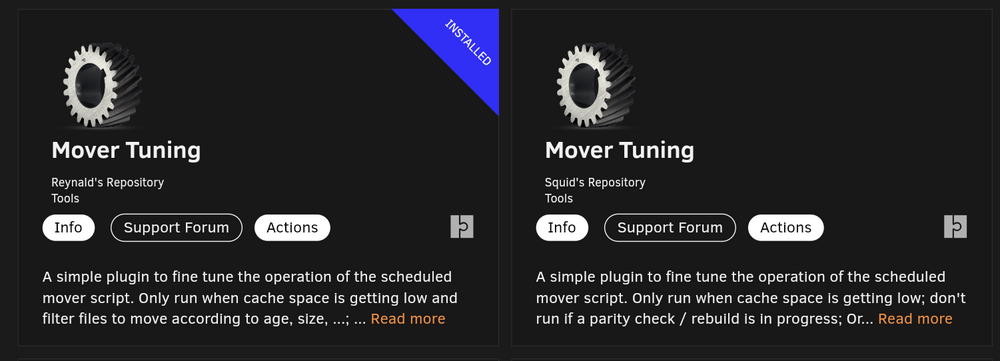
Thanks makes sense Has been running fine so haven't really needed to touch anything in mover tuner plugin. Fwitw this is the version of plugin I have installed Hope some of this info is of help @vhw
-
I don't strictly know what the issue was. Could have been mover issues, maybe a session timeout as I had logged in and running in browser on my desktop overnight, or maybe something to do with unraid 7 beta, never really pinpointed what was going on. It sort of fixed itself after I managed to log back in. I implemented the changes suggested @bmartino1, hasn't recurred since then. But not sure if that's thanks to the mover settings I added or something else. Has been running rock solid ever since, no other issues manifested
-
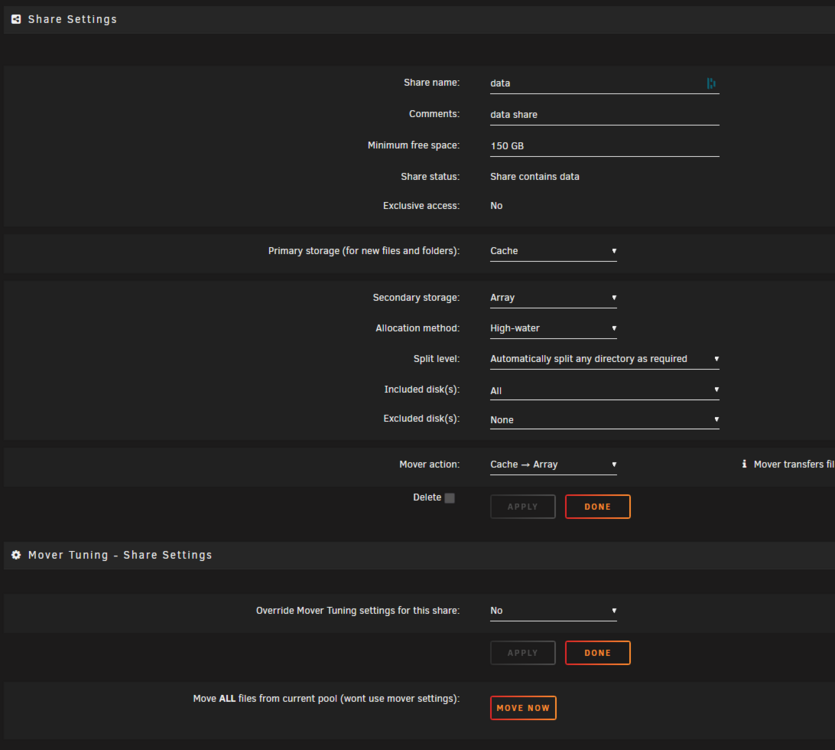
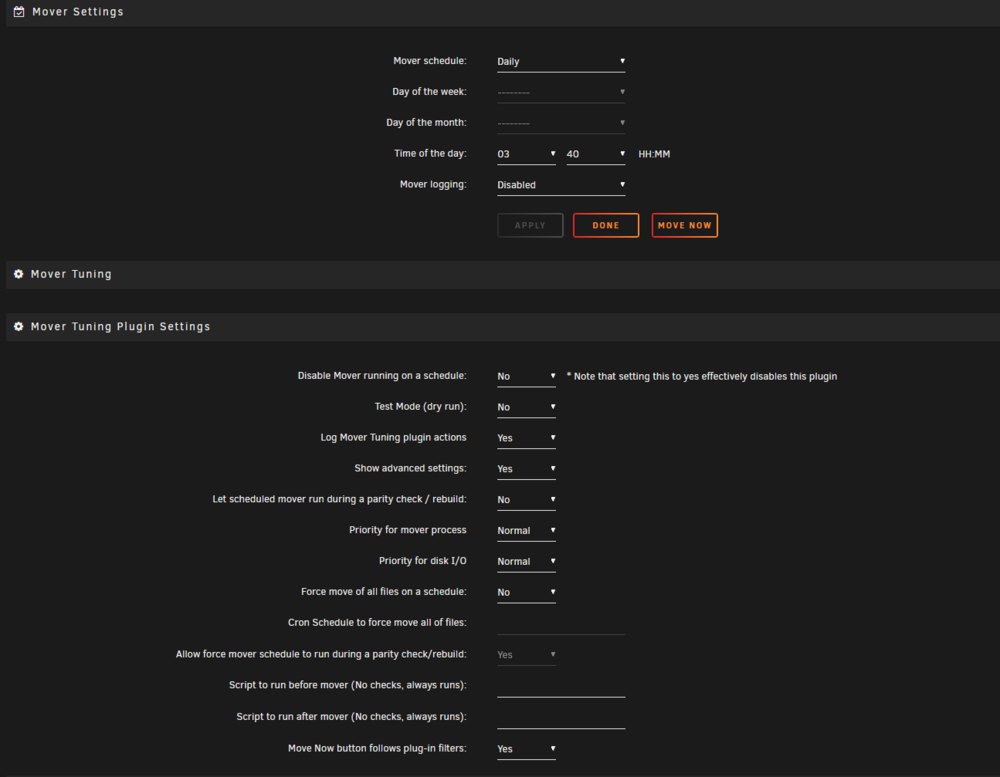
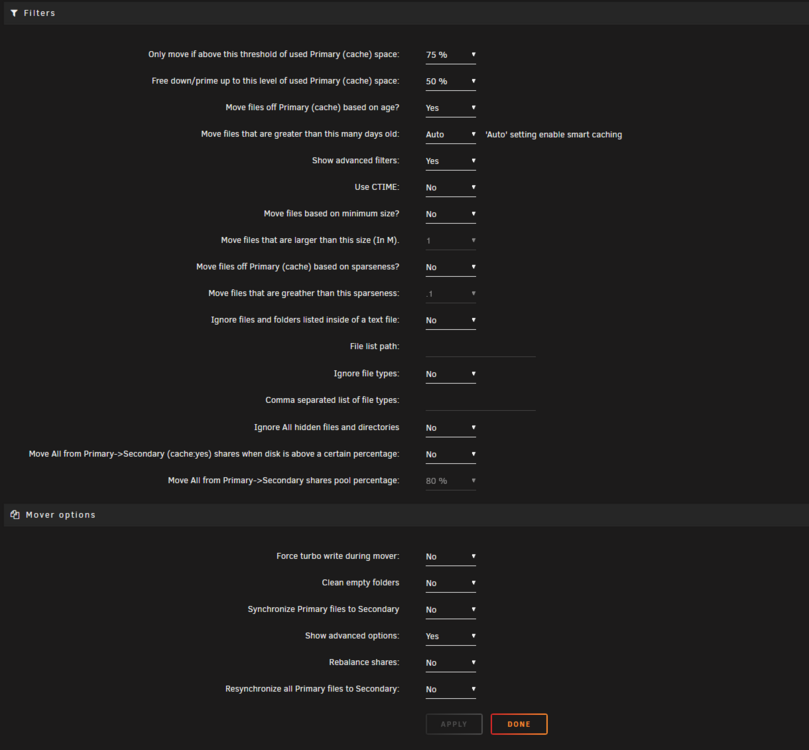
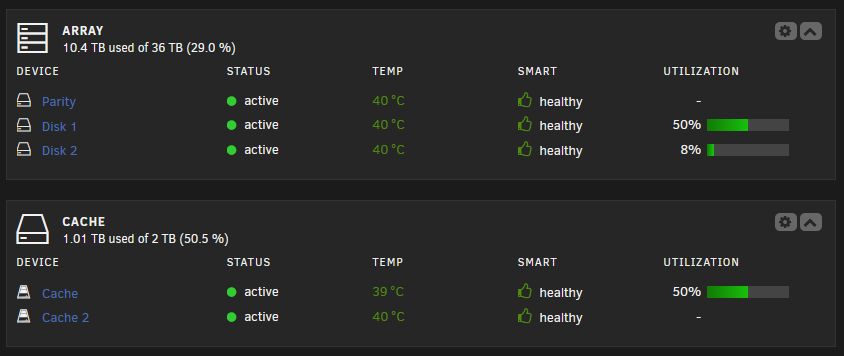
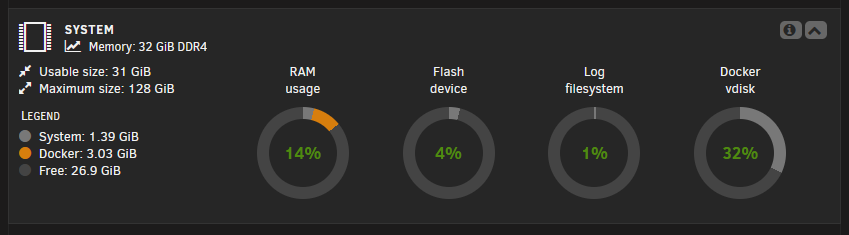
Thanks @bmartino1 Yeah it's unraid beta 7. I didn't want to raise it as a bug in the beta 7 board, figuring it's possibly a general or maybe user error issue (still learning unraid ). I've got 2 shares at the moment that are Cache > Array 1. Nextcloud share 2. Data share (setup per trash guides with cache pool) None of the shares or drives were showing full at the time. Maybe the cache was getting close to being full around that time but at the time of posting, cache utilisation was around 76%. Mover tuning plugin is set to schedule mover run when utilisation reaches 80% moving down to 50% utilisation of the pool Mover settings below: - Note have since changed to trigger mover after utilisation is oer75% Mover has run overnight and brought utilisation down to 50% I don't see the same errors in the recent sys logs. Regardless I've added those 2 lines to the go file and done a reboot and manually triggered mover from the gui per your suggestion. I've attached the latest diagnostic since the reboot in case this is of any interest. jonsbo-diagnostics-20241024-1525.zip
-
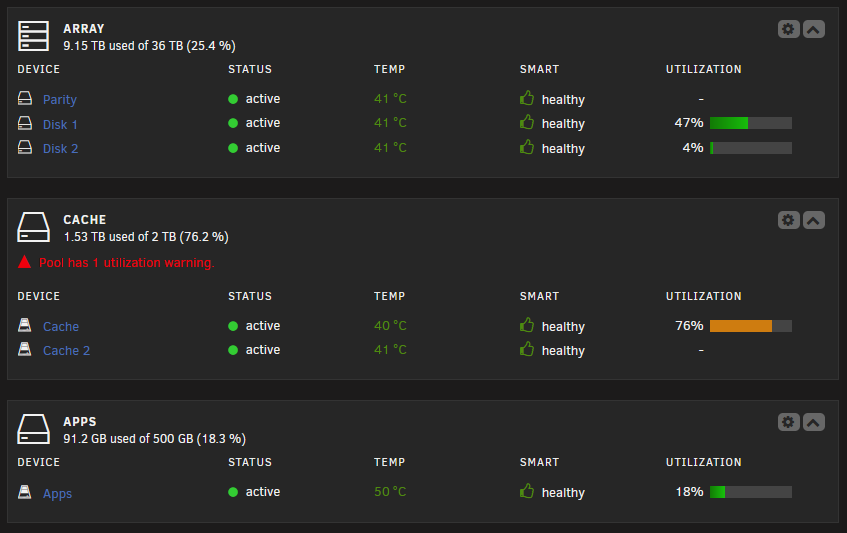
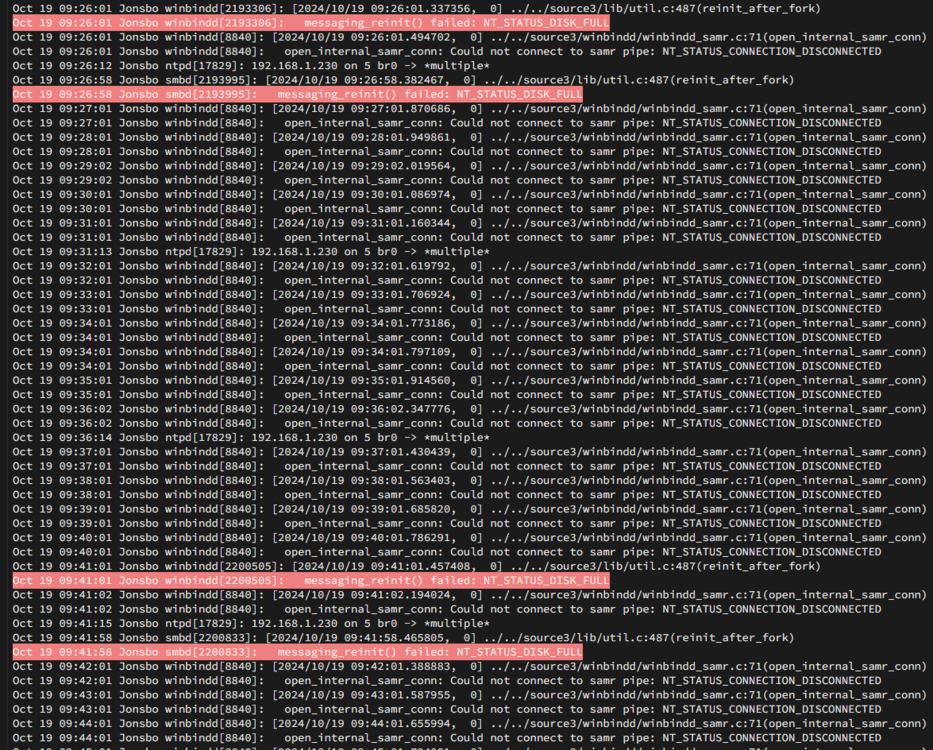
Hi friends, Today i found some errors in unraid that I couldn't find any info on. Any information on what would have triggered these? I don't see any disk full errors on the dash, cache pool has utilization warning but that's about all that stands out. Also, I'm not sure if this following issue has anything to do with what my question is about, but adding it in just in case. I found this because I had some issues today getting into my unraid dash. I was unable to get into the webgui on my main desktop or via phone. SSH was not working either. Entering root and password just refreshed the page a and wouldn't progress to the next page after auth. I suspect possibly related to these lines from the syslog which seem to have been ongoing for a couple days: Oct 19 09:54:01 Jonsbo winbindd[8840]: [2024/10/19 09:54:01.233397, 0] ../../source3/winbindd/winbindd_samr.c:71(open_internal_samr_conn) Oct 19 09:54:01 Jonsbo winbindd[8840]: open_internal_samr_conn: Could not connect to samr pipe: NT_STATUS_CONNECTION_DISCONNECTED Oct 19 09:55:01 Jonsbo winbindd[8840]: [2024/10/19 09:55:01.298789, 0] ../../source3/winbindd/winbindd_samr.c:71(open_internal_samr_conn) Oct 19 09:55:01 Jonsbo winbindd[8840]: open_internal_samr_conn: Could not connect to samr pipe: NT_STATUS_CONNECTION_DISCONNECTED Oct 19 09:56:01 Jonsbo winbindd[8840]: [2024/10/19 09:56:01.368957, 0] ../../source3/winbindd/winbindd_samr.c:71(open_internal_samr_conn) Oct 19 09:56:01 Jonsbo winbindd[8840]: open_internal_samr_conn: Could not connect to samr pipe: NT_STATUS_CONNECTION_DISCONNECTED After a few tries eventually from private browser session it let me log in on my phone, login from desktop then worked fine as well. Maybe this was because I had logged into the server gui a few days ago and kept the window open and active in a tab for that whole time, so possibly closing the old session and starting a new one fixed this maybe? Appreciate any guidance anyone may have. Thanks Diagnostics attached: jonsbo-diagnostics-20241019-1027.zip
-
Have now replaced the sata controller with a new one from (https://www.silverstonetek.com/en/product/info/expansion-cards/ECS07/). I have not had any issues since. Everything has been stable for over 10 days
-
Case is Jonsbo N3: https://www.jonsbo.com/en/products/N3.html So power delivery from the hot swap bay could possibly be the issue then if the new m.2 board doesn't resolve this?
-
Hi everyone, Decided to try my first NAS build with old parts after a desktop upgrade. Hardware for the NAS: MOBO: B550I AORUS PRO AX (rev. 1.3) BIOS: Flashed to [FFc] 2024-09-04 CPU: Ryzen 3700X RAM: Corsair Vengance LPX 2x16GB Storage: 3 x 18TB Seagate Ironwolf Pro; 2 x 2TB Crucial MX500 SATA; 1 x 500GB Gigabyte 500GB AORUS Gen4 m.2 nvme; GPU: Intel Arc A380 PCIE Riser Card: PCIE 4.0 Channel Splitter Expansion Riser Card 8+4+4Hyper M.2 NVMe M.2 to SATA: M-Key PCI Express To SATA 3.0b Expansion Card Adapter The motherboard with mitx form factor only has 4 sata ports and 1 pcie x16 slot. So to expand these i purchased a cheap m.2 to sata expansion card from aliexpress. This is connected with the pcie 4x4x8 lane splitting riser card which gives me expansion of 2 extra m.2 slots. So i had the ssd's plugged into the mobo onboard sata ports and hdd's pluggined into the m.2 card sata ports. As this is just a side project for me, it's only set up as media server with no critical data stored to it as yet. Decided to run beta 7 for the native intel gpu driver support. Initially when I managed to set everything up things seemed to be running fine for maybe a week. Then one morning i woke up to see a notification with a failed disk drive and the drive showing as disabled in unraid dashboard, this was the parity drive, data drives were ok at the time. These were showing as disk write errors in the logs. Tried to do as much research as possible to diagnose and troubleshoot. From reading some of the logged errors and googling, I thought maybe it came down to bad sata cable. Tried to rebuild the parity drive via the stop array > unmount drive > start > stop > mount > start process. But this kept failing for similar issues. So unplugged everything, plugged the parity drive into the onboard sata ports, data drives connected to the m.2 sata card. Started everything up and managed to rebuild the parity drive. Things ran fine for a couple days and got the same issue but this time on disk1 data drive. Tried different troubleshooting steps, different sata cable, different sata ports etc, but it kept failing during the rebuild process with i/o errors and disk read errors. So then thought maybe it's due to issues with the pcie 8x4x4 bifurcation card. So next i tried connecting the m.2 to sata card to the second onboard m.2 slot on back of the motherboard. But this failed during rebuild again with similar read errors, I/O errors in the syslogs. But I'm now suspecting issue possibly to be with the cheap m.2 to sata card. So i have a new Silverstone one on order which I'll replace and try out in a couple days when i get it. Until then I'm hoping someone could help me with diagnostics reports and see if there are other things i should be looking at or trying? Have attached the last diagnostic 2 reports, first one is from today when it initially failed with Buffer I/O errors during parity sync. In the diagnostic report smart files I suspect that it wasn't able to detect the drives at all: Smartctl open device: /dev/sdf failed: INQUIRY failed Smartctl open device: /dev/sde failed: INQUIRY failed After a reboot (second diagnostic report), smart file has contents in it, so it was able to detect the drives. This what lead me to think that the issue is with the m.2 sata card. But would appreciate any other help or insights anyone is able to give me. Not sure what other things it may be related to or i should be looking at. I have additional diagnostics reports I generated through various stages of the troubleshooting over the past week if needed as well. Thanks so much for any help of guidance jonsbo-diagnostics-20240915-1414.zip jonsbo-diagnostics-20240915-1500.zip



