





tim5686
Members
-
Joined
-
Last visited
-
Turns out it was my USB drive that had failed. I have managed to replace the USB drive with a new one and transferred my licence key over successfully as well as upgrading to 7.2.0. Thanks for your help!
-
Thanks @JorgeB I'll try to give that a go in the next couple of days and report back on how it went.
-
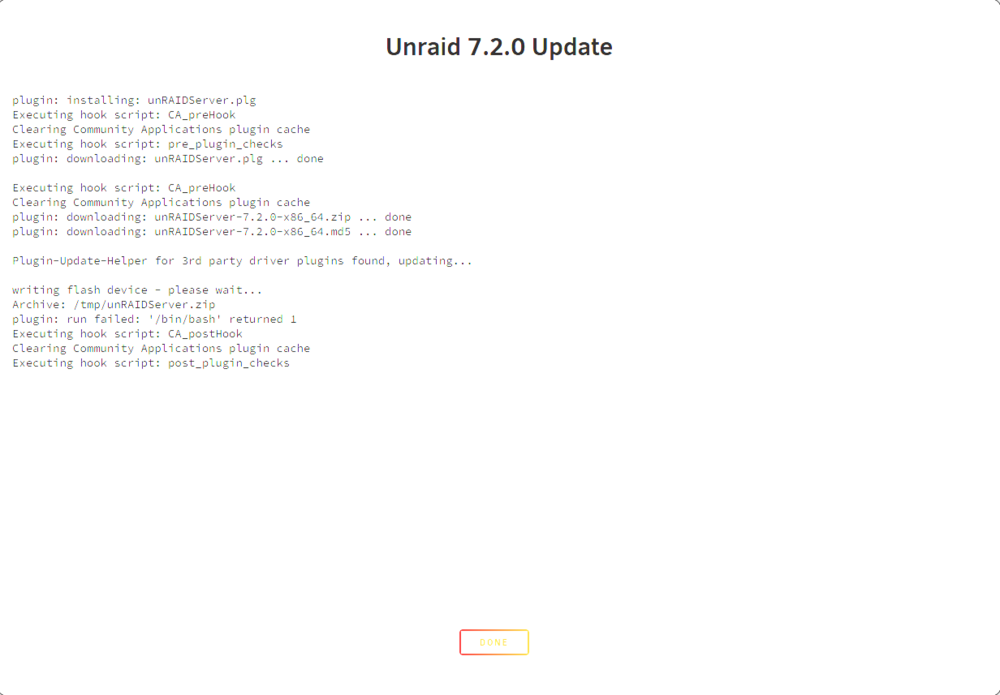
This is what I see:
-
Hi, I'm trying to update from 7.1.4 to 7.2.0 but I keep getting an error message that unRAIDplugin.plg failed to install. I am not sure what to do next as I've tried searching and not found any answers yet. My latest diagnostics are attached. Thanks in advance. tower-diagnostics-20251111-1654.zip
-
Hi, I'm new to unraid and not sure I'm going about this the right way.... I have a terramaster t6-423 with about 25tb data on it across 6 disks that are a storage pool in TOS. I've built a server particularly for unraid and added 5 drives to my array. I'm currently trying to copy data across my network and it's taking ages. Is there an easier way to transfer my data? Thanks

