Rezzard
Members
-
Joined
-
Last visited
-
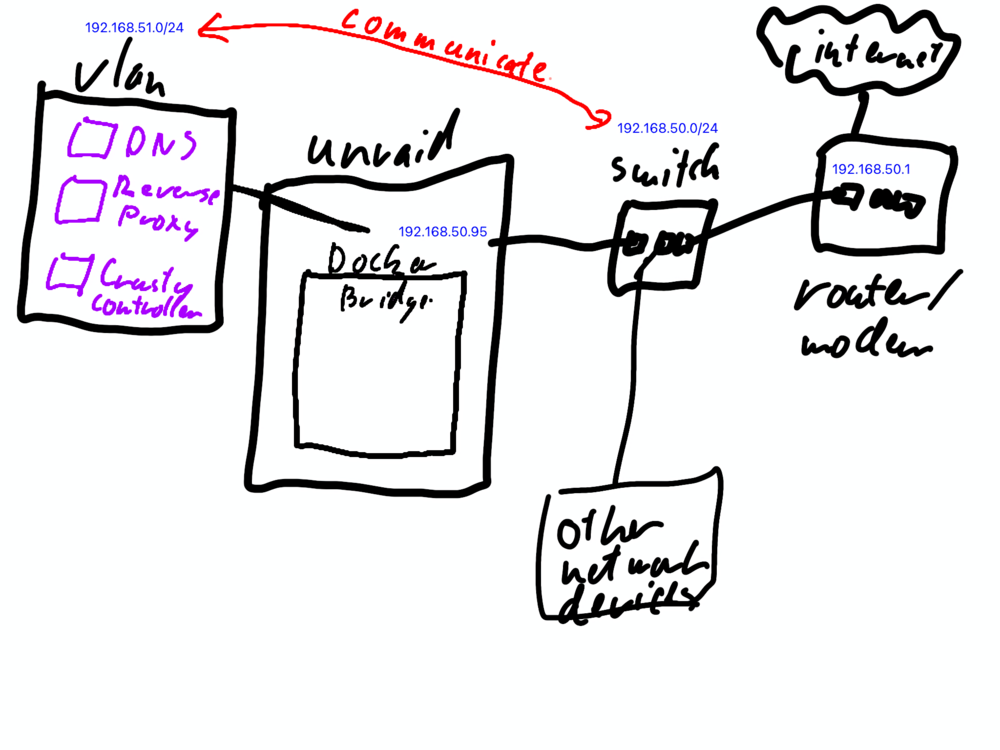
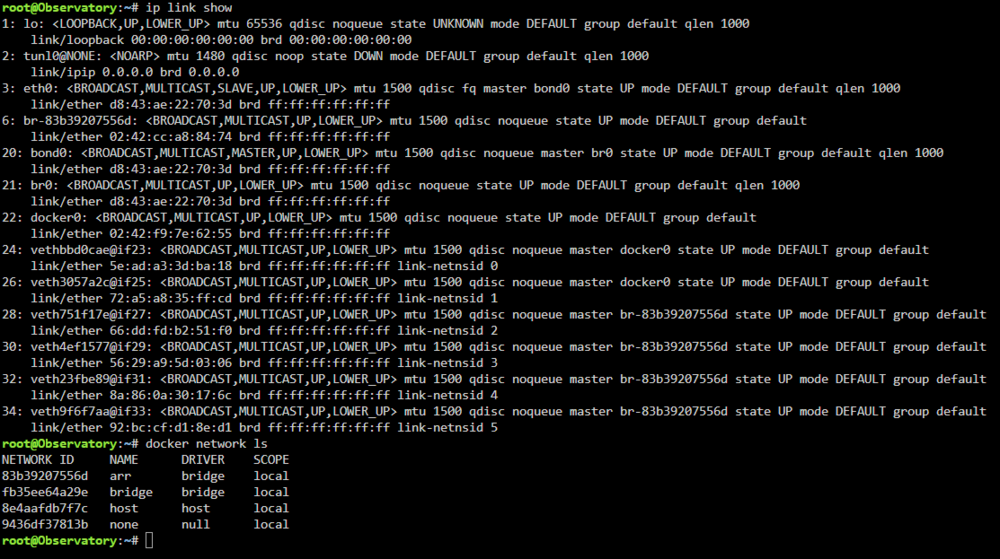
TLDR: How do I set up an ipvlan l3 192.168.51.0/24 that Docker can use in GUI, can communicate with the rest of my network 192.168.50.0/24 and the internet. Possible configuration problems because of previously created networks. I am having a configuration problem. I want to be able to play modded minecraft with my sons with as few headaches as possible when setting up a new server. We have been using crafty controller in docker running on the bridge network which has been fine for 3 servers but now they are asking for other mod packs and I am seeing a future of trying to keep track of many servers at once. I want to make it easy to connect a new server (or an old one if one son wants to join a modded world that has already been started with the other later). Each server runs on a different port on the same IP. I want to be able to direct them to a domain name for each server. i.e either 'ATM9.lan' or 'ATM9.minecraft.lan' instead of 192.168.50.95:25595. Through research my understanding is that I need a 'DNS server' to direct the domain name to a 'reverse proxy' that then connects to the correct ip:port of Crusty's server for that particular modded world. My first stumbling block has been setting up a separate Vlan for these three docker containers (So each container has its own static IP address and I do not have to worry about the DHCP server on the router assigning arbitary addresses or double assignment when things are reset). I had the vlan working but then upgraded the server because of the lag in-game (it was already struggling with 1 minecraft server, 3 was overkill and they wanted more). I then ran into a intermittent connection issue when upgraiding and thought that it had something to do with the ipvlan possibly because it was trying to create a dummy device on a connection that had changed (I went from a Intel system to AMD) and so was causing errors (It was 1 am and I was tired). So removed my Vlan, only to find out the network cable wasn't secured in the socket and was creating the intermittent connection. Tried to recreate the VLan and couldn't find the webpage that I got my original instructions from. Tried to recreate it from instructions on the internet and ran into several different problems depending on the instructions I was following.: Created a Vlan but it couldn't be seen in the docker GUI. I have had docker refuse to create the VLAN because the parent device was already in use. Created the IPVLAN but couldn't start a container because the host device already had an IP. The IPVLAN was started had a container working but it couldn't communicate/ping with anything else on the network or the internet, and other devices couldn't communicate/ping the container even though there is a static route defined in the router. What are the steps or order of commands and what should be my commands 'ip','bridge', 'docker network', etc.? observatory-diagnostics-20241006-1002.zip