Skip to content
View in the app

A better way to browse. Learn more.

Unraid

A full-screen app on your home screen with push notifications, badges and more.

To install this app on iOS and iPadOS
  1. Tap the Share icon in Safari
  2. Scroll the menu and tap Add to Home Screen.
  3. Tap Add in the top-right corner.
To install this app on Android
  1. Tap the 3-dot menu (⋮) in the top-right corner of the browser.
  2. Tap Add to Home screen or Install app.
  3. Confirm by tapping Install.

Geduk

Members
  • Joined

  • Last visited

Everything posted by Geduk

  1. thanks for your help I did try this but with no luck, I don't doubt its user error. but Ive taken the opportunity to uninstall the app then updated to v7 then reinstalled the app this seams to have fixed the problem
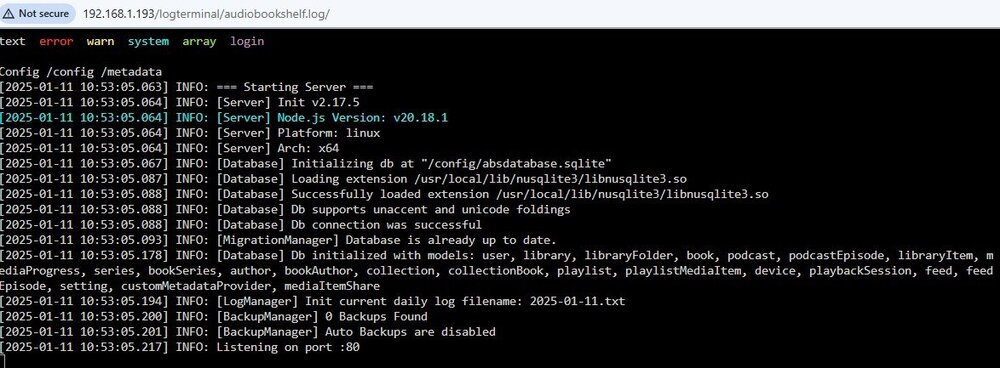
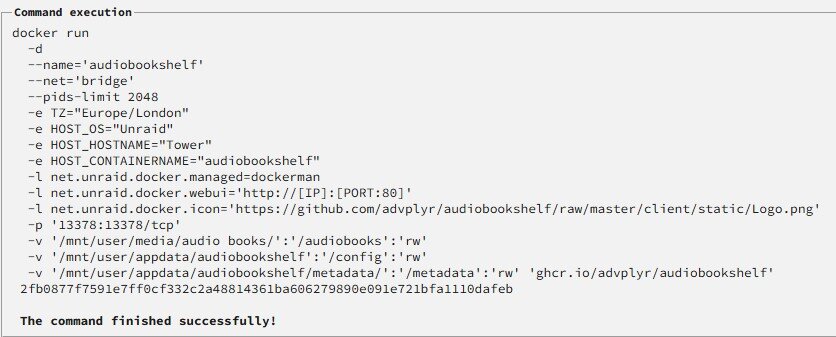
  2. hi all Ive installed audiobook shelf on unraid 6.12.14 but I cant open the web ui to finish the setup when I click on open web ui it opens the "main" unraid tab ive checked the logs and it dosnt tell me any thing how do I continue?
Account

Navigation

Search

Search

Configure browser push notifications

Chrome (Android)
  1. Tap the lock icon next to the address bar.
  2. Tap Permissions → Notifications.
  3. Adjust your preference.
Chrome (Desktop)
  1. Click the padlock icon in the address bar.
  2. Select Site settings.
  3. Find Notifications and adjust your preference.