jtest
Members
-
Joined
-
Last visited
-
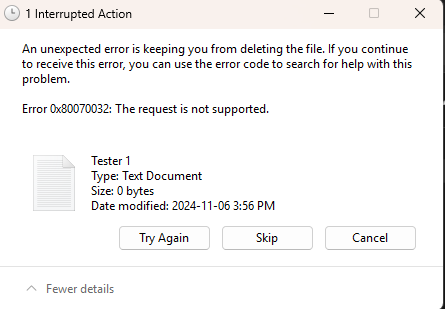
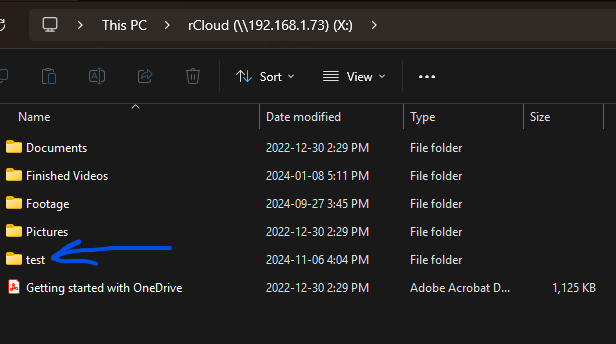
Okay, maybe I jumped the gun. It can only be read from my Win11 PC, but I can't modify. I used the cmd (in unraid) to see if I could write from there, and it works. The copy command created a file in thedrive: which is reflected in the rCloud folder:

-
IT WORKS! THANK YOU SO MUCH! I have learned a lot from this experience. I appreciate your assistance. Made a small donation via paypal. Not much, but a token of my appreciation nonetheless.
-
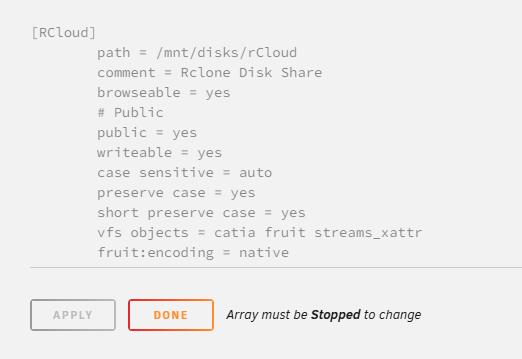
Tried rebooting. Didn't change anything. I'll clearly lay out everything I've done so far. 1) Set up unraid, created array called "SERVER" & a user w/ permission to access that. 2) Mapped SERVER to win11 PC. "\\192etc\SERVER" 3) Installed rclone plugin. Set up the config file of rclone (imported from my PC) with a union called "thedrive:" which is made of 4 onedrives. 4) Followed the steps you initially outlined, using the code verbatim to mount my rclone drive to unraid. [mntpoint="/mnt/disks/rCloud" remoteshare="thedrive:"] 5) tested it using "ls /mnt/disks/rCloud" - I could see my files in the command (of unraid) 6) Pasted the supplied SMB code verbatim, into the extras area of SMB: [RCloud] path = /mnt/disks/rCloud comment = Rclone Disk Share browseable = yes # Public public = yes writeable = yes case sensitive = auto preserve case = yes short preserve case = yes vfs objects = catia fruit streams_xattr fruit:encoding = native 7) Restarted unraid.
-
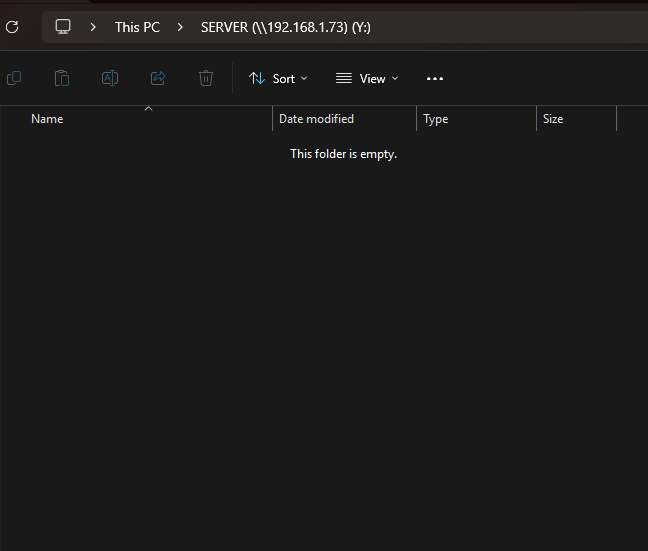
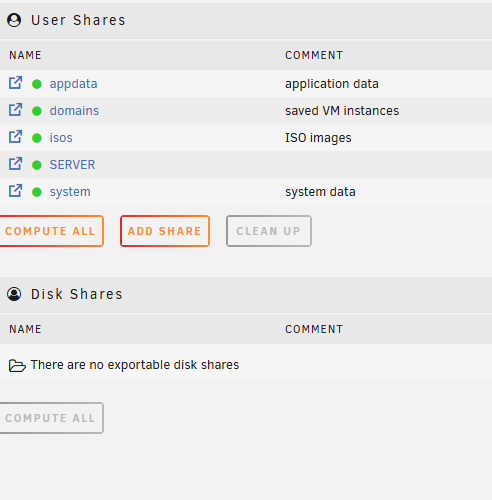
I thank you for taking the time to help me. I really do appreciate it. Unfortunately I do not see the share there:
-
I added the code to SMB extras and restarted the array. On the shares screen I still can't see the share.
-
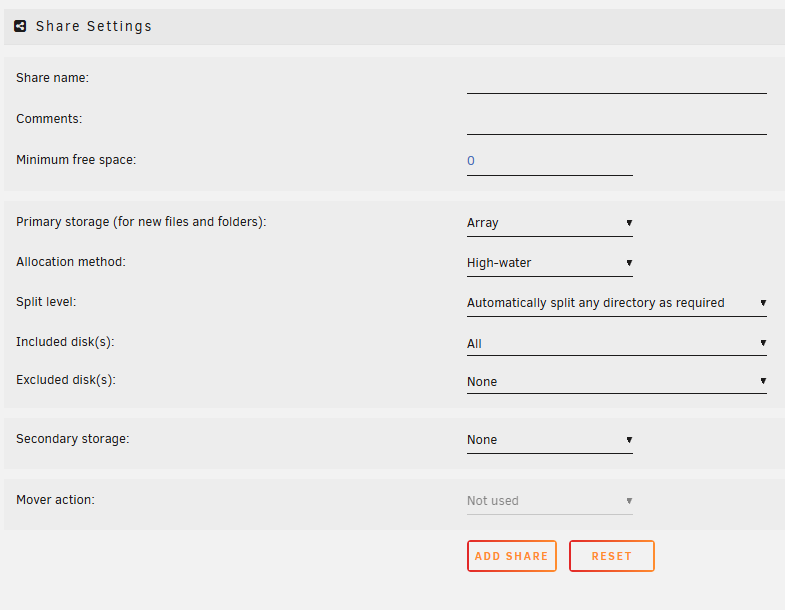
I have followed the instructions and everything is working great. I'm able to see the shared files etc. The one thing I can't figure out is how to set the path of the share: 2. Mapping the Mount to the Network Drive After you have mounted the rclone union at /mnt/disks/rCloud, make sure this path is shared through Unraid. You can do this by going to your Unraid GUI: Navigate to the “Shares” tab. Add a new share and set the path to /mnt/disks/rCloud. Set appropriate permissions for accessing the share on the network. Once the share is configured, you should be able to map it in Windows as a network drive (e.g., Y:). I can't see a field in the Share setup (see attached).
-
Thank you so much for the detailed response. I am going to try this as soon as I get a chance.
-
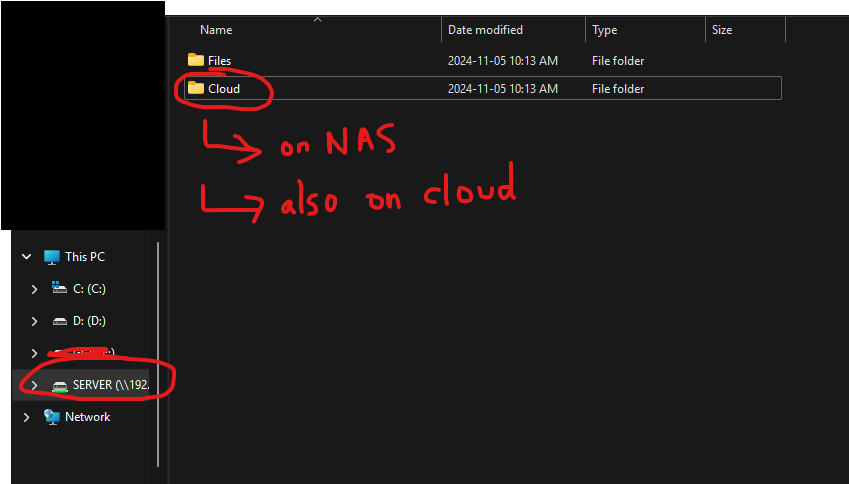
Unraid Version 6.12.13 Hi everyone! I'm new to unraid and this is my first time posting here so I'll keep it brief, and hopefully provide all required information. Unraid: Everything works. I have mapped it as a network drive (Y:) and am happy with the results. Rclone: I use it via CMD (on my pc) - having to go through all my files via cmd prompts is a pain. Bright idea: Let's mount my rclone union onto my unraid, and access it as a mapped network drive! What I've done: I installed the rclone plugin on unraid (waseh 1.68.1) as well as user scripts. Ultimately my goal is to: 1) Have a folder ("Cloud") on unraid, that I can access through "Y:" 2) This "Cloud" folder = my rclone union. The files exist on my unraid + in my rclone union I tried using the mount command but the files don't show up. I followed spaceinvader's guide (https://www.youtube.com/watch?v=-b9Ow2iX2DQ) Here's the code I used: #local mount on unraid mntpoint="/mnt/disks/rCloud" #rclone union remoteshare="thedrive:" #--- mkdir -p $mntpoint rclone mount --max-read-ahead 1024k --allow-other $remoteshare $mntpoint & To clarify, when I run "rclone lsf thedrive:" (via the terminal on unraid) it shows my files, so I'm confident my unraid server can access rclone in the same way my computer can. I just can't get a visual mapped network drive folder to easily manage my files. So... is mounting the right course of action and shall I attempt to make it work? Will it? Perhaps I should instead copy the rclone union's files onto my NAS, and then schedule a SYNC via userscripts to run each night? Image attached = my (hopefully) user experience.