Ctatum117
Members
-
Joined
-
Last visited
-
@itimpi This worked, everything is now accessible. Thank you everyone for helping.
-
Still no access under SMB. File browser in Unraid WebGUI still shows all the files, and the few I pulled down worked. Can I delete the SMB share and remake it without data loss? I only have a partial backup of this data.
-
erica-diagnostics-20241109-0619.zip
-
Testing is the only folder I can access.
-
I updated my RAM config, I think that's why the server name went back to Tower.
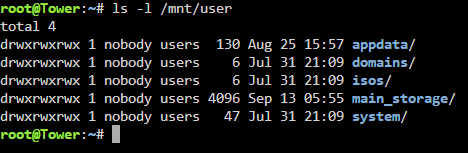
-
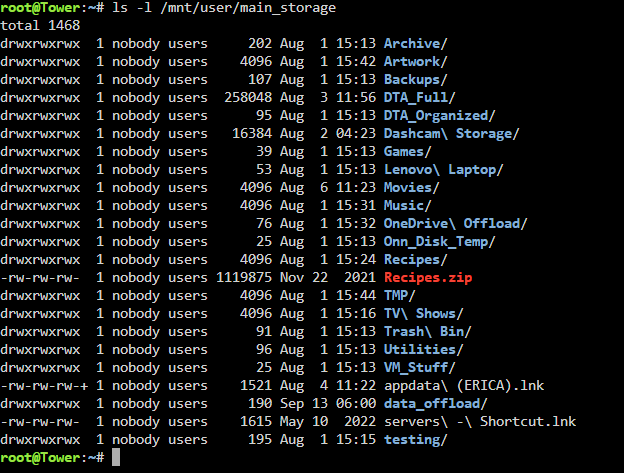
Got an error. Ran it in the terminal accessible from the webUI.

-
@trurlYes, it's currently set to public for troubleshooting
-
@JorgeB I've confirmed it's server-side. used CX File Explorer on Android, got a "Folder loading error"
-
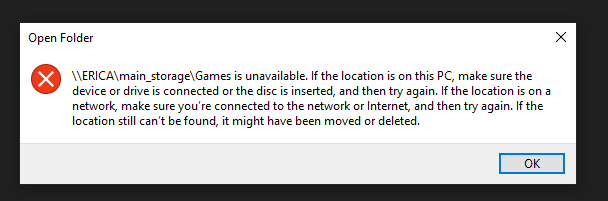
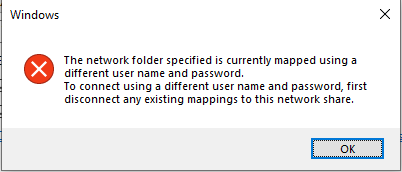
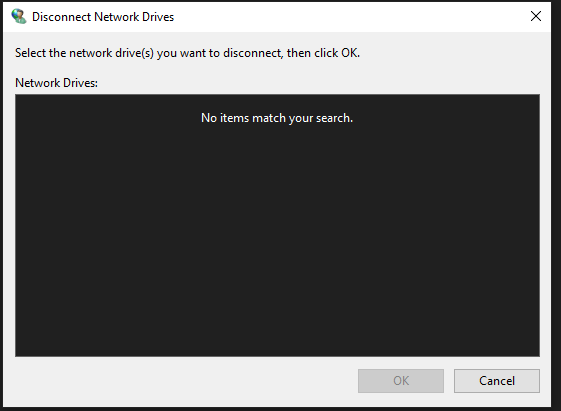
Running Unraid 6.12.11 Network is wired, NAS IP address is static. Running into an issue i'm not sure how to classify. I'm attempting to access my files over SMB from a Windows 10 machine. When I try to access all but one folder, I get the following error: I can access a single folder under the main_storage directory, which is the root folder for the SMB share, but none of the other folders. I've tried deleting and creating a new user, no effect. When I try to map the NAS as a network drive, I get this error: There are no mapped network drives, as seen here: Not sure if this is a Windows issue or a Unraid issue. either way, i've hit the limit of my ability to troubleshoot. Anyone seen this before?