jubuttib
Members
-
Joined
-
Last visited
-
Rebuild just finished without any errors, many thanks once more for all the help!
-
Will do!
-
Not that I can see?
-
OK, did that, data-rebuild going on with the two drives. Thanks for all the help @JorgeB, @trurl & @itimpi! Would love to mark all you guys as solutions, but alas that's not possible. Let's hope the other SATA PCIe card doesn't shit the bed before the rebuild is done...
-
Right, so update first, I think 6.12.15 is probably safer than straight to 7... What after that? Is it something like: Set Disk 4 to nothing Start in maintenance mode Stop Set Disk 4 to the drive Start in normal mode Something like that? EDIT: Update to 6.12.15 done.
-
Hmm, seems like they did, but Disk 4 is still marked as disabled for some reason. =/
-
Disk 4: Phase 1 - find and verify superblock... sb root inode value 18446744073709551615 (NULLFSINO) inconsistent with calculated value 128 resetting superblock root inode pointer to 128 sb realtime bitmap inode value 18446744073709551615 (NULLFSINO) inconsistent with calculated value 129 resetting superblock realtime bitmap inode pointer to 129 sb realtime summary inode value 18446744073709551615 (NULLFSINO) inconsistent with calculated value 130 resetting superblock realtime summary inode pointer to 130 Phase 2 - using internal log - zero log... ALERT: The filesystem has valuable metadata changes in a log which is being destroyed because the -L option was used. - scan filesystem freespace and inode maps... clearing needsrepair flag and regenerating metadata sb_icount 0, counted 10624 sb_ifree 0, counted 332 sb_fdblocks 2441087415, counted 332646411 - found root inode chunk Phase 3 - for each AG... - scan and clear agi unlinked lists... - process known inodes and perform inode discovery... - agno = 0 - agno = 1 - agno = 2 - agno = 3 - agno = 4 - agno = 5 - agno = 6 - agno = 7 - agno = 8 - agno = 9 - process newly discovered inodes... Phase 4 - check for duplicate blocks... - setting up duplicate extent list... - check for inodes claiming duplicate blocks... - agno = 0 - agno = 1 - agno = 5 - agno = 8 - agno = 2 - agno = 4 - agno = 6 - agno = 9 - agno = 3 - agno = 7 Phase 5 - rebuild AG headers and trees... - reset superblock... Phase 6 - check inode connectivity... - resetting contents of realtime bitmap and summary inodes - traversing filesystem ... - traversal finished ... - moving disconnected inodes to lost+found ... Phase 7 - verify and correct link counts... Maximum metadata LSN (1:106489) is ahead of log (1:2). Format log to cycle 4. done Disk 2: Phase 1 - find and verify superblock... Phase 2 - using internal log - zero log... ALERT: The filesystem has valuable metadata changes in a log which is being destroyed because the -L option was used. - scan filesystem freespace and inode maps... clearing needsrepair flag and regenerating metadata sb_icount 128, counted 320 sb_ifree 122, counted 280 sb_fdblocks 3403949121, counted 3413601993 - found root inode chunk Phase 3 - for each AG... - scan and clear agi unlinked lists... - process known inodes and perform inode discovery... - agno = 0 - agno = 1 - agno = 2 - agno = 3 - agno = 4 - agno = 5 - agno = 6 - agno = 7 - agno = 8 - agno = 9 - agno = 10 - agno = 11 - agno = 12 - process newly discovered inodes... Phase 4 - check for duplicate blocks... - setting up duplicate extent list... - check for inodes claiming duplicate blocks... - agno = 0 - agno = 2 - agno = 3 - agno = 8 - agno = 10 - agno = 1 - agno = 4 - agno = 6 - agno = 5 - agno = 9 - agno = 12 - agno = 7 - agno = 11 Phase 5 - rebuild AG headers and trees... - reset superblock... Phase 6 - check inode connectivity... - resetting contents of realtime bitmap and summary inodes - traversing filesystem ... - traversal finished ... - moving disconnected inodes to lost+found ... Phase 7 - verify and correct link counts... Maximum metadata LSN (1:1616054) is ahead of log (1:2). Format log to cycle 4. done
-
So run it without -n, but with -L?
-
Disk 4: Disk 2:
-
Sitrep: BTRFS operation done, can stop the array again if necessary.
-
tower-diagnostics-20250217-1936.zipHere be diagnostics!
-
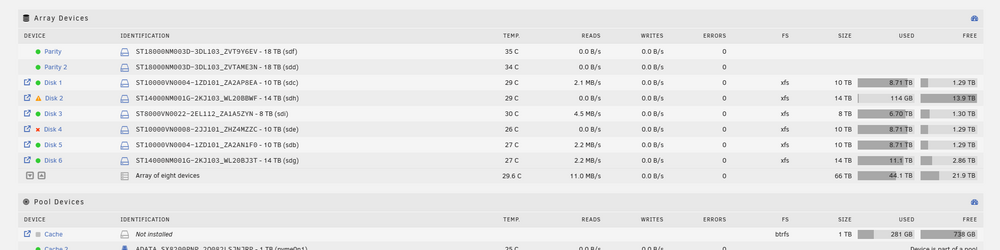
Screenshot of the situation. I've paused the data-rebuild again. Also stopping the array isn't available because there's a BTRFS operation going. Though I have no idea what exactly it's doing (probably some cleanup from removing that one cache drive)...
-
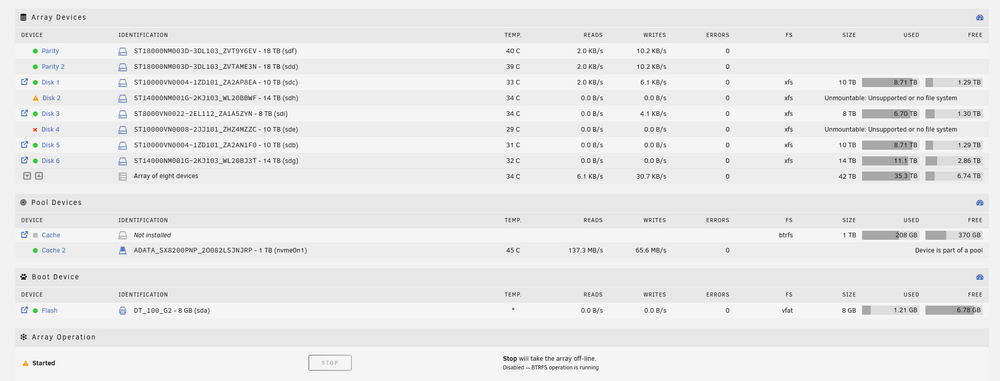
Welp, I ended up stopping the array, powering down, taking out the cache M.2, and plugging the two drives into the mobo. At first it looked like all was fine? All the drives were found and went into their correct slots in the listing, looked as if all I had to do was hit Start Array and it'd be good. But after starting it, it's now showing the drives still in the same states, with the addition that they're listed as unmountable. Despite this it wants to do a data-rebuild on a 14TB drive, looks like Disk 2, even though it's unmountable? Kinda lost right now to be honest.
-
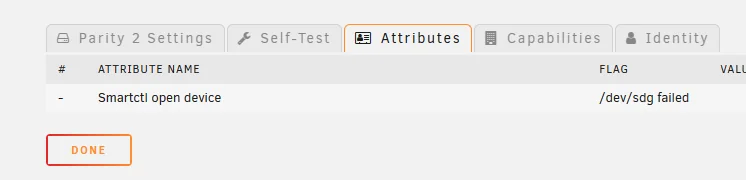
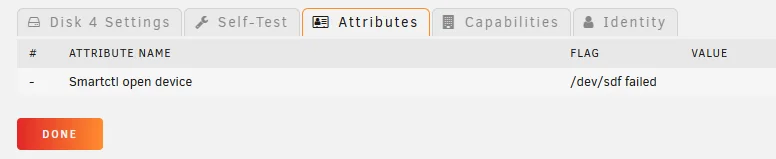
Hello! I've been migrating off my Drobo 5C to an Unraid system, and thought I was on the final straight: Drobo is empty, I have dual parity set up, and I just swapped the 8TB that has some SMART errors for a 14TB that doesn't, all that's left is to rebuild the data. Reached this point 4 hours ago. Aaaaand then this happens. Disk 4 drops out, though honestly seemed to be doing just fine. Dual parity keeps things alive, except... Wait, that a LOT of errors! Parity 2 still reads as being connected, but if I go to the attributes it shows the error (Smartctl open device /dev/sdg failed), which is the same error as with Disk 4. After checking the cables, I have confirmed that both drives are going into the same PCIe SATA card, so seems like THAT is the one that's borked. What I'm asking for right now: What should I do right now?! I have paused the data-rebuild because it was throwing so many errors. Array is still running, because stopping it would cancel the data-rebuild. Potential things I can think of (ordering a new SATA PCIe card is a given, but in the meantime): If I remove the Cache 2 drive, that would enable two SATA ports on the motherboard that are currently disabled (the M.2 slot and the SATA ports share lanes). Can the array recognize this even though the SATA controller they're going through has changed?

-
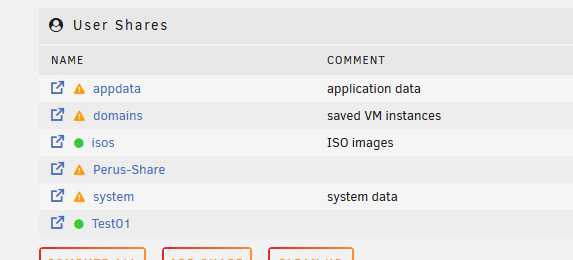
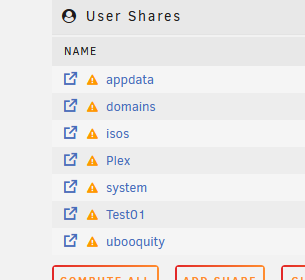
Gave it a bash, set to just Yes and hit apply, no change. The one that's acting up is Perus-Share. I did actually make a new share called Test01, which has the exact same settings, and that one seems to be working just fine... WEIRD. EDIT: Interestingly the first share that's acting up is also not showing up as protected in the shares view, but the newer one is...