sunzhixan1009
Members
-
Joined
-
Last visited
Everything posted by sunzhixan1009
-
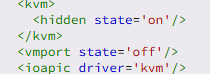
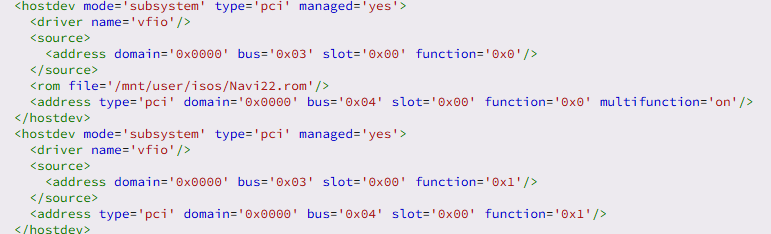
I also encountered the same problem, and the built-in sound card on my graphics card cannot be recognized. The graphics card can recognize but cannot drive normally, code 43.I tried my best to browse through as many solutions as possible.This problem has been bothering me for several days. I learned that only Nvidia graphics cards require VBiOS. However, since it still doesn't work properly, I extracted my graphics card's VBiOS through GPU-Z. But still ineffective.Hope to get a solution 1.VTD=enable 2.Syslinux: 3.prat of VM XML 4.prat of VM XML In addition, I found that the L1 cache is displayed as non-existent in the Task Manager of Windows 11 VM XML.txt 虚拟机 XML.txtVM Logs.txt 虚拟机日志.txttower-diagnostics-20241128-1411.zip 塔诊断-20241128-1411.zip