Skip to content
View in the app

A better way to browse. Learn more.

Unraid

A full-screen app on your home screen with push notifications, badges and more.

To install this app on iOS and iPadOS
  1. Tap the Share icon in Safari
  2. Scroll the menu and tap Add to Home Screen.
  3. Tap Add in the top-right corner.
To install this app on Android
  1. Tap the 3-dot menu (⋮) in the top-right corner of the browser.
  2. Tap Add to Home screen or Install app.
  3. Confirm by tapping Install.

Lpka

Members
  • Joined

  • Last visited

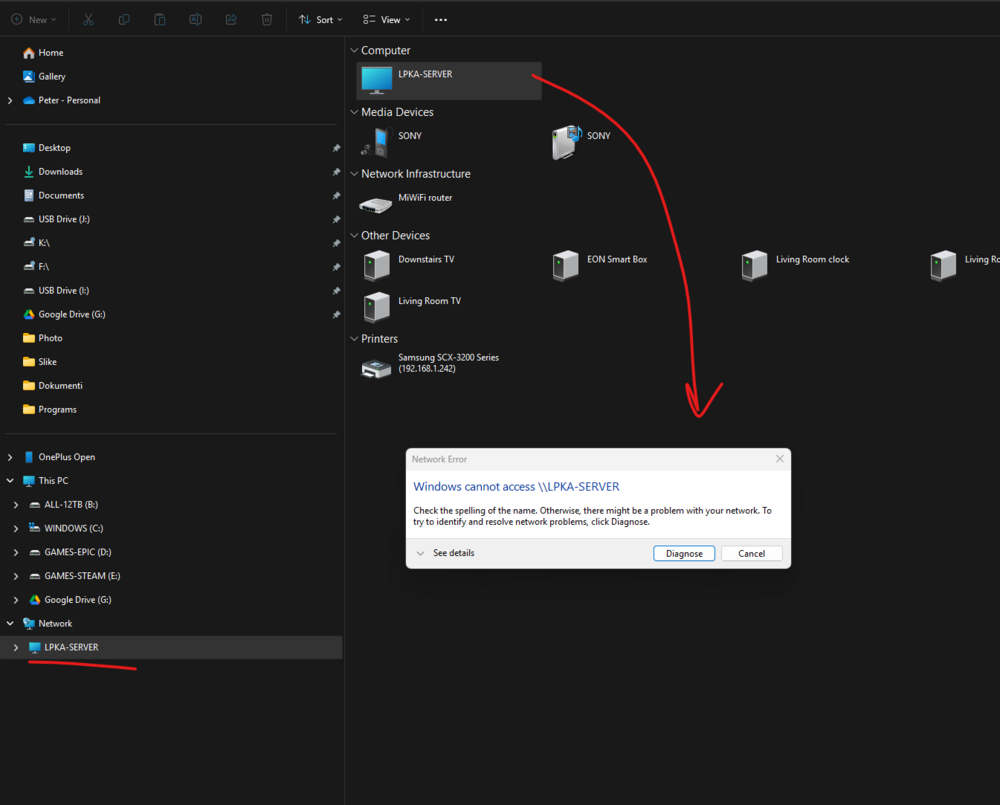
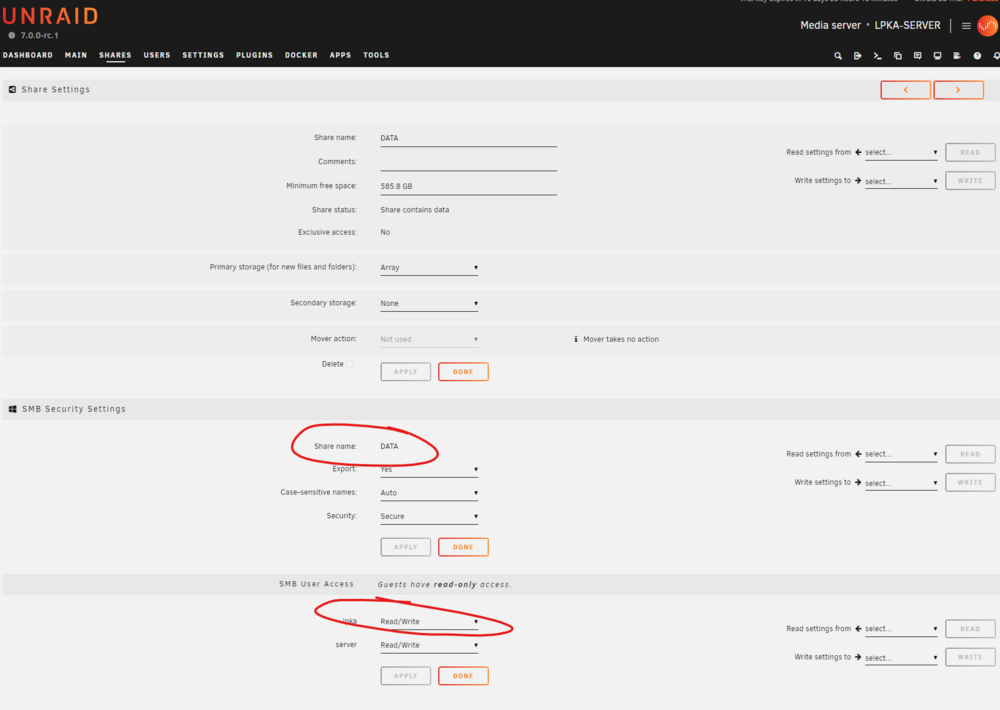
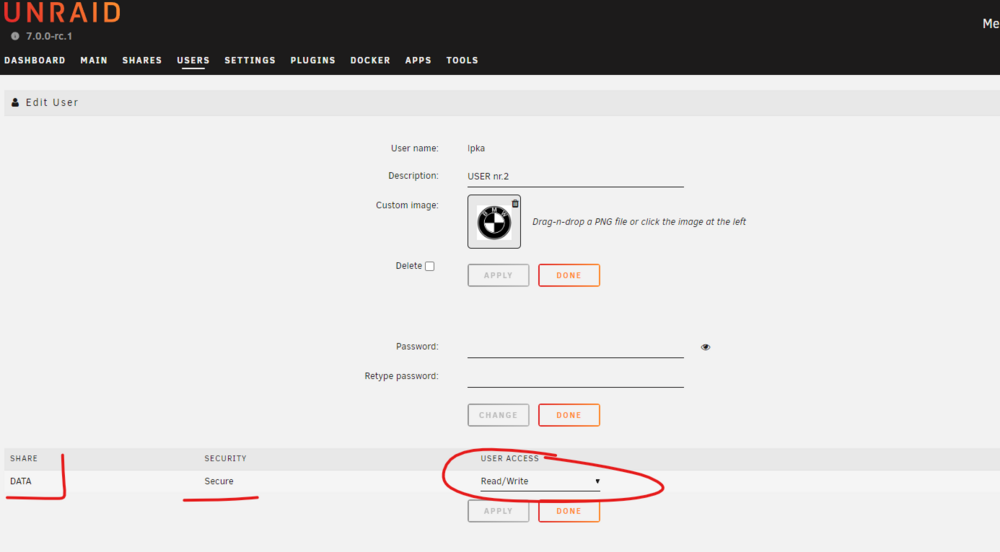
  1. Hello everybody. First time here. Been testing Unraid for two weeks, all was OK. Than I installed couple of plugins and tried a few VPN, but at the end deleted all addons, but now all of the sudden Can not connect to unRaid share. I tried making new user, updating the old one, Tried 4 different PC all windows 11. And nobody lets me in. I just copied every PHOTO and movie into the new NAS and now I'm afraid I have to do it all over again, but thinking not using unraid. THis is the only setback that I have but ca not SOLVE IT. Need help. I was copying files left and right 3 days ago. Now I'm stuck. On my PC it says I can't access the server. On others it gives me that my password is not correct.
Account

Navigation

Search

Search

Configure browser push notifications

Chrome (Android)
  1. Tap the lock icon next to the address bar.
  2. Tap Permissions → Notifications.
  3. Adjust your preference.
Chrome (Desktop)
  1. Click the padlock icon in the address bar.
  2. Select Site settings.
  3. Find Notifications and adjust your preference.