tenletters
Members
-
Joined
Everything posted by tenletters
-
I'm happy to be here and assistin anyway I can. Application Name: SeekAndWatch Github: https://github.com/softerfish/seekandwatch If you run into any glitches, container errors and screenshots speak a thousand words.
-
Amazon information: https://www.amazon.ca/TERRAMASTER-F4-423-4Bay-NAS-Storage/dp/B0B4VMRGHY Cost: $300 + $50 shipping (Canada Post Standard) Extras: 2x 16GB DDR4 RAM Condition: Still lots of life left. Excellent condition Payment: e-Transfer I ran it with unRAID, so I will have to track down the TOS5 boot USB. Be aware I might not find it, so you will either have to make another or use unRAID. I would HIGHLY suggest not using TOS.
-
and it ended up working? I don't have a second NAS. I ended up using opendrive. It started seeming like a bad idea to have to rely on this pluging for backups.
-
Yes it was right, but I didn't think that through. A lot of bad stuff gets added lol
-
add_missing: true add_existing: false upgrade_existing: false monitor_existing: false root_folder_path: ------------------ monitor: true availability: released quality_profile: 1080p tag: search: false radarr_path: ----------------- plex_path: -------------------- ignore_cache: false I'm sure this is something simple. Is this just the container paths? https://metamanager.wiki/en/latest/config/radarr/ actually made me a little more confused than before looking at it. I only have one movie folder, so it looks like you can just go right to /movies for root_folder_path and radarr_path. I put the path to movies for plex. add_missing: true add_existing: false upgrade_existing: false monitor_existing: false root_folder_path: /data/media/movies monitor: true availability: released quality_profile: 1080p tag: search: true radarr_path: /data/media/movies plex_path: /data/movies ignore_cache: false
-
Just as another update, this was needed https://trash-guides.info/File-and-Folder-Structure/How-to-set-up/ Sonarr/Radarr was seeing folders as different mounts. I needed to fix my folders as above so it would not copy slow and use a lot of resources. I had to follow the folder tree exactly. Exact same folder names for some reason. I'm not going into the red anymore.
-
Has anyone run into this after install for Backblaze_Personal_Backup? Nothing happens if I click in the taskbar. I went into install apps and to c and tried to run the installer there as well. Nothing happens. The error log is empty.

-
It's all for sure running off cache now. Thanks for the help. It struggles importing when radarr finishes, but that's alright for the time being. I think it's just how it's going to be.
-
Awesome thanks. I got that done and restarted docker. I'll check back tomorrow and see how it's running. I just got a callout for work, so I have to run, Thanks again.
-
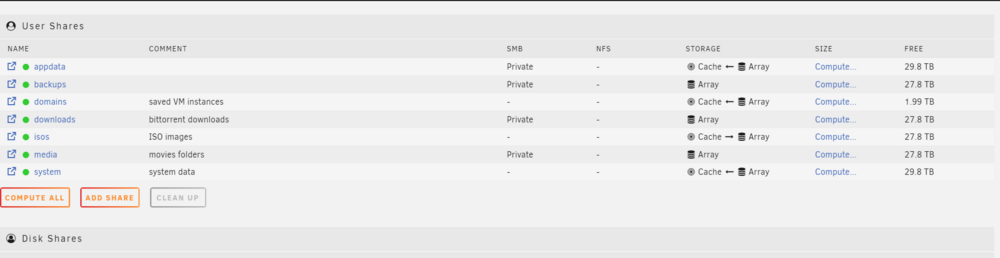
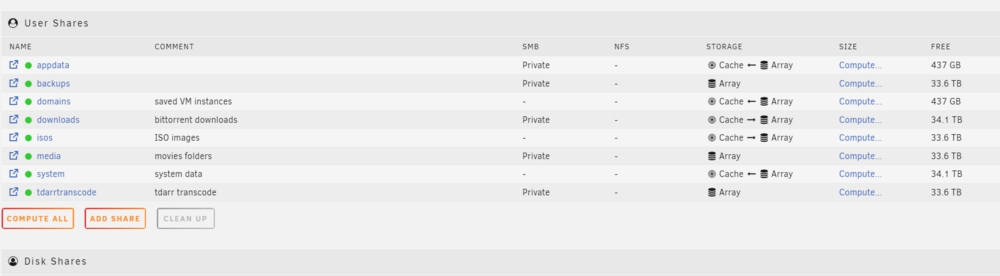
But shouldn't they have files on the array? Under the "Shares" tab I have: appdata Cache <-- Array system Cache <-- Array So wouldn't it copy to array then copy to cache? Or do you just mean files are stuck there and not completing the move to the cache from the array? In that case, I just disable then re-enable docker/VM Manager and things should copy back and forth as normal from here on out? I had it disabled last night when I made the cach raid 0 change, but it must not have taken. I apologize for the newbish questions. I'm slowly catching on.
-
I'm totally new to this, but I think I have it right. I might move downloads (torrents) to cache. The transfer from radarr to my media folder locks things up. Attached here the configs
-
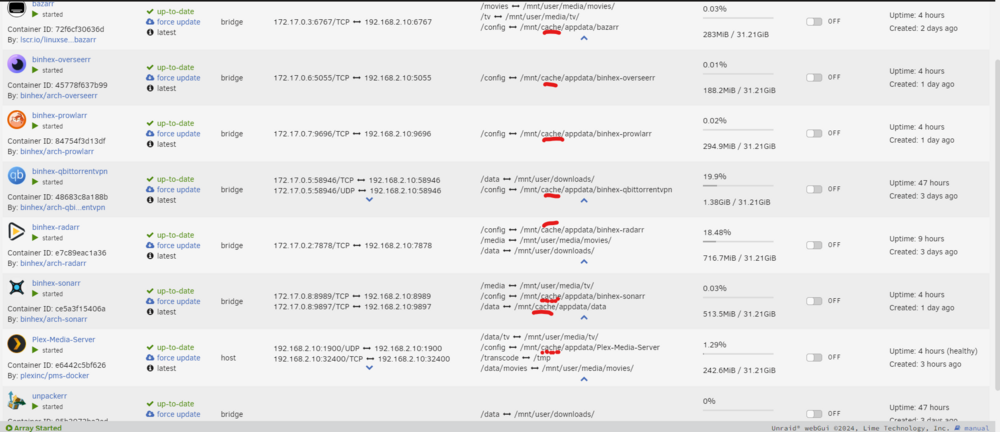
It's in the off cycles. I think qbittorrent is more of the hog. Especially when it's moving files completed to the media folders. It has improved a ton since I changed my two cache drives to operate as a raid 0 instead of a 1. I'll check this over in a bit. Been crazy busy with work. It has improved a ton since I changed my two cache drives to operate as a raid 0 instead of a 1. I understand this gives no safety net. I set mover to run every four hours. I do agree plex would be best on its own machine. I don't really have anything to run it on that would support transcoding. I almost never transcode, but somebody watching out of the house might here and there. Thanks for the good info. For docker apps. The path for appdata defaults to /mnt/cache/appdata and I changed it to use cache instead.
-
Which makes sense. It just seems odd this all ran on the TOS operating system without maxing CPU and that's a garbage OS. This os a kickass OS. It feels like I have something off.
-
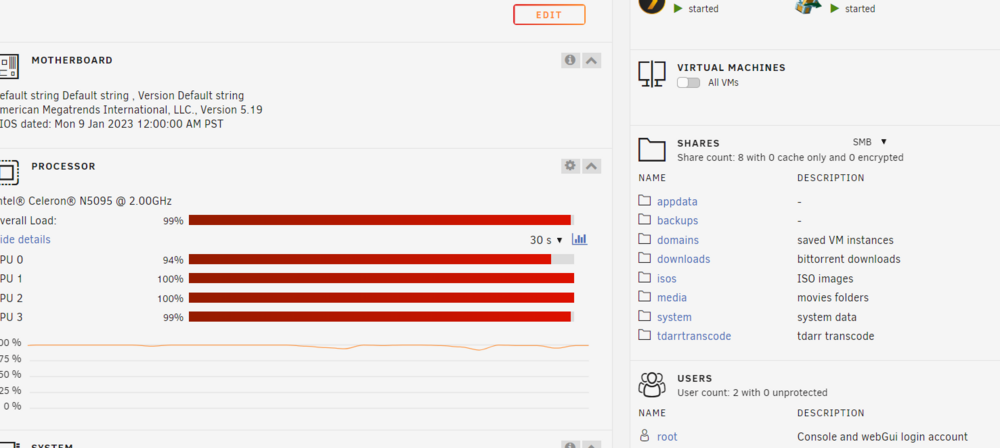
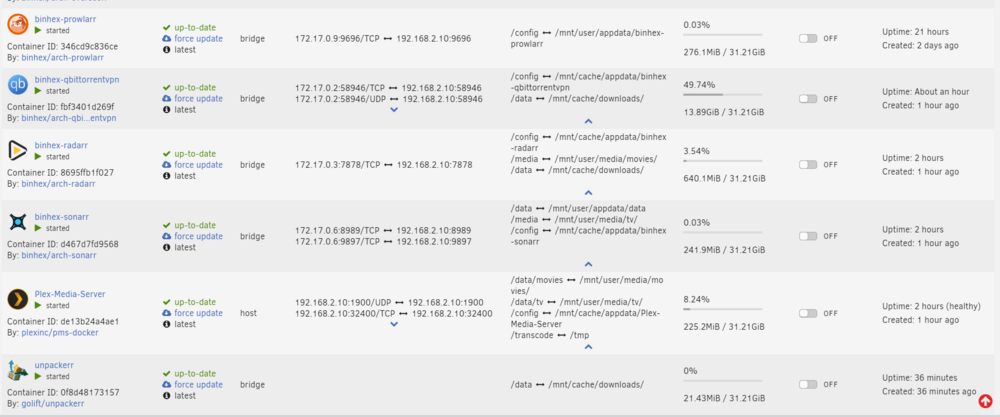
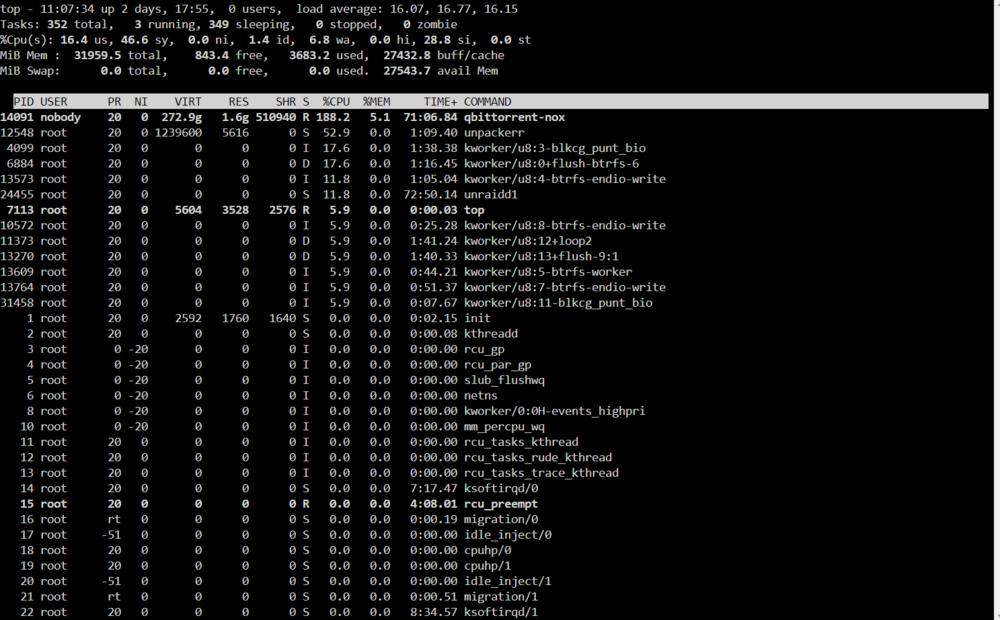
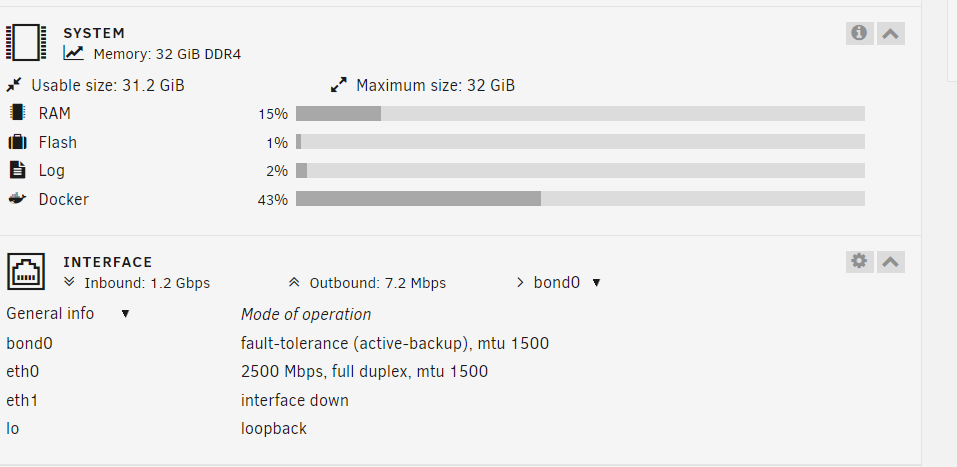
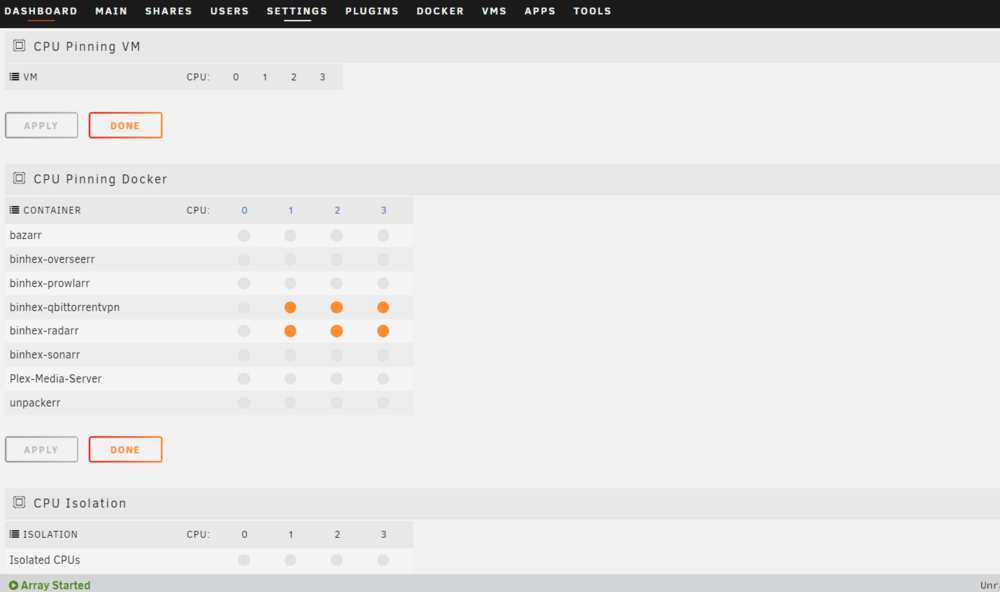
Hey all. I'm looking for some advice on setup. I'm reading everything I can to learn as much as possible since I'm new to all this. This is the unit i use unRAID on: https://www.terra-master.com/global/f4-5147.html It's a Terra Master unit. It didn't lockup much when I ran TOS5/6 operating system. It glitched a lot and required OS reinstalls and other stuff broke, but wouldn't generally run high CPU like this. I ran the 2 1tb nvmes as raid 1 just in case one fails. I've attached everything I can think of. It seems when a few things happen, such as a couple of downloads, the CPU spikes and things run hot. Then everything basically slows down to a stop. I believe I setup the cache pool correctly and I changed the docker appdata / qbittorrent downloads paths to /mnt/cache instead of user to use the cache pool. You will see tdarr in one of the images. I do not use tdarr. Even just running 1 file basically took the system to a stop, so I uninstalled it. On the CPU pinning page I don't recall ticking those spots. I'm honestly not sure what it means, so that might be default. Unless I checked it and forgot.


-
I left the array going though. I didn't restart the server in this case.
-
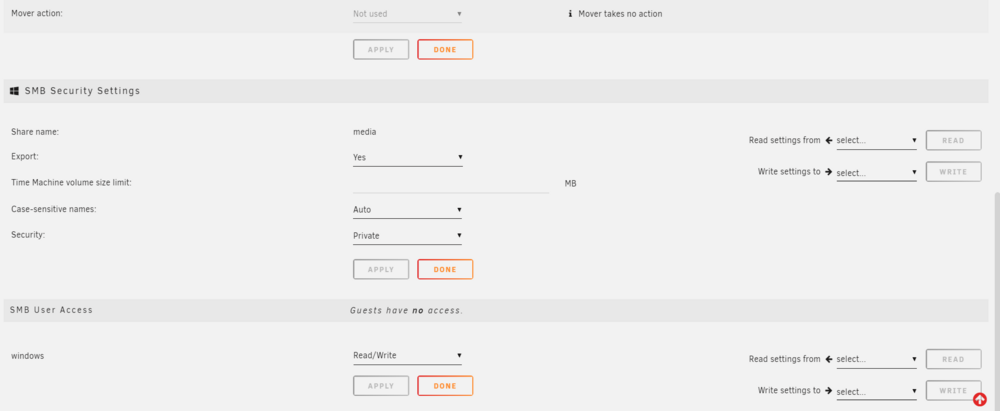
At the point I made this thread, no. I couldn't see any folders or get any level of access through the windows file manager. Since then I (again a couple of more times) deleted the user and set everything to private. I reset network settings again and restarted my PC. Then I made the user again, but forgot to change to allow the user read/write access. I was then able to get into the file system and have access. I don't know if it was the order of operations, but for some reason it's working now. I hope it keeps working. I spent all day on this.
-
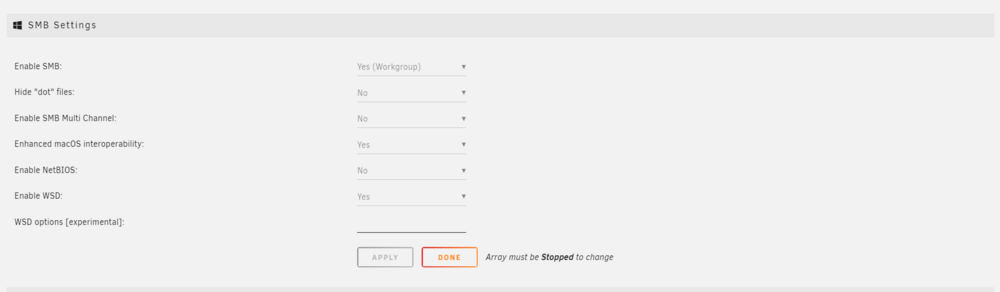
Attached SMB settings and SMB security settings for reference. New to unRAID. I setup SMB to access shares on my windows 11 laptop. I seem to just get an error when I try to access: Network --> NAS --> windows cannot access \\Hostname error code 0x80070035 I have: - created (and deleted) a simple username and password. Added that to the shares with read/write and set to private. - cleared and readded to windows credentials. - tried restarting the server and my laptop. - reset all networking and restarted my laptop - disabled windows firewall It's on the same network. The nas is plugged right into my modem/router combo and if i type the ip into the file manager address it pops open my browser to http://ip/Main for the unRAID control panel. I'm out of ideas.