





darwinsbeard
Members
-
Joined
-
Last visited
-
Hello, I have a daily backup script on my linux mint laptop to a share on unraid (excerpt below if helpful) that works by creating a hard-link to the previous days backup. My understanding here is that by doing this each unique file is only stored once and then just a series of hard-links which don't take up additional space is used. However, on unraid dashboard the disk usages graphs seem to look at apparent/logical size and not actual size. I confirmed this by deleting some older backups. Is there a way to change this reporting behavior? # Where to store today's backup DEST="$DESTBASE/$(date +%Y-%m-%d)" # Where to find yesterday's backup YESTERDAY="$DESTBASE/$(date -d yesterday +%Y-%m-%d)/" # Use yesterday's backup as the incremental base if it exists if [ -d "$YESTERDAY" ] then OPTS="--link-dest $YESTERDAY" fi # Run the rsync rsync -av $OPTS "$SOURCE" "$DEST"
-
Just a quick update on this: @JorgeB I have come to discover that this is the key statement: I removed all the sticks (which previously passed) and tested one by one, 5 times each. 1 stick, after passing twice failed on the third test. Removed that stick and server has been up for last 5 days or so no without issue. So I guess that was the issue, but what concerns me (other than the failed stick was a brand new stick, at least I convinced amazon to give me half my $ back!) is, am I just sitting on a ticking time bomb? Will the other sticks just spontaneously start failing in the future? In any event, seems like crisis averted, thanks to everyone here and unraid team!
-
THanks Jorge, I will try running memtest again, but here is latest log file. I've run memtest on the 2 (brand new) sticks that are in there now and they've passed. so not sure what else to do....
-
well, i installed a new flash drive, and still getting a whole new set of errors: See attached ds9-syslog-20250309-0137.zip
-
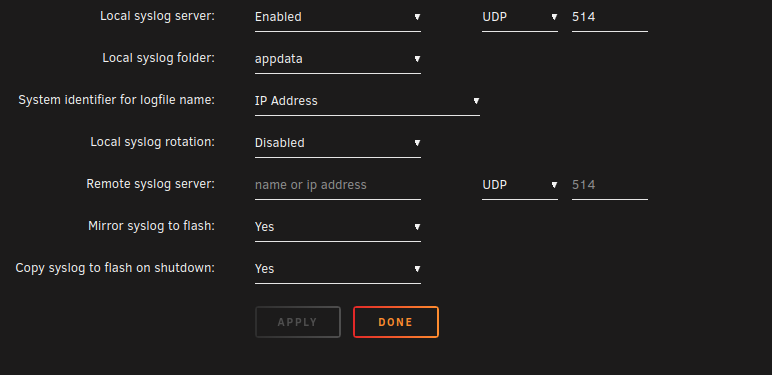
Thanks @itimpi now I see it in /appdata. Suggest modifying the help documentation to make it clearer that if logging to appdata, the IP of the unraid server needs to be put in the "Remote" IP address. Wasn't super clear (at least to me!)
-
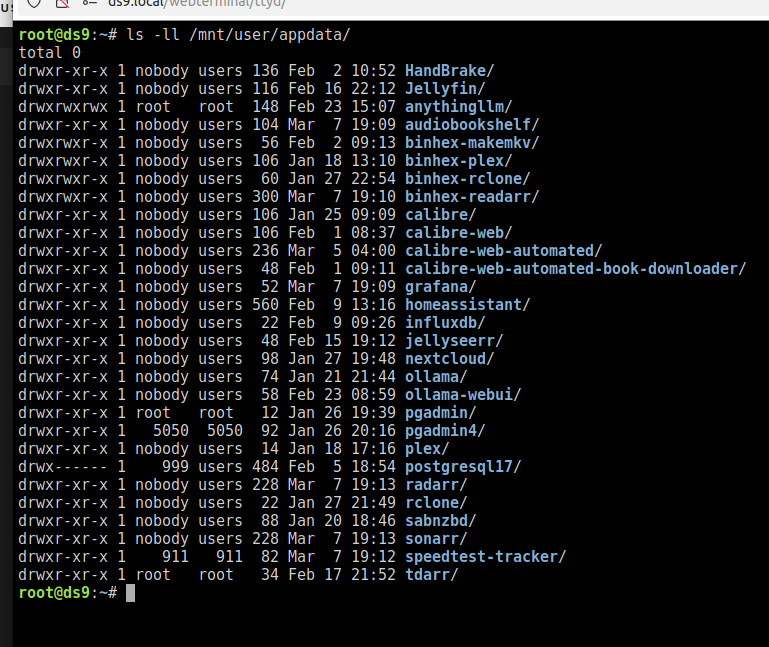
Thanks @JorgeB I had actually done that a while ago, but for some reason it never logged anything to my "LOcal syslog folder" which I selected my cache appdata share, see below. But when i look at /mnt/user/appdata I don't see anything other than the folders for my docker containers (see below). I now just enabled it to mirror to my flash, let's see if that does anything.
-
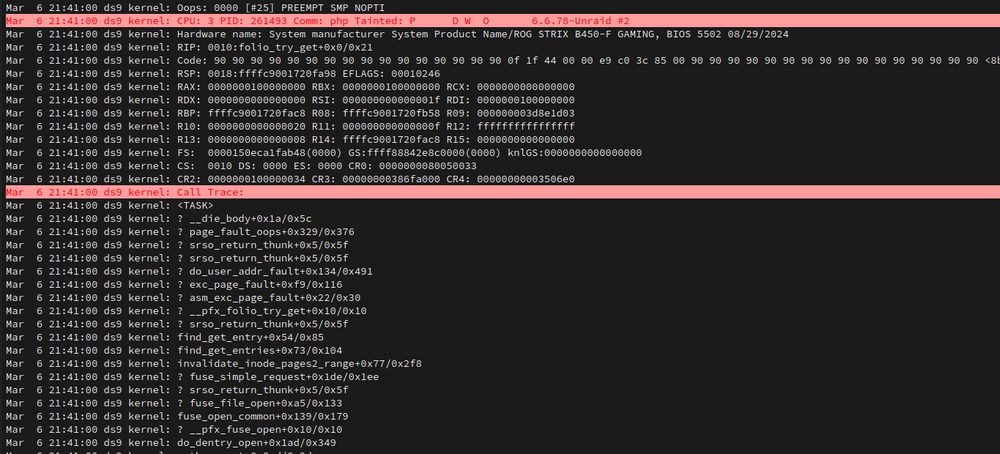
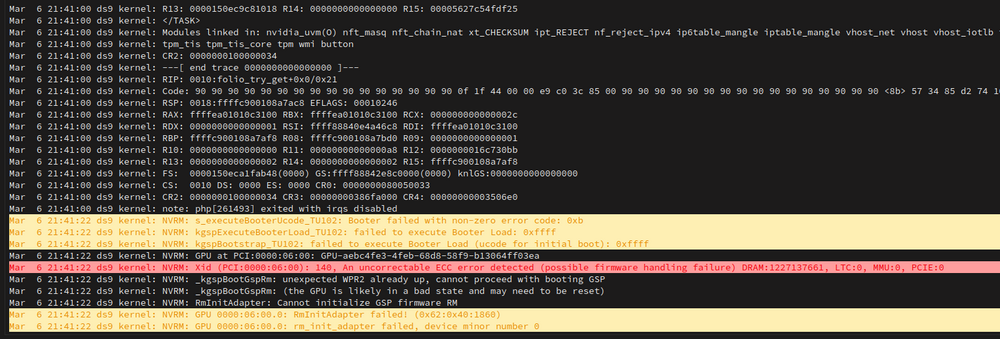
Always something new....now getting these.
-
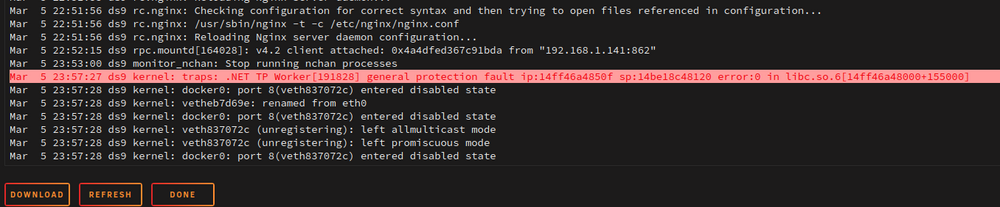
copying this here trying to pin down this behavior updated the nvidia driver to open source version and (so far) haven't seen above issue reboooted and no issues, UNTIL i started jellyfin from a client and immediately noticed the below and jellyfin docker stopped can a container cause this level of system instability? isn't that the whole point of containerization to avoid?
-
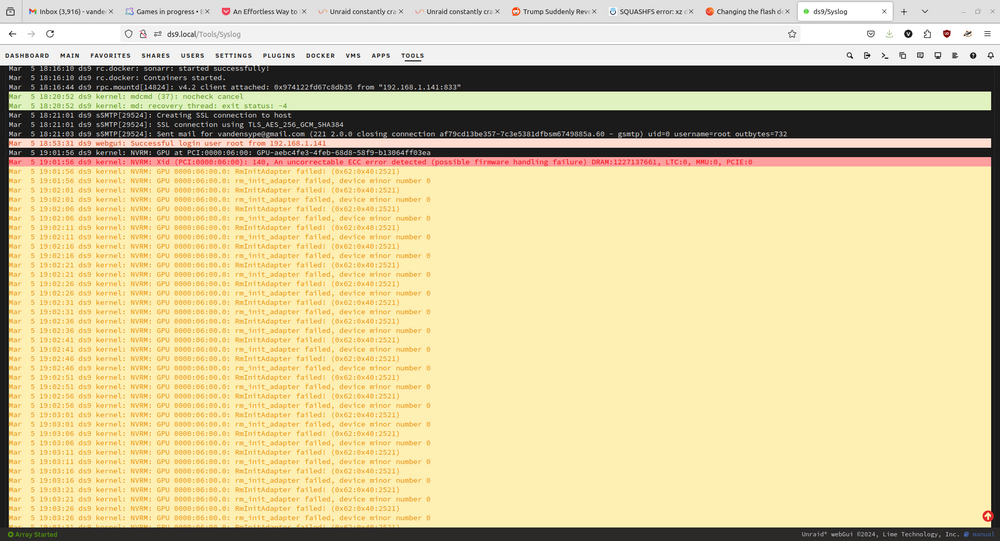
And now getting these errors, it seems different all the time
-
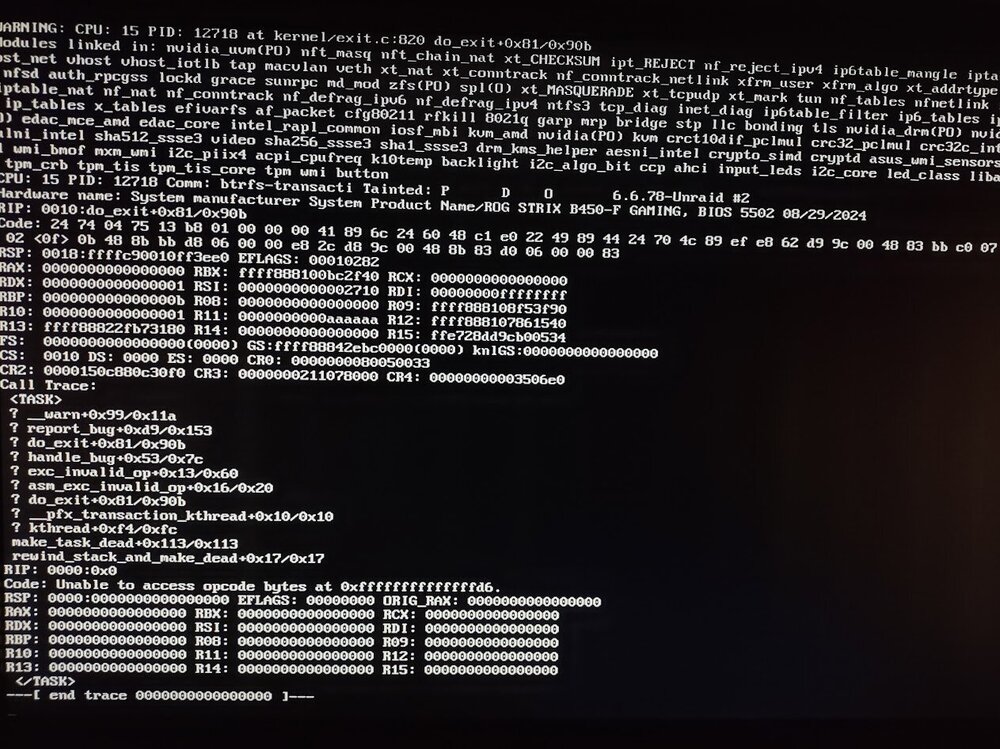
This is getting nowhere fast, all dockers were stopped and when I logged into the GUI it worked for 2 seconds but trying to get to syslog failed and entire GUI stopped working. Plugged in a monitor to the machine and this is what is shown: I've also enabled the syslog server and and it's supposed to be writing to "appdata" but I don't see any files there, but attached are the diagnostics from this morning. Again to recap: This machine was working perfectly fine for my 30 day trial period, then bought Lifetime The machine has also worked flawlessly with Windows and DrivePool for years Memtest is PASS ds9-diagnostics-20250305-0735.zip
-
Hi @Johnny Joker Sorry for necro-threading this, but I seem to having similar errors (among a host of previous errors...) that seem to be similar to what you encountered, see recent forum post below. I just wanted to see if the replacement of the USB stick with the HP 32GB USB2 you purchased has solved your SquashFS errors? Thanks
-
The ram passed memtest so shouldn't be that. so is next step to replace my flash drive now???? Is there a recommended or officially supported brand?
-
well, it was running fine for about a day, but then another set of errors happend, see attached. THese errors seem different than the last time, so not sure what is going on if every day it's a different set of problems. NOte that the last set of errors occurred just now as I logged in. Mar 5 04:40:02 ds9 move: mover: finished Mar 5 07:27:05 ds9 kernel: NVRM: GPU at PCI:0000:06:00: GPU-aebc4fe3-4feb-68d8-58f9-b13064ff03ea Mar 5 07:27:05 ds9 kernel: NVRM: Xid (PCI:0000:06:00): 140, An uncorrectable ECC error detected (possible firmware handling failure) DRAM:1227137661, LTC:0, MMU:0, PCIE:0 Mar 5 07:27:05 ds9 kernel: NVRM: GPU 0000:06:00.0: RmInitAdapter failed! (0x62:0x40:2521) Mar 5 07:27:05 ds9 kernel: NVRM: GPU 0000:06:00.0: rm_init_adapter failed, device minor number 0 Mar 5 07:27:09 ds9 kernel: NVRM: GPU 0000:06:00.0: RmInitAdapter failed! (0x62:0x40:2521) ds9-syslog-20250305-1227.zip
-
OK, somehow I feel like that is going to explode in my face and cause far more issues, but I'll try it if it keeps happening.
-
Is there a documentation / process for doing the backup and reformat? Is it just copying the pool data to some place (like the array), reformat the pool, copy back? I wouldn't want to have to redo all my dockers etc. While I'm skeptical of underlying hardware issues as all of this hardware was working perfectly fine for years (in windows and Unraid), is there a process for simply removing SSD drives from the pool? I have pool of 4 SSD drives all of different sizes and I could easily just remove the smallest one but is there a procedure to do so? Do I just stop the array, remove the disk from the pool, shutdown, unplug the drive and then reboot? Thanks


