WeetabixsJNR
Members
-
Joined
-
Last visited
-
That did it! Thank you so much!
-
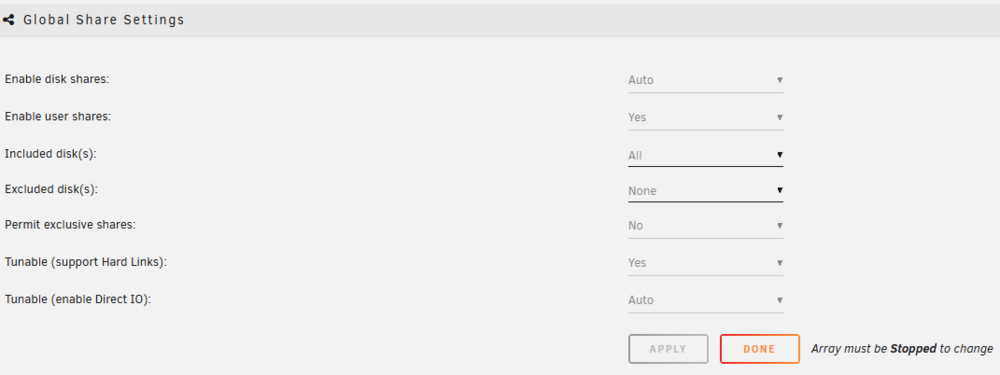
Ok, this is the settings in the Global Share Settings menu. Should I try disabling disk shares?
-
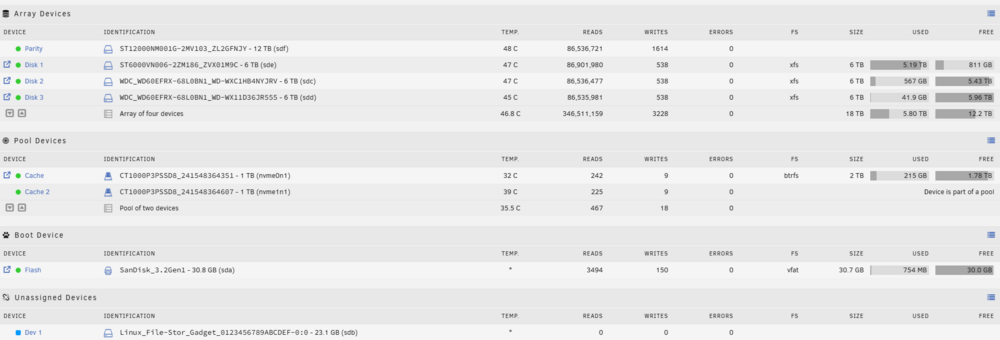
Thanks for replying so soon. Here's a screenshot of the main page, I forgot to mention that the only other change is I installed a NanoKVM PCie. That's the Unassigned device and the reason I upgraded my license.
-
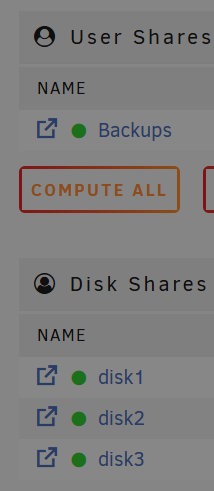
I upgraded my Unraid license from Starter to Unleashed. I then restarted the server and all of my shares have dissappeared. It looks like my config, Plugins and the Share that the cache had data on still exist, but everything else is missing. I now have these Disk Shares rather than the user shares I had before. I have no idea what to do, I've tried restarting the server to see if they would come back but I've had no luck. It's currently doing a Parity-Check but I have no idea if that would resolve something like this. gg-home-srv01-diagnostics-20250115-2134.zip