Andyzzzz1
Members
-
Joined
-
Last visited
-
It is now resolved. Not sure how! I use Unifi network equipment and literally just moved the Unraid server into another switch and this is now working perfectly. Download and upload speeds are now approx 200 MB/s over wifi! So very happy with this.
-
Thanks for the suggestion . I used my son's laptop and same result. I will try and plug his laptop in via ethernet and see if that makes a difference. The 10 gb connection is via an ethernet card. The actual motherboard has a 2GB ethernet connection, so I will try connection the server via this as well. To rule out the card being the issue?
-
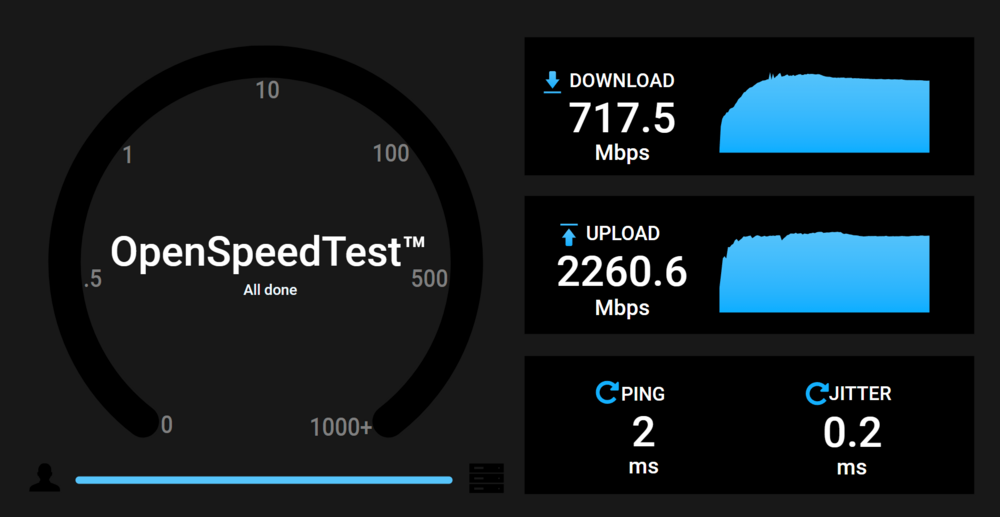
Hi I have searched a number of posts online before posting this. Really happy using Unraid it has been a brilliant experience so far bar 1 issue. Really slow download speeds from the server. I am running unraid on a powerful CPU with 4 hard drives and x2 NVE drives. Plus 10 Gb ethernet so I cant see any reasons for the issue. When using Windows I can upload a file to the server at over 230 MB/s. This is via a Windows 11 machine connected to Wifi 7. Really impressed with this speed. However, downloading from the server I am only getting between 20 MB/s and 12/MBs. I don't think this is an issue with the network. For instance just running a Openspeedtest on a docker container om the server is showing a slower download speed compared to upload but still much faster speed than I am achieving. 717.5 Mbps is not far off a gigabyte. Assume when I uploading this will be going to the Cache drive so the speed will be faster. So I tried to down load a file which was on the cache file and the download speed is the same difference. I have tried to optimise SMB settings and I guess this is prooved to be successful with the high upload speed. I dont know what to do next So upload from a Windows Machine to the Unraid server is very fast Download from Unraid is very slow Using the Data share but any of the shares seem to have the same result Any suggestions as to what I can try next? Added a diagnostic file. Tinkering with this appears to have just made the upload speed faster... next.generation-diagnostics-20250119-2251.zip
-
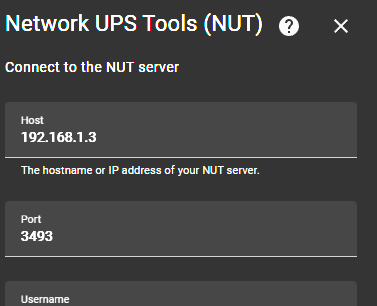
Appologies if this is a basic question. I have installed the NUT plugin and this is running on my Unraid server. I want to connect to the UPS status from home assistant. I have automations based on the UPS status. My Unraid server is on 192.168.1.3 My Homeassistant Server is running on 192.168.1.57 as a VM I simply cant connect to the NUT Server on Unraid. Here is the configuration screen on Home Assistant NUT settings Is the default port correct. Or do I need to change something for Home Assistant to be able to connect to 192.168.1.3 Unraid IP. New to Unraid so apologies if this is a basic question. Thanks Andy