





viper28
Members
-
Joined
-
Last visited
Everything posted by viper28
-
No, both Parity and Disk 1 are 12 TB. I do have (2) other 12TB disks that are installed on the array. Assuming with little to no data on the latter...
-
Yeah, I misread that entirely. Embarrassed to share what I thought it meant.... Do I need to start looking into disk recovery options on another machine and transfer data? (If that is even possible) Then start a new Unraid from scratch?
-
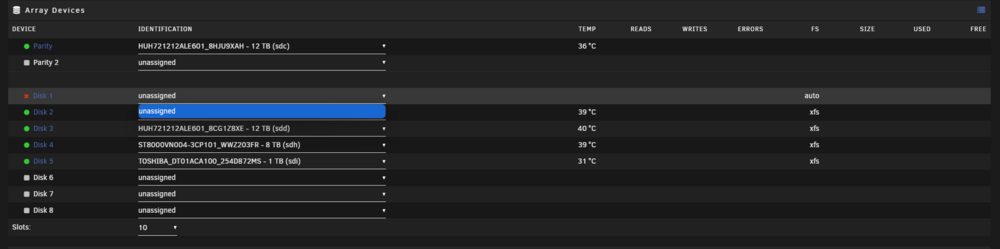
I did have the option to mount it under the "Array Devices" I clicked on it, but then nothing changed, still showed up as, "Unassigned" for Disk 1 However, the Device ID changed under unassigned disks

-
Once I started the array I immediately stopped. However, I am sure my dockers were on so I assume so...
-
Yes, I have tried a bunch previously.
-
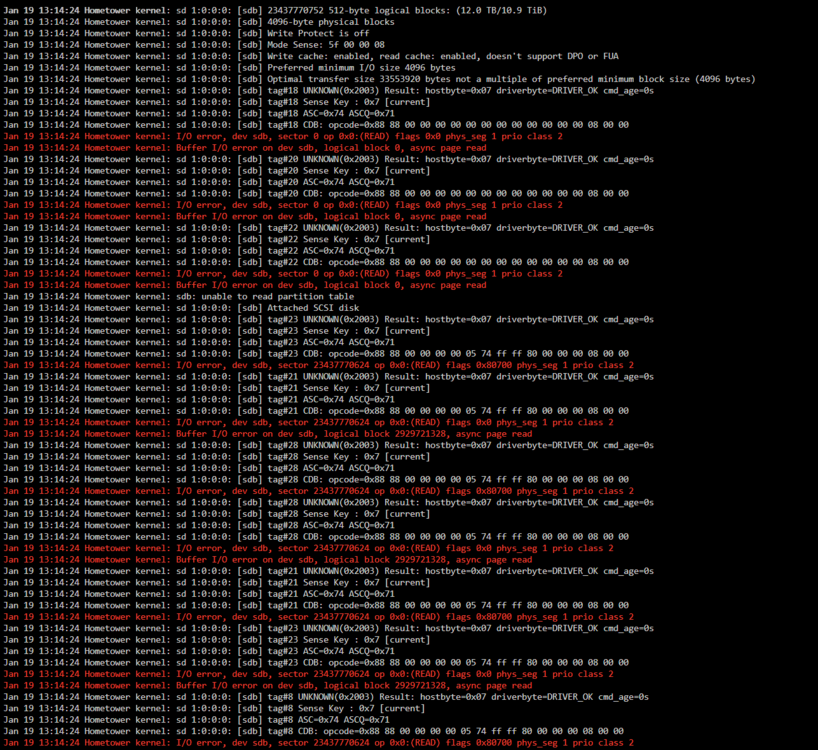
Yes, I can plug in USB, new diags attached - hometower-diagnostics-20250119-1315 - Disk1 Attached Via USB.zip Looks like Unraid detects it - Lots of errors on disk log- I checked "Parity is Valid" before starting the array that one time, so hopefully nothing was done...

-
Okay, I have turned that off. Restarted system and attaching new diags. (This does not have my old Disk1 included).hometower-diagnostics-20250119-1102 - Debug Mode Off.zip Okay, new diags attached with my old Disk1 attached. hometower-diagnostics-20250119-1102 - Debug Mode Off - Old Disk1 Included.zip One thing to note, I am unable to detect this disk in bios. I wasn't able to previously after it became disabled. I have tried switching SATA ports / cables, & power. No change. Yes... That's when I noticed I had an issue
-
Had a Truenas server built from some old parts previously. Decided to make the change to Unraid. Bought a whole new setup with new HHDs to take my server to the “next level”. That is until one of my new HDDS (Disk 1) decided to become a potato. There are a few issues that I have now realized with my build that I will get addressed but this is my setup (Prior to disk failure) CPU: Ryzen 9 7900X Motherboard: PRIME B650M-A AX II (2x16GB) x 2 (64GB) – DDR5-6000 Parity • 12 TB HHD Array Devices • 12 TB HHD (This is the Disk that Failed) • 12 TB HHD • 12 TB HHD • 8 TB HHD • 1 TB HHD Cache Pools • 6 TB HHD (Need to change this, found that out early on..) • 250 GB SSD (Old SSD that I had been using for certain Dockers) Once I was confident enough to start transferring a large amount of data, Disk 1 failed during a transfer. Spent countless hours diagnosing it as a novice, but could not figure it out. Below are some lines from syslog.txt while I still had the drive connected. ata1.00: Read log 0x10 page 0x00 failed, Emask 0x1 Jan 16 21:51:54 Hometower kernel: ata1: failed to read log page 10h (errno=-5) Jan 16 21:51:54 Hometower kernel: ata1.00: exception Emask 0x1 SAct 0x40000 SErr 0x0 action 0x6 Jan 16 21:51:54 Hometower kernel: ata1.00: irq_stat 0x40000001 Jan 16 21:51:54 Hometower kernel: ata1.00: failed command: READ FPDMA QUEUED Jan 16 21:51:54 Hometower kernel: ata1.00: cmd 60/08:90:00:00:00/00:00:00:00:00/40 tag 18 ncq dma 4096 in Jan 16 21:51:54 Hometower kernel: res 00/00:00:00:00:00/00:00:00:00:00/00 Emask 0x3 (HSM violation) Frustrated, I decided to remove it from the array and replace it with a smaller old 1 TB HHD that I had. (I believe) This is not ideal, but I was following this guide, specifically under -> Replacing Disks -> Replacing Failed/Disabled Disks -> Normal Replacement. “This is a normal case of replacing a failed drive where the replacement drive is not larger than your current parity drive(s)” Here is where I think I may of messed up.. I followed another guide (Will have to dig further in search history to find link) that mentioned to use “New Config”. Did this and checked “ALL” for “Preserve current assignments”. Mounted my old 1 TB HHD and started array and did not see any data. I quickly shut it down and could not find anything on forums to help with this situation. Any ideas on how to recover? Diagnostics are attached. hometower-diagnostics-20250118-0014.zip


