DTFagus88
Members
-
Joined
-
Last visited
Everything posted by DTFagus88
-
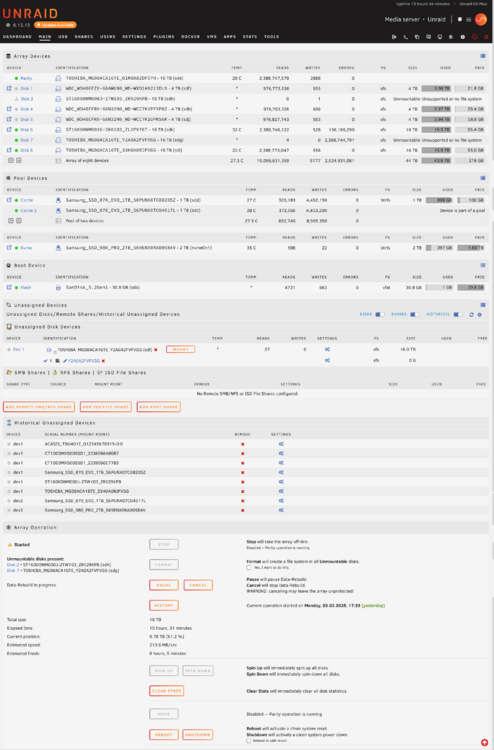
I do not really understand how the same device can be both in the array as sdg and also be an unassigned device as sdl. That should not really be possible right?
-
I spoke too soon disk 7 starting showing up again in unassigned drives (and also in the array) and from that moment on that drive is showing errors. Screenshot and diagnostics attached. I'll power down and check cables again... That drive is a year old and has been precleared 3 times... Would not really expect the drive itself to be faulty... unraid-diagnostics-20250204-1329.zip
-
Thanks! Much appreciated! Great support experience I got a bit of homework now to make this system a little more robust...
-
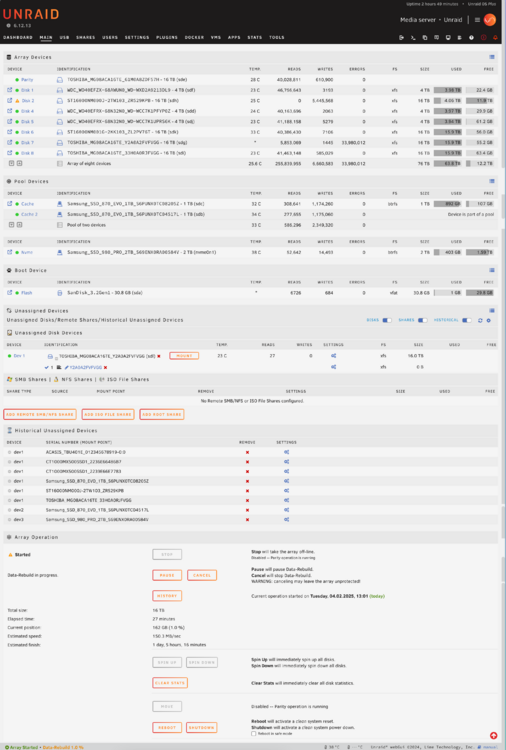
Here you go. Now it looks like what I had originally expected (and all good?). Do the diagnostics confirm that? Was this just a glitch or would you recommend to change something? (like 2nd parity or replacing a particular disk?) unraid-diagnostics-20250204-1306.zip
-
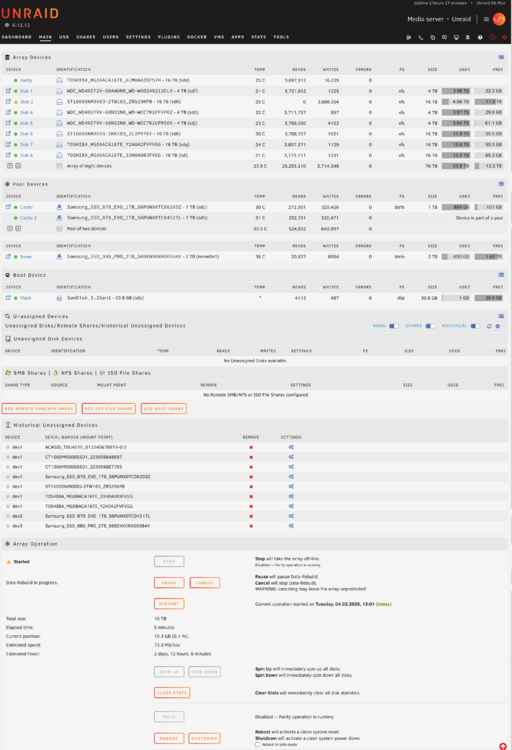
At least in stopped state the old 16tb is now recognized without issue and not shown as unmountable anymore. This view is what I had expected originally. What options apart from just starting the array do I now have?
-
thanks for the quick reply! attached new diagnostics after reboot. unraid-diagnostics-20250204-1041.zip
-
Should I reboot during rebuild or wait for it to finish?
-
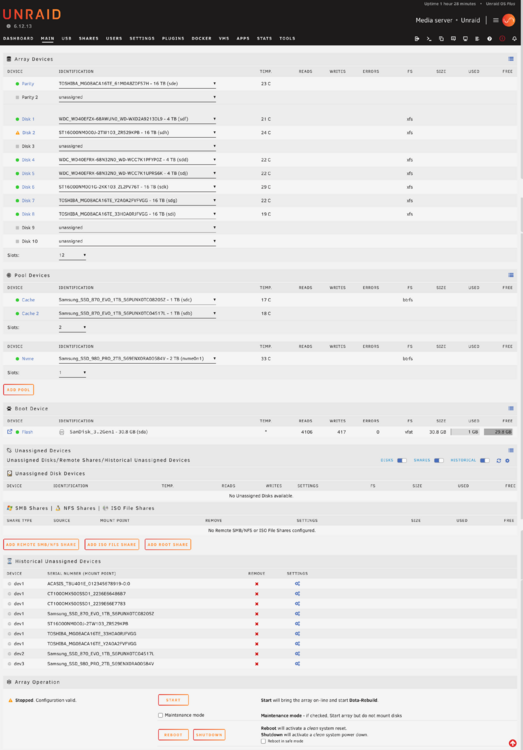
Hey folks, i have a situation where I do not really know how to deal with... What happened? System was getting fulll (already had a larger disk ordered) Unraid became unresponsive yesterday. I thought it had just filled up. So I shut it down, replaced a smaller 4tb disk with a new 16tb disk and bootet up (disk 2) Apart from the missing 4tb disk another of my 16tb disks showed as unavailable (disk 7 sdg in the picture) Powered down, checked cables and bootet back up again. Disk now showed, but as unmountable I formatted the new 16tb and started the array. the rebuild started Apparently it rebuilds the 16tb and not the old 4tb? As that one receives a ton of errors but the fresh empty disk no activity at all The old 16tb that is now being rebuild also shows up as an unassigned disk?! So questions: - Should I let the rebuild finish? it is halfway through - Why does one of the other disks all of a sudden see so many errors during rebuilding? (disk 6) - Basically: How can I get my system back to how it was and just have unraid rebuild the old 4tb onto the fresh 16tb? Attached a screenshot and fresh diagnostics. Thanks for any help! I am not a pro here, so help in layman terms would be really appreciated.... unraid-diagnostics-20250204-0906.zip