





Tobbo
Members
-
Joined
-
Last visited
-
Thanks you, excellent advice for a beginner like myself. I did read about the parity and array and how it isn't a full backup per say but more looking at the odd and even numbers of the disks and trying to rebuild from what i remembers was the last calculated setup between the disks. Maybe there's a way of automating a flash backup onto another flashdrive in the server? Like a weekly backup onto another usb drive. I am going to scan through the settings in notifications and setup some mail alerts among other usefull notifications like the once you mentioned. Thank you for the tips and help!
-
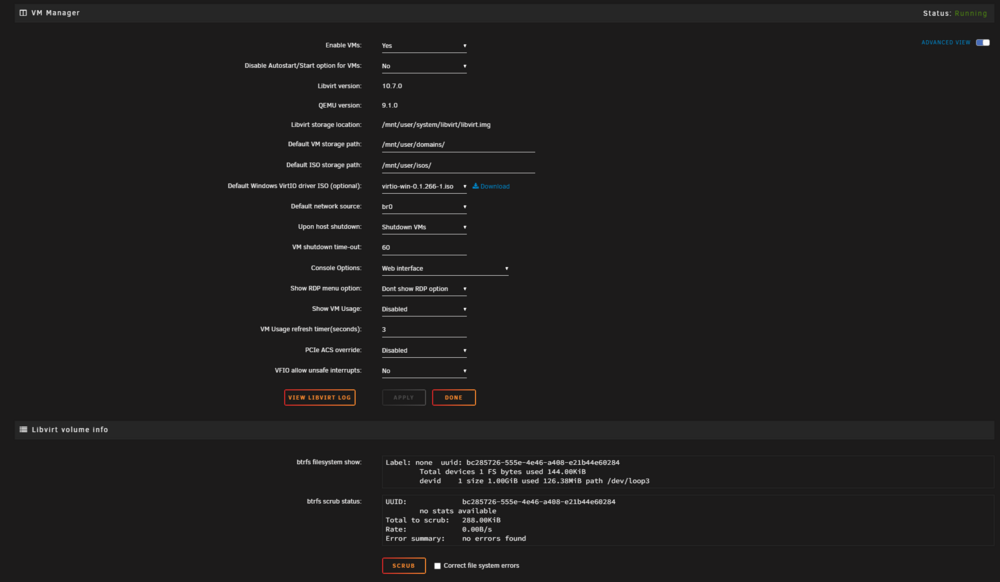
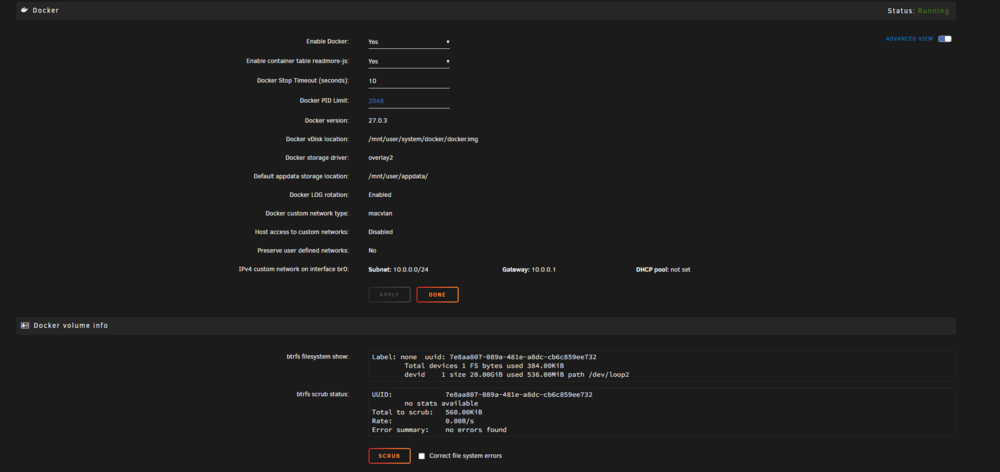
Thank you, and also, no disk failures this time *knock on wood* I just need to add a account that is not public to the VM's, I can see the warning in the system right now. So if I understand this setup correctly now the docker and vm files will be shared on both the array and the cache, but the cache is preferred over the array as a first location for storage? I guess it's time to setup my first docker container Thank you so much for all the assistance it's been of great help and good for understanding the concept of how things work!
-
Tobbo changed their profile photo
-
Thanks you. I took a bit of time because I was going through the settings trying to learn along the way. I hope I did set this up correctly. Thanks again for helping out, very much appriciated

-
Alright, let's try it. I must have missed this. Any suggestions on what to do with my cache drive? Would you recommend puting docker paths on to the cache instead of the array? Thanks
-
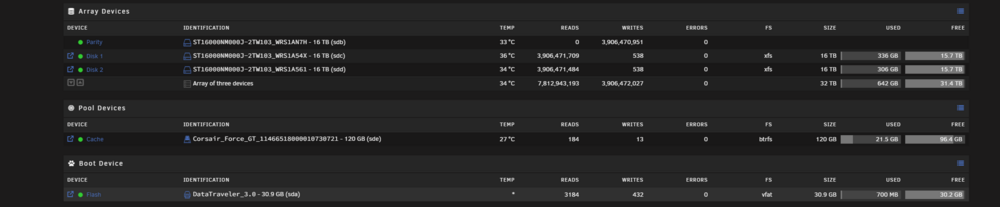
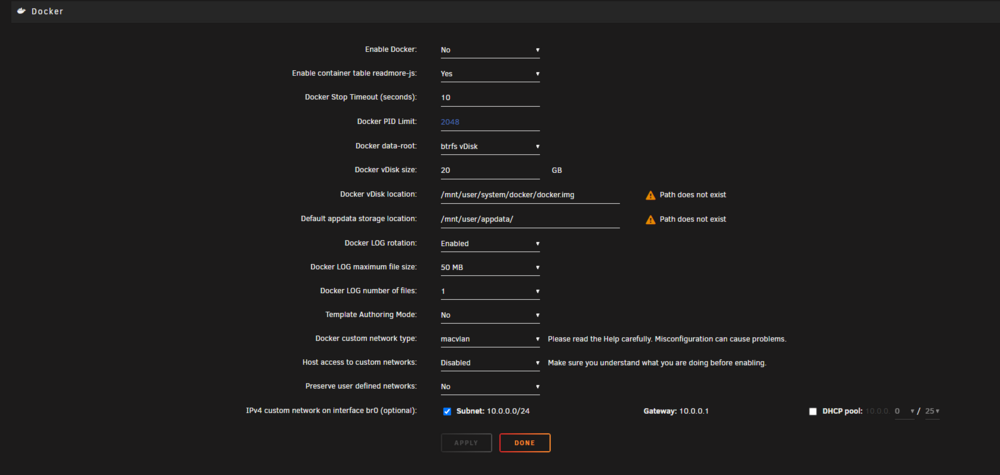
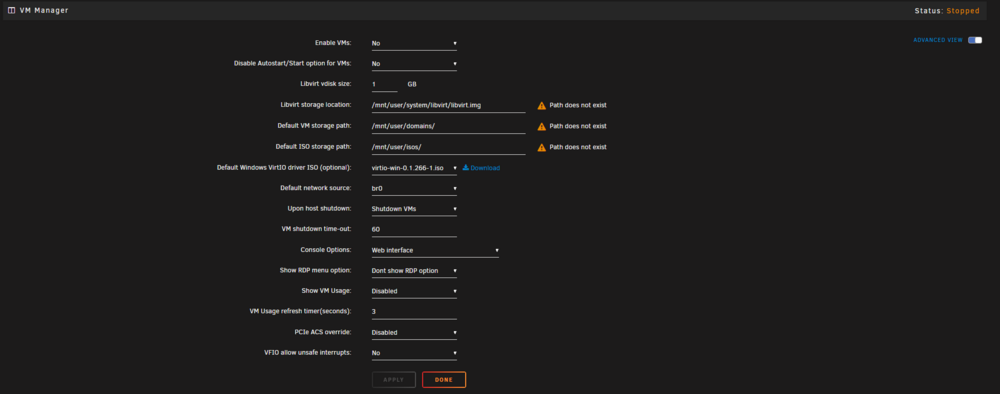
Thanks for the replies. Unfortunately appdata, domains, system shares have not been created for my by default. The system is completly new and fresh just as of yeasterday evening, I have made no changes or started anything but the pairty check on my array and added and cache drive. The pairity has just finished its works and everything seems fine, but these share you're speaking of ahs not been created. Here are the new diagnostics and the latest images of the system. What am I doing wrong? Best regards and thanks

-
I never got around to enable docker yet, like i said, the system was all new. My array is currently doing its parity check. I have added a new ssddrive as cache but I've not allocated it for anything yet. After all is done with the pairity check what would you recommend I do as my next step to get this functioning? Should I start the docker and allocate the file paths to the cache ssd? Do you have a good guide or tutorial to share on best practice regarding the two topics on docker file path and the VM file path that was missing? Thanks for the replies and help
-
I also did notice that .. and .. was missing. I did wonder if id had something to do with that, so I re-installed the entire usb device from scratch, and re-started the whole process of setting everything up. It did not take too long since this is a fairly new system. But after the fresh install I could still see that the same errors remained.


-
Thanks for the reply. Any suggestion on what I could do to wake it up again?
-
Any chance of something useful from the logs?
-
Hi, and no it is not being seen in BIOS. It does show up in Windows disk manager as "0" and it has nothing allocated, no information, not possible to add it as a disk. It's like it doesn't even know it is a hard drive.
-
Greetings I have run into a problem with one of my SSD drives that was acting as a cache drive. After a restart the disk disappeared from the "main"-view and it can no longer be found in either Unraid or windows. It feels like there is some sort of corruption or similar with the disk. The disk is relatively new and I've tried changing sata cables and power cables without any result. I also tried booting it from different pc's and the same problem appears with extremely slow boot time and not recognizing the disk either in the OS or BIOS. I also tried using different SATA connectors on the motherboard without any changes. I will attach sys-diagnostics. Thanks in advance, best regards


