vK31RON
Members
-
Joined
-
Last visited
-
NEJ! I just got it working by what I believe is not the cleanest solution - and will most likely have consequences I haven't seen yet, but I've essentially had Unraid use the iptables PREROUTE/POSTROUTE feature to forward all incoming 10.253.0.5 25565 reqs to the VM. It's good enough for me right now, I'll be back if I run into more problems 👏 I run this user script at array start ``` #!/bin/bash sudo iptables -A FORWARD -i wg0 -d 192.168.0.29 -p tcp --dport 25565 -m state --state NEW,ESTABLISHED,RELATED -j ACCEPT sudo iptables -A FORWARD -o wg0 -s 192.168.0.29 -p tcp --sport 25565 -m state --state ESTABLISHED,RELATED -j ACCEPT exit ```
-
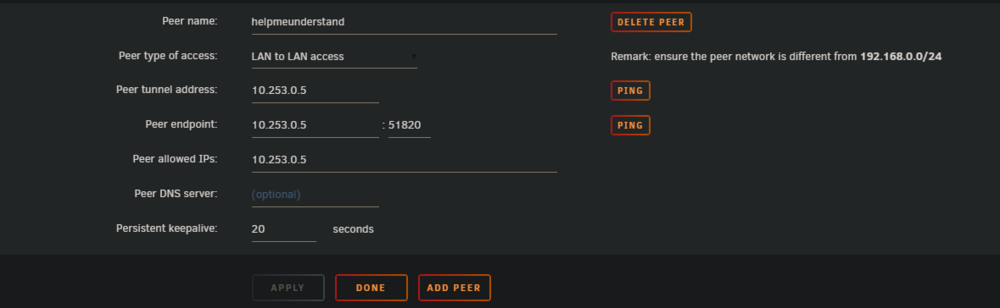
Hi there, I am woefully inexperienced at networking and as such, am pulling my hair out. I've tried my best to come as far as I can but I'm stuck at the last hurdle, I am hoping someone here can help. I started off with a simple objective: Hide my minecraft server IP. I am now 5 hours deep and teetering the line of madness & genius. I have an Amazon EC2 instance which I've setup as a Peer of my Unraid's Wireguard. I am able to receive 25565 traffic on the EC2 instance and this does get communicated back to unraid through the wg0 tunnel. The problem is that I'm running an AMP server on a Debian VM, and so I actually need those 25565 packets to get communicated to the VM instead of Unraid (and for communication to go back). I'm not sure how to go about this, I've tried messing with routing tables, and forwardings on Unraid/VM - but as I mentioned I am extremely green to networking and can't make heads or tails of it. Does anyone have any ideas? If you need diagrams or to see the results of any commands e.g. `ip route` - I'll get the post edited as quickly as I can Thanks a million, K
-
Think I figured out why - it's one of the "not premium" cards of ASUS and they don't put the zero-db/fan-off feature on it.
-
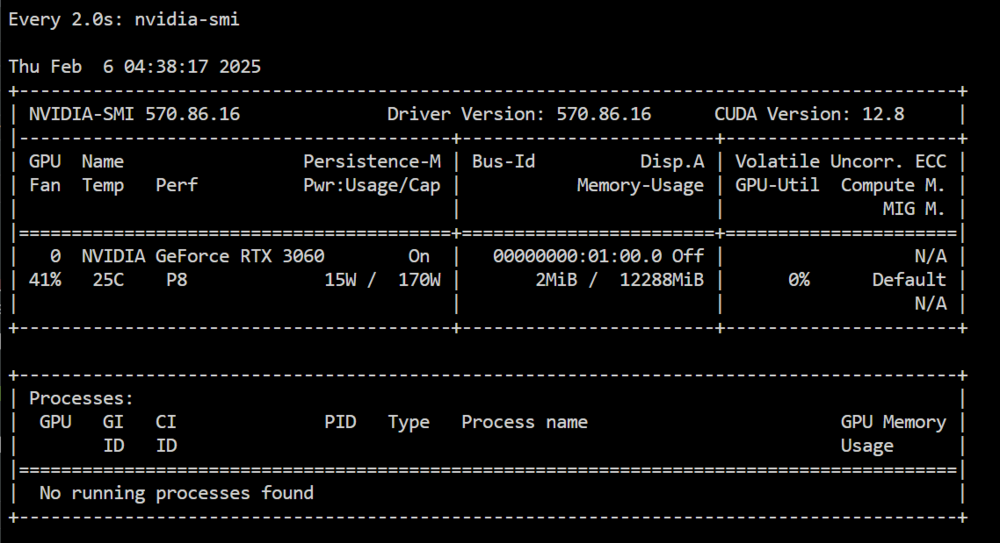
Hi there, I've been browsing the various forum posts for the past 40 minutes but can't find anything super specific to what I'm experiencing. Before my 3060 - I had a 1060 in the server which seemed fine, the fan dropped to 0% when idle. However I've noticed my 3060 never dropping from 40% even when in P8 (14W) idle. Is this a normal thing for the 3000 series? I've been trying to look at various methods of setting my fan curve explicitly, but only read that I could do that if I pass my GPU to a VM. Unfortunately, I'm using my GPU for dockers so it doesn't seem too applicable. I've used `nvidia-persistenced`, updated to 7.0.0, latest Nvidia drivers (570.86.16), but I cannot for the life of me figure out how to stop the card whirring away. It's not that big of a deal acoustically, but I am concerned about the longevity of the card if it's fan is spinning 24/7. Has anyone else experienced this? I'm relatively new to Unraid so don't quite have all the magic tricks figured out yet Thanks