frogwell
Members
-
Joined
-
Last visited
-
Hi, thanks for the heads up. I just made the switch to the plugin. Thx for all the work.
-
Hello the latest update breaks the docker, it has the wrong os/arch version declared. Its linux/arm64/v8 instead of the correct linux/amd64. https://hub.docker.com/r/deasmi/unraid-tailscale/tags Dont update the docker till it is fixed, in case you already updated the docker you will need to rollback. Open the docker properties, at the top of docker properties enter the following and for the repository field: apply: deasmi/unraid-tailscale:1.78
-
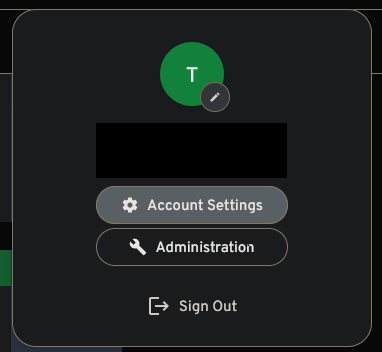
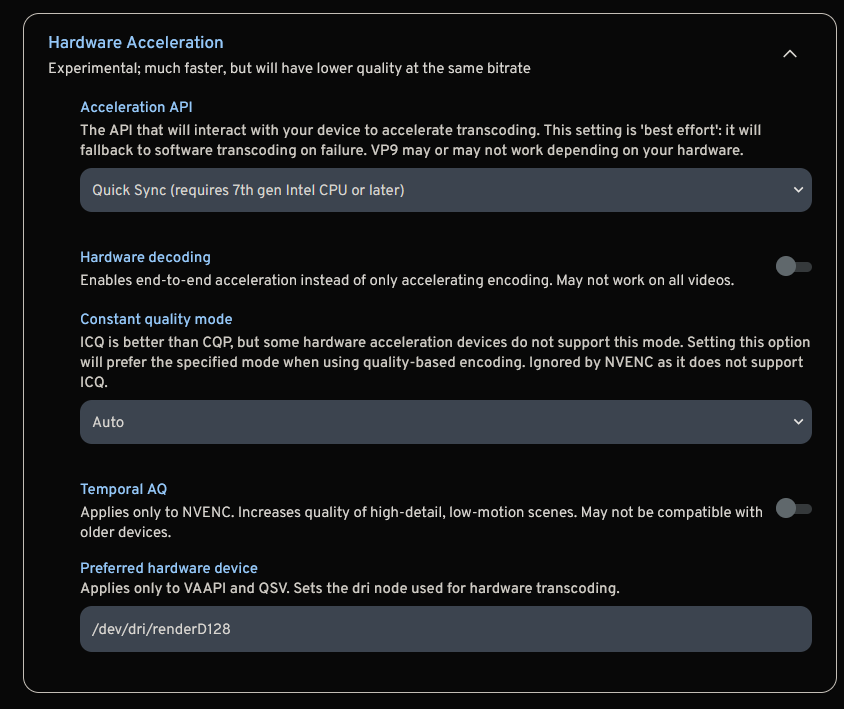
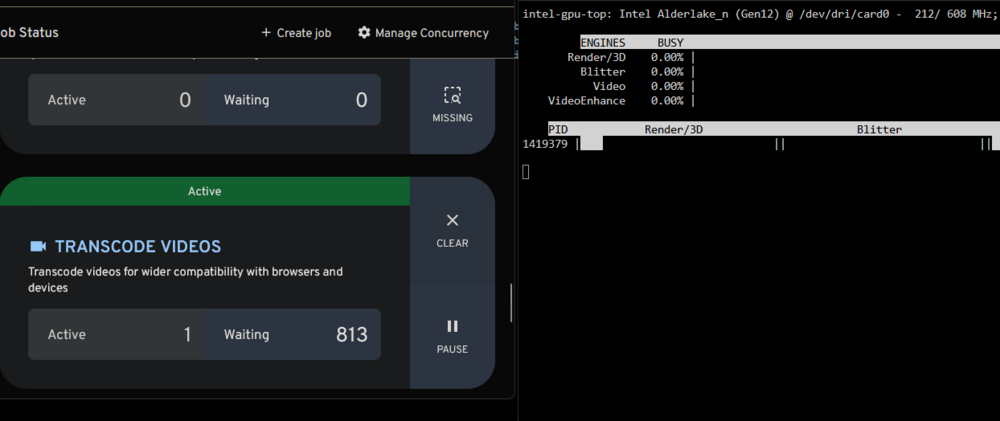
Hello everyone, this is a simple guide to use your Intel iGPU or dGPU for transcoding in Immich. Install Intel-GPU-Top Plugin from the Community App Store, no configuration needed: (optional) install the GPU Statistics plugin: Navigate to the Docker Tab and edit the Immich Docker. Enable Advanced View in the top right corner. Add the Extra Parameter: --device=/dev/dri Save the change to rebuild the docker. Open the Immich Web Interface, select your User Profile in the top right. Choose Administration. Navigate to Settings: Scroll down to the bottom to Video Transcoding Settings. Transfer the Settings from the Screenshot and save: /dev/dri/renderD128 Start a transcode and check using intel_gpu_top on the cli will show a process ID and load. looking at the docker logs will show the intel GPU being used for Transcoding. Thats it, enjoy.