hedgehog
Members
-
Joined
-
Last visited
-
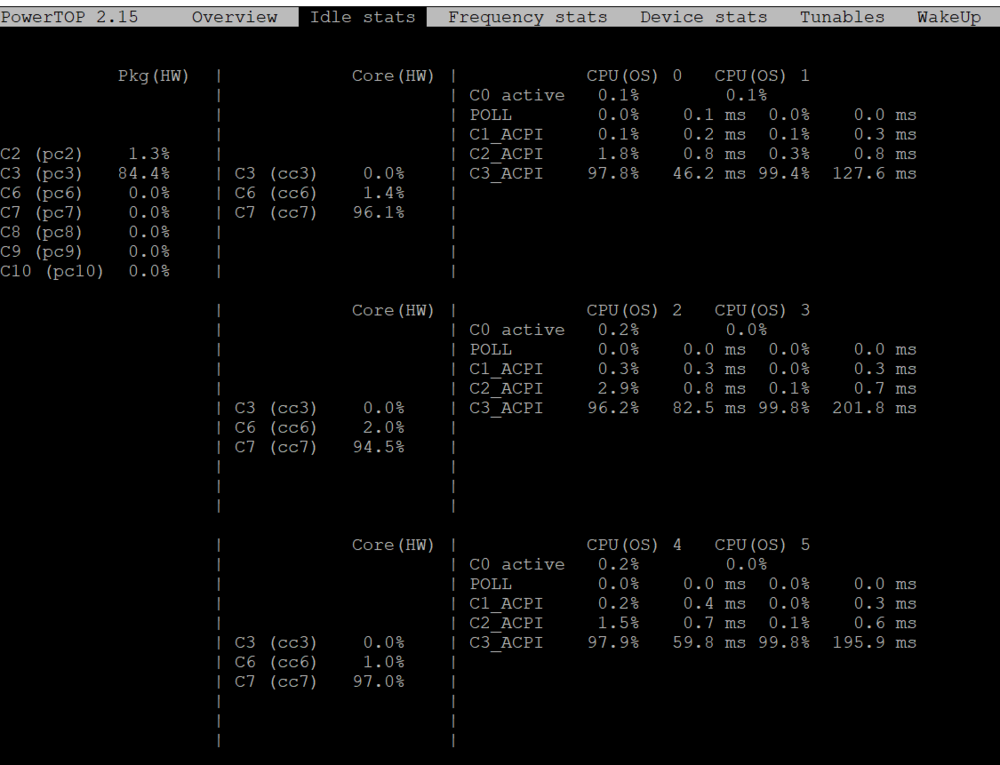
Hello Unraid-experts! I am totally new to Unraid. I have built a new system and now I would like to optimize the power usage. I did read a lot and tried several settings, however I do not reach C8 or C10. Powertop I used this guide here to install powertop and make some adjustments to the mainboard settings: As for now, I only reach C3 (usinge SSH instead the webbrowser-GUI-terminal does not make a noticable difference): Hardware Mainboard: Gigabyte Z790 AORUS ELITE AX (rev. 1.x) CPU: i5-14600K RAM: Kingston FURY Beast 2x32 GB DDR5 5600 MHz CPU Cooler: Noctua NH-U12S Case Fans: Noctua NF-A12x25 PWM (3x) SSD: Samsung SSD 990 PRO 4TB Power Supply: Corsair RM650 Mainboard Settings BIOS version: FLb (newest version, I had to upgrade it 3 times) Extreme Memory Proflie (X.M.P.) --> XMP2 Intel Turbo Boost Technology --> disabled C-States Control --> enabled CPU Enhanced Halt (C1E) --> enabled C6/C7 Support State Support --> enabled C8 State Support --> enabled C10 State Support --> enabled Package C State limit --> C10 Platfrom Power Management --> enabled PEG ASPM --> enabled PCH ASPM --> enabled DMI ASPM --> enabled Audio Controller --> disabled Plugins/Docker Community Applications Intel GPU TOP Tips and Tweaks Unraid Patch linuxserver.io/Nextcloud (the container is stopped) Do you have any suggestions on how I can make the CPU to go to C8 or even C10? Do I miss something? Any help is highly appreciated 🙂 Many thanks