UnraidUser-9811250463
Members
-
Joined
-
Last visited
-
i think it is. took a while to start the array but all the data appears to be there.
-
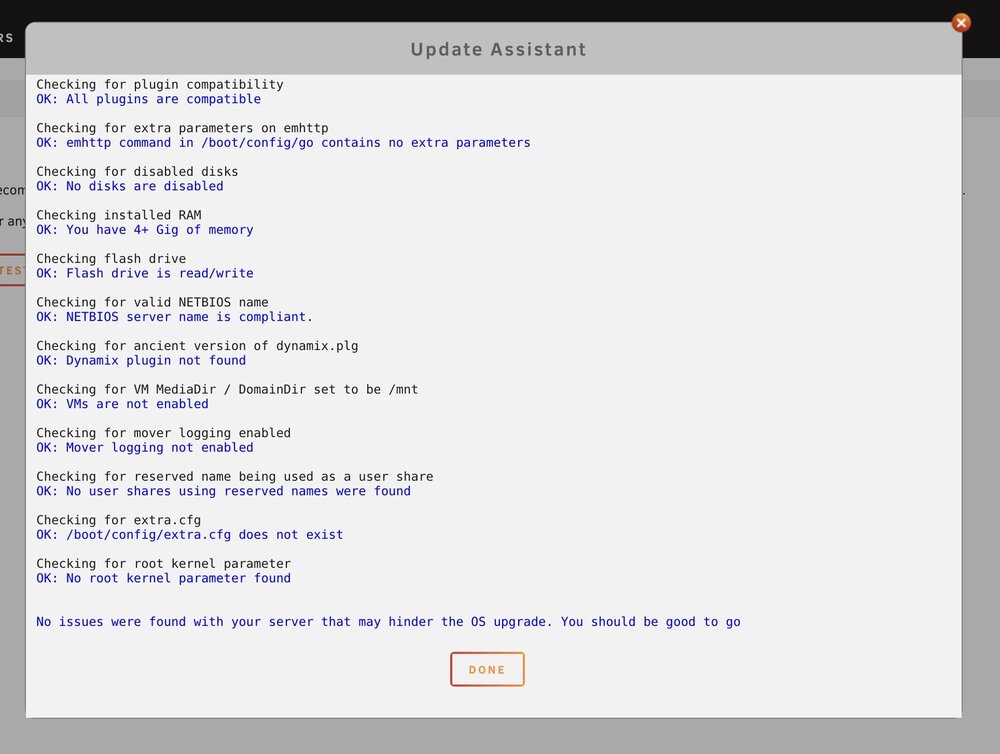
i updated or removed anything that couldn't be updated
-
i haven't turned it on since 2022. i'm scared to update to 7? i guess i have to?
-
i don't know much about unraid so please bare with me. thx for your help. bigassnas-diagnostics-20250214-1135.zip
-
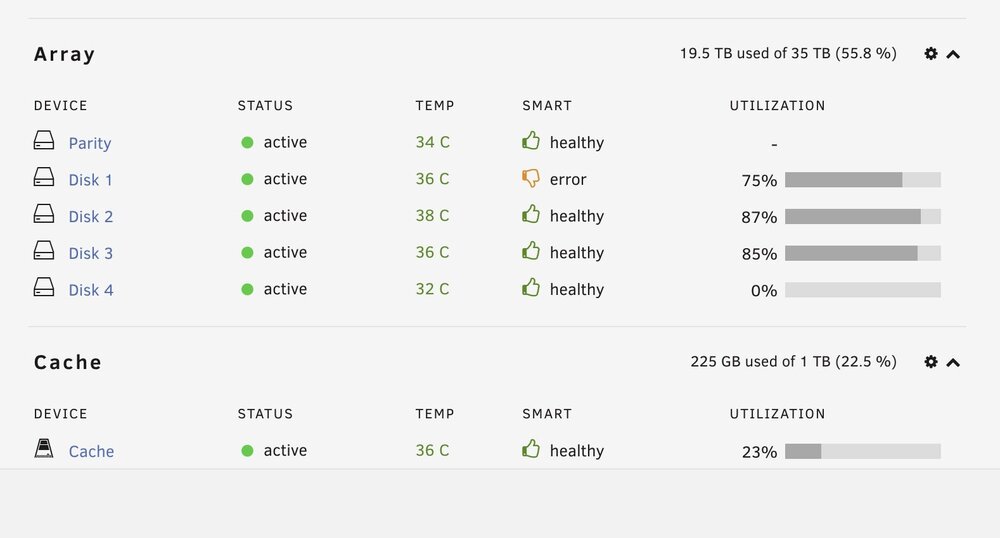
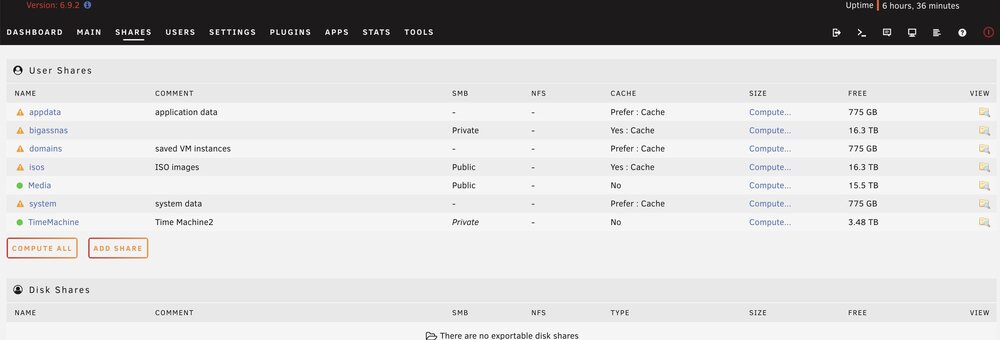
i had my unraid running a couple years ago. i moved across country and when i tried to start it back up, it didn't see any drives. i didn't mess with it for a couple years. yesterday, i got around to messing with it, the 2 controller boards for the disks had come out, i pushed them back in and started up the server and it is working again! now, i'm super into unraid again and have a couple questions. one of my drives has an error? i ran smart test and it says its fine? this drive is only 3TB - should i just replace it? i'm running 1 12tb parity drive and 4 data drives and 1 1tb ssd cache drive. so i'm using 6 of my 16 bays? should i add and 2nd 12tb parity drive and a 2nd 1tb ssd cache? should i swap out the 3tb drive with another 12tb drive since it has an error? why do my shares say unprotected? right now i have 16tb of free space which is plenty. i have 10 more bays. i could add another cache and another parity and still have 8 free bays left. this is just for personal data backup.