Croco80
Members
-
Joined
-
Last visited
-
Thank you so much for your effort and your patience with me!!!!
-
Yusseiin you are my hero today!!! This really solved my issue 🥳 and I think I owe you a 🍺 or two. Just one last question! I noticed that after a reboot of my Unraid I need to open the console for Tailscale-Docker again an run the command: tailscale serve 5678 again to be able to connect via HTTPS to n8n. Do you know if this command can be automatically be run at the end of Tailscale-Docker start?
-
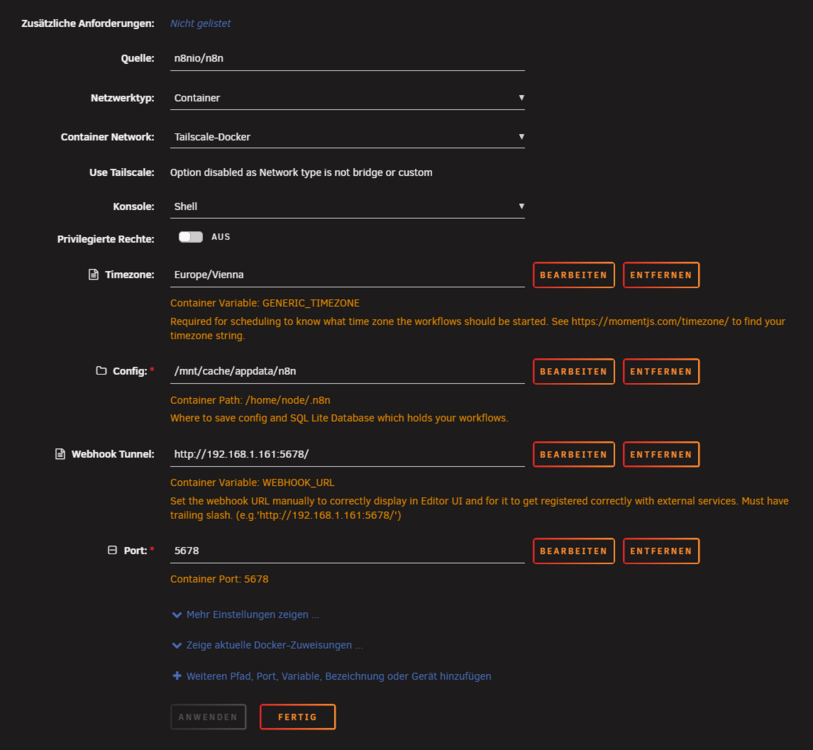
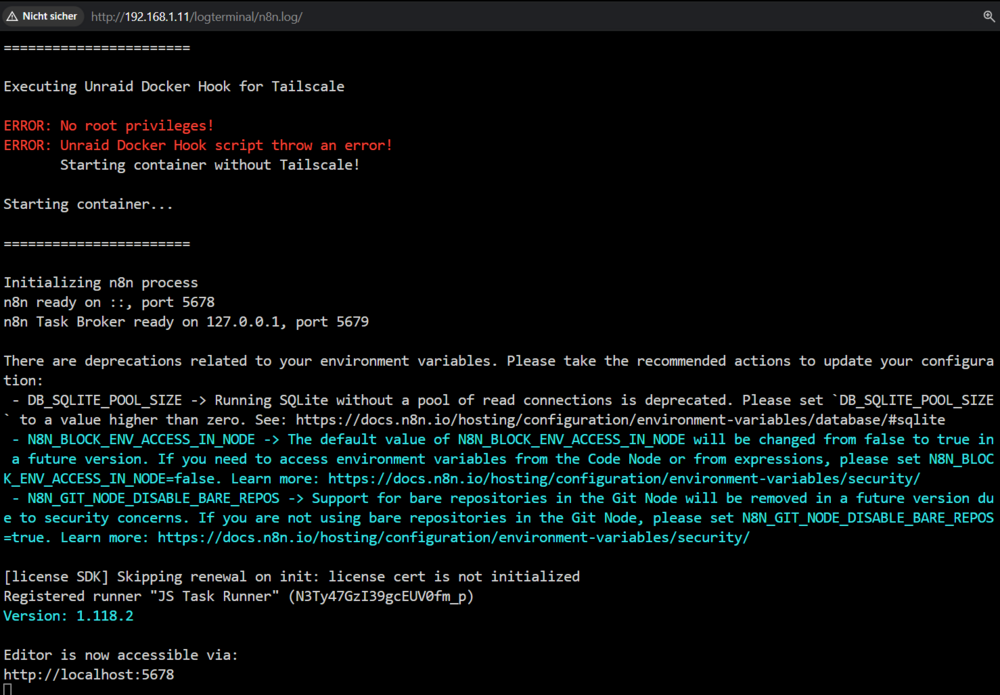
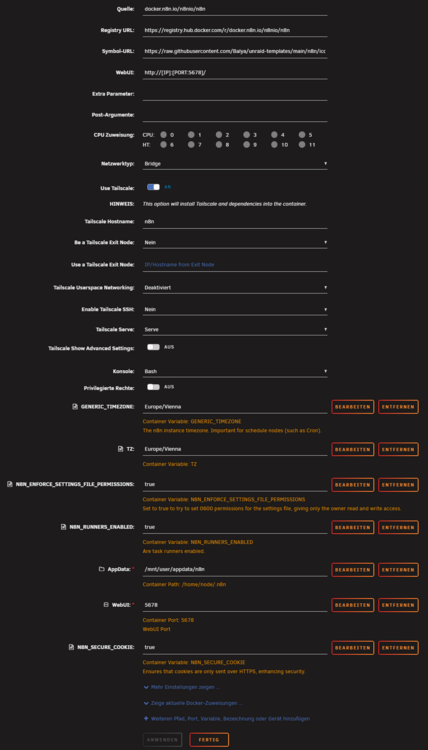
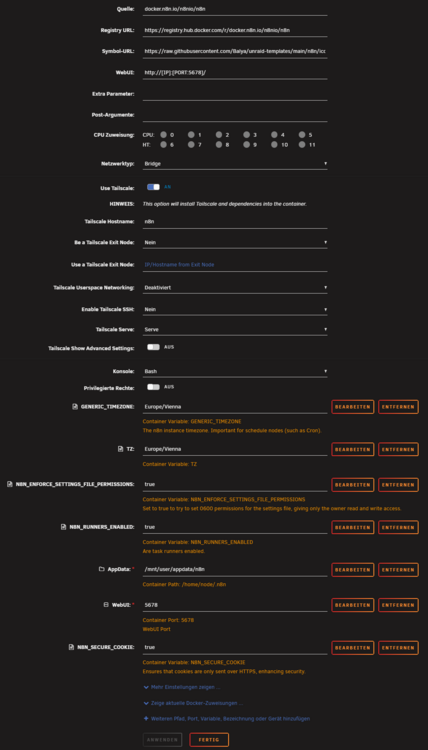
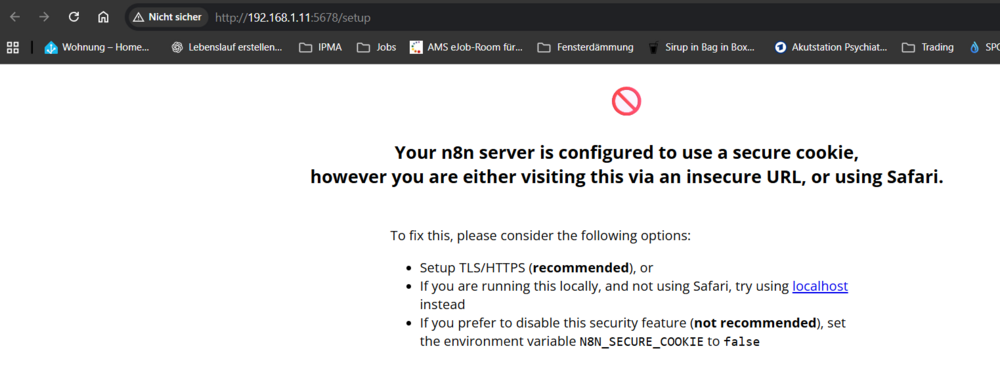
Hi Yusseiin, Thank you very much for your support. I am using Unraid 7.2.0 and n8n from tmchow`s Repositor, I think I missed this information in my Post. In my case I use 192.168.1.11:5678 as 192.168.1.11 is the IP of my Unraid in my network. I tried to configure Tailscale in the config of n8n BUT then I was not able to start n8n as privileges are missing. After some research I found the information that I should not set the privileges for user and group, but instead use tailscale-docker. This is what I see when I tried to configure Tailscale in n8n: And this is my n8n configuration I used: This was the reason why I tried to solve this topic using Tailscale-Docker as I´ve read that this should be a proper solution to my problem. But up to now I found no working solution. Not using Tailscale and SSL I get this message: To be honest I do not have any idea how to get this running. :-(
-
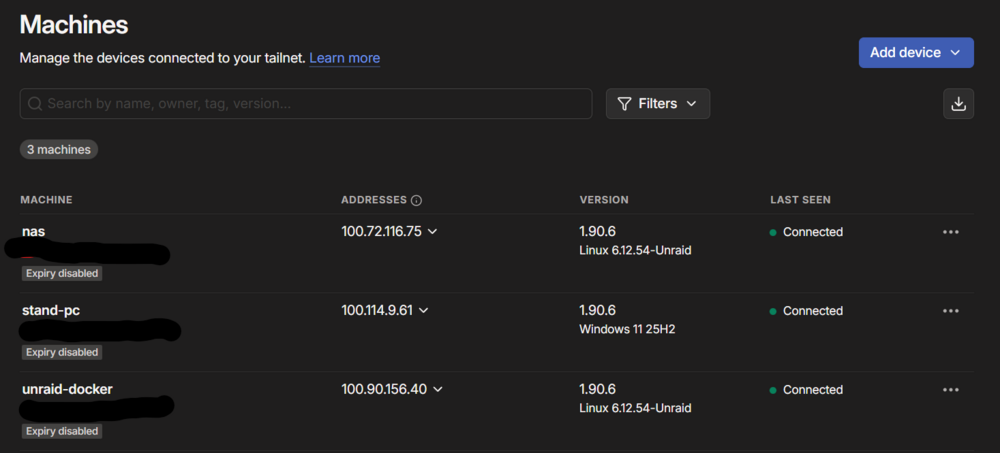
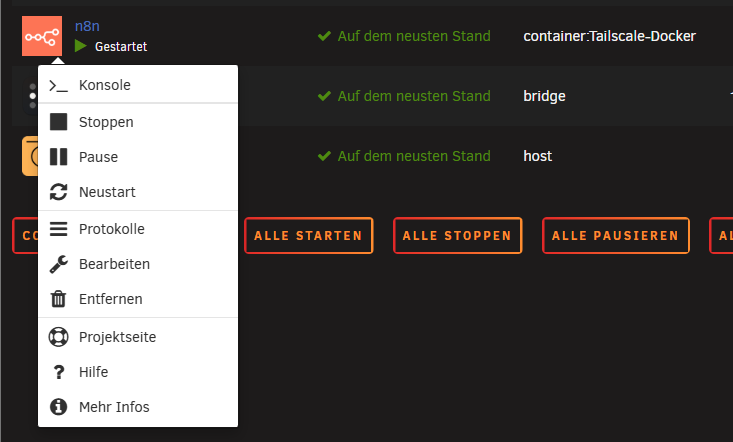
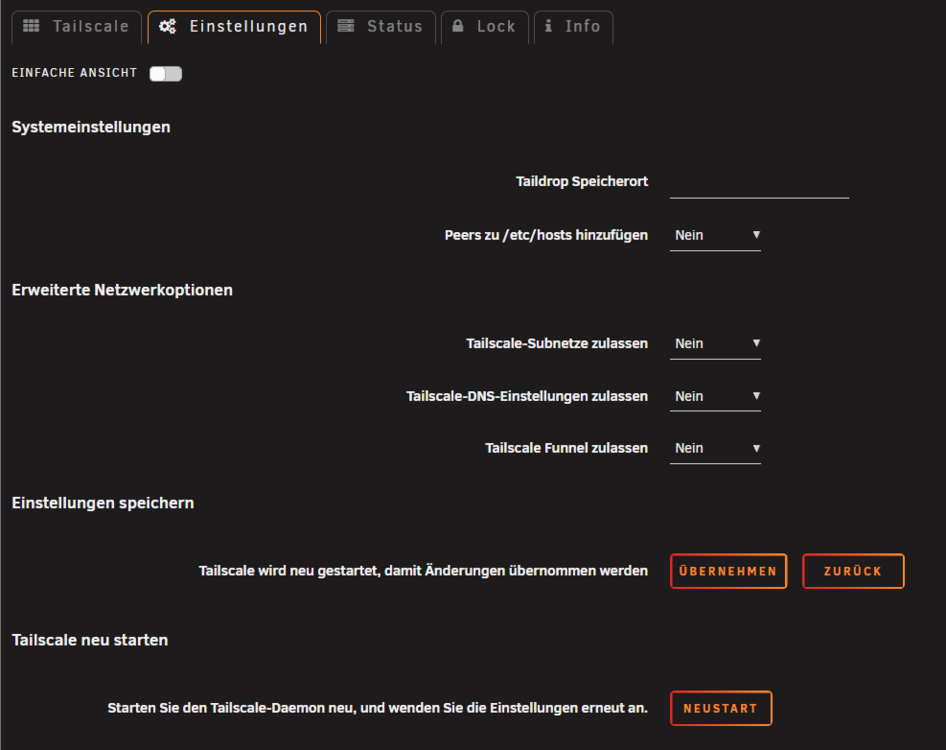
Hi, I want to run the n8n Docker on Unraid 7.2.0 and use Tailscale to solve the browser issue regarding the needed SSL certificate using Tailscale. (allowing Tailscale-Subnet is deactivated) I installed Tailscale on unraid and my Windows PC, set Tailnet DNS name and activated SSL. I am able to connect to Unraid using the .ts.net address with secure connection. Then I installed Tailscale-Docker and activated it in Tailscale too, and I can see the "unraid-docker" as a new mashine shown in the Tailscale mashines overview. For all mashines i deactivated SSL expiry. I installed n8n with "Networktype: Container" and "Container Network: Tailscale-Docker" Both (Tailscale-Docker and n8n) are started. BUT there is now GUI function available when i click on n8n, the only thing I can see is >_ Console. Can someone please show me what I have done wrong? With kind regards ingo Here some pictures: Tailscale: Docker: n8n Config: No GUI for n8n: Tailscale setting: