





dilly120
Members
-
Joined
-
Last visited
-
Thanks for your time. I appreciate you explaining it like that, it makes a lot of sense.
-
OK so just to confirm, even though in the tips section it is written "If you set the 'Power Save' CPU Governor, you may see your processors stuck at 800 MHz. It is recommended you use the 'Performance' Governor for best performance and power savings." - I simply no longer have that option? EDIT: Upon further inspection, it seems that no matter what I set the Normal CPU Scaling Governor to (performance or power save) the only change that has any effect on clock speeds is setting turboboost on or off. as seen with 'watch grep \"cpu MHz\" /proc/cpuinfo'.
-
confirmed. When I cat 'cat /sys/devices/system/cpu/cpu0/cpufreq/scaling_available_governors' it returns 'performance powersave'
-
Under driver it is showing Intel pstate, unless thats not the one you mean? Is there somewhere else I should look for this info?
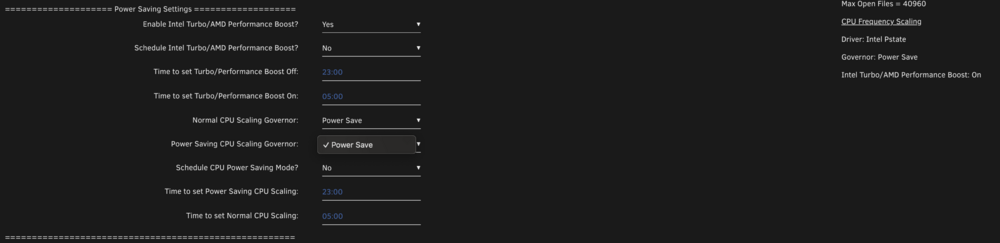
-
dilly120 joined the community
-
I think this is broken for Intel CPUs. I am on Unraid 7.0.1 and just updated the plug in today. I an running an i9 10900. Before todays update I could select "Performance" for Power Saving CPU Scaling Governor today, my only option is "Power save". Am I missing something? Also, my only options for Normal CPU Scaling Governor are still "performance" and "Power Save". I did reboot after the plug in update for good measure, but it is the same.
