





Shpam
Members
-
Joined
-
Last visited
-
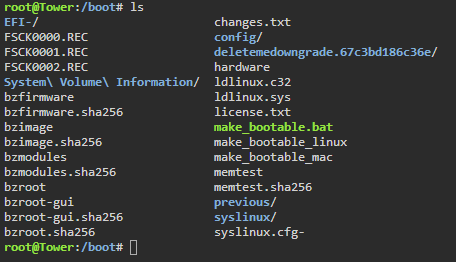
The above post was the fix for logs, thank you. In /boot/config there were two config files: rsyslog.cfg and rsyslog.conf. Simply renaming the first didn't fix it, but renaming the .conf file (which was blank for some reason, I don't believe I ever touched it. My guess is that my version of Unraid has a bug where it got cleared by the GUI somehow) did seem to correct the issue. Now I just need to wait for my server to crash and hopefully it will be something I don't need the forums to figure out.
-
Any thoughts on these diagnostics ? I'm really at a loss at how to fix my server until I can see logs again.
-
Shpam changed their profile photo
-
I booted in safe mode with the GUI, here are the diagnostics: tower-diagnostics-20250302-1321.zip
-
Even after setting "Mirror to flash" it doesn't show a logs file or folder on the flash drive. And when I say there are no logs, I mean there are no logs even when clicking the log button on the GUI. I want to avoid trying to upgrade again for now because the problem happened on this version of Unraid and when I had upgraded to 7 there were some odd problems with the connected Plex server being unable to find media. One problem at a time 😅 With how you worded your message I'm starting to think that the syslog settings were a red herring.

-
This is how it currently looks. I've also tried the "Mirror syslog to flash" settings and using the remote syslog server to point to my NAS.
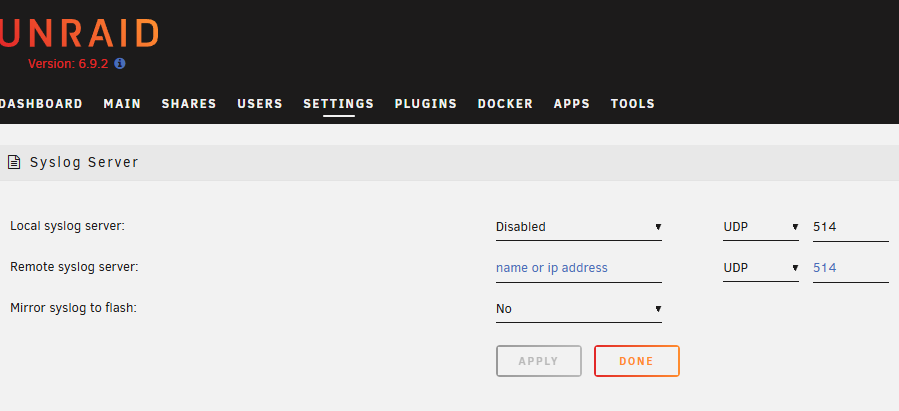
-
While I don't have automated backups to a remote server, I did just make a manual backup. Would you like me to upload it here if you think it would help debugging ?
-
I do not believe so, I've never set a flash backup setting.
-
Hi everyone. I was attempting to investigate some server crashes that have been happening lately. I saw online a suggestion to set up a syslog server or to write to the boot device. After trying both of these, I noticed that logs weren't being written to the location, and attempting to view the diagnostics also showed a blank syslog file. I changed the settings back to default yet I am still unable to see logs now. I tried upgrading to Unraid 7.0.1 to see if that would fix it, it didn't, so I downgraded back to 6.9.2. I've uploaded my diagnostics in this post, in case there is anything glaring in the config somewhere I might have accidentally messed up. For an additional piece of information: my server has been running fine until now for nearly 3 years, this isn't a new system problem. tower-diagnostics-20250301-1915.zip

