





bm83
Members
-
Joined
-
Last visited
-
Thanks. Ordered a new psu (with support for 12 sata drives without any extenders). Going to give that a try and see what happens. Also, will keep that in mind about the upgrade. Cheers
-
Yes they are on different controllers. Going to take everything apart and see tomorrow. I will also get another drive to add additional parity. Thanks for all your help... I'm sure I'll be reaching out tomorrow!
-
Error once again. Time to take the server apart and figure out what going on.
-
I've moved that faulty drive to another location. Going to try running rebuild again.
-
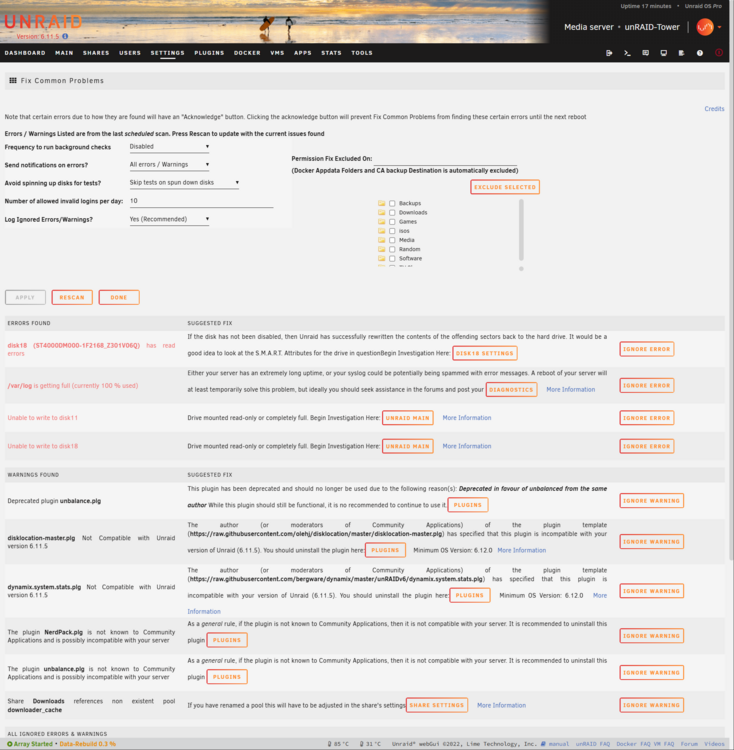
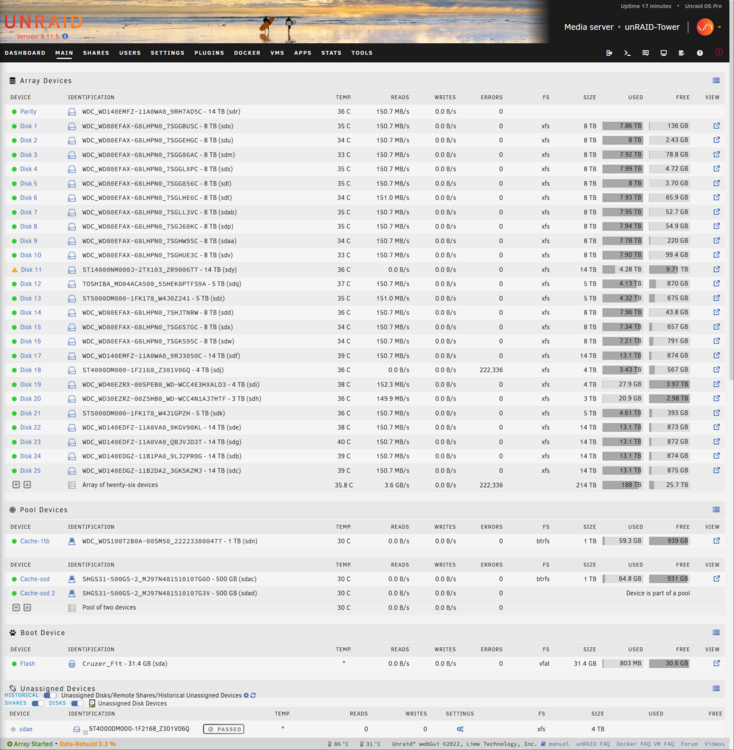
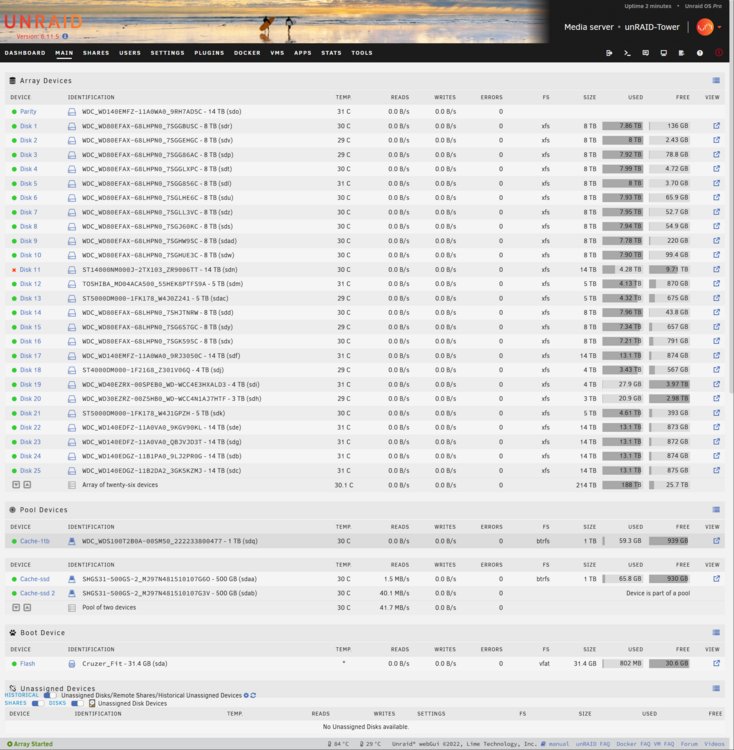
Scratch that. Error on another drive right now - Disk 18. Also error is back on Disk 11. So the array rebuild is stuck at 0.3%. unraid-tower-diagnostics-20250314-2138.zip
-
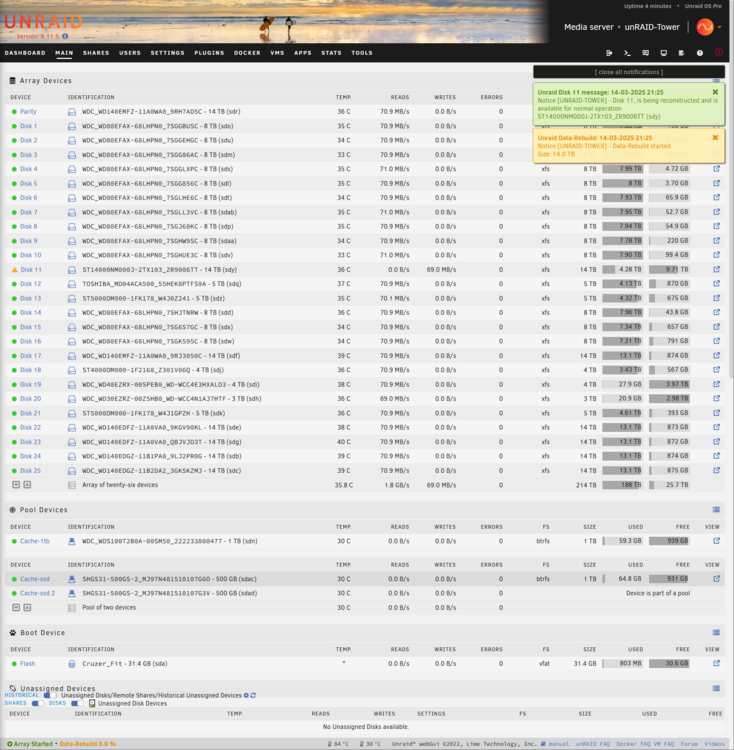
Alright switched the drive placement and started the process again. Seems to be working right now as far as I can tell. Good to go from this point onwards?
-
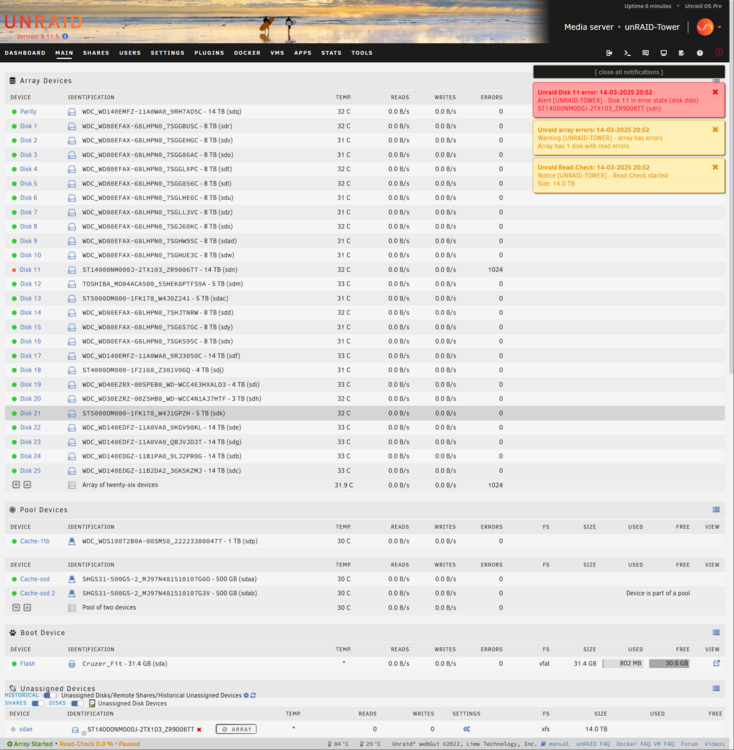
Thanks I did that but now I have errors showing up on Disk 11 - Error 1024. The Unraid server is stuck at "Read Check 0.0% * Paused". unraid-tower-diagnostics-20250314-2053.zip
-
I do have the original disk. But it's the one that does not register at all on the system. Did check all the cables etc. and these are all good.
-
As the title of the post suggests. Had a faulty drive on Disk 11. Got a new Hard Drive and after running preclear on it I assigned it to Disk 11. However Unraid still says there is not proper disk there and is running on emulated version. unraid-tower-diagnostics-20250314-2010.zip
-
That's what I'm going to do. Ordered a Seagate Exos X18 14TB drive from serverpartdeals. Going to plug that one in.
-
Thank you for that.
-
One more question. Right now disk 11 is "unassigned". Will I just be able to assign a new drive to it and have that work?
-
Thank you for that!
-
Any risk running the server till I buy a new drive?
-
So basically buy a new disk and put that in place? I attached disk 11 at a new spot and still nothing. Basically a new disk will rebuild everything that was on disk 11?


