





Dinez
Members
-
Joined
-
Last visited
-
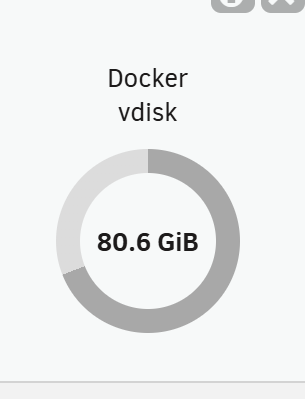
Hi. I installed docker compose a while back. i think i managed to remove a docker without removing the image or something. When i run the "container size" in the docker window it shows this size When i look at the dashboard it shows this (and yes i know that my docker image is huge! ) I installed ollama and it downloaded the models to the docker.img ( i installad it to test a thing) But now it feels like the models are still there. I cant find a why to remove it since there is not a image that correspond to it. I have run "docker image prune -a" and it removed 3.5 gb Do anyone have any ide on what to do? Thanks in advance!

-
I wanted to say that i updated again and i got it to work. I had a Tailscale funnel active and with 7.1.4 i got an error that tailscale tried to use 443 for the funnel. So that must have been the problem this whole time. Thanks for the help anyway.
-
Hi. Im having the same problem as thuesen with the funnel and i am on the last stable 7.1.4 and not super enthused to update to the beta. Is it possible for you to send me if you had a fix for this problem? Im soon bald from all the hair pulling.... Thanks in advance!
-
I tried to redo the USB as you suggested and it worked. I have some work ahead of me to re add all of the dockers and so on. When i started adding plugins i got the same problem. I found this in the logs. i found an old post where you told the user that it might be the connect plugin. but i dont have the installed. I know that this is a wide question and you might not have the answer but i have to ask. Mar 15 22:32:00 Tower avahi-daemon[5741]: Registering new address record for 192.168.10.197 on br0.IPv4. Mar 15 22:32:00 Tower rc.avahidaemon: Avahi mDNS/DNS-SD daemon... Started. Mar 15 22:32:00 Tower rc.samba: Updating Samba server daemon... Mar 15 22:32:00 Tower rc.samba: Restarting Samba server daemon... Mar 15 22:32:00 Tower rc.samba: Stopping Samba server daemon... Mar 15 22:32:00 Tower nginx: 2025/03/15 22:31:55 [emerg] 4060#4060: bind() to 100.71.X.XX:443 failed (98: Address already in use) Mar 15 22:32:00 Tower nginx: 2025/03/15 22:31:55 [emerg] 4060#4060: bind() to [fd7a:115c:a1e0::XXX::XXX]:443 failed (98: Address already in use) Mar 15 22:32:00 Tower rc.samba: killall --ns 5747 smbd nmbd wsdd2 winbindd Mar 15 22:32:00 Tower wsdd2[2264]: 'Terminated' signal received. Mar 15 22:32:00 Tower winbindd[2268]: [2025/03/15 22:32:00.489958, 0, traceid=1] ../../source3/winbindd/winbindd_dual.c:1980(winbindd_sig_term_handler) Mar 15 22:32:00 Tower winbindd[2268]: Got sig[15] terminate (is_parent=1) Mar 15 22:32:00 Tower wsdd2[2264]: terminating. Mar 15 22:32:00 Tower avahi-daemon[5741]: Server startup complete. Host name is Tower.local. Local service cookie is 3674673326. Mar 15 22:32:00 Tower nginx: 2025/03/15 22:31:55 [emerg] 4060#4060: bind() to 100.71.XX.XX:443 failed (98: Address already in use) Mar 15 22:32:00 Tower nginx: 2025/03/15 22:31:55 [emerg] 4060#4060: bind() to [fd7a:115c:a1e0::XXX::XXX]:443 failed (98: Address already in use) Mar 15 22:32:00 Tower rc.samba: Samba server daemon... Stopped. Mar 15 22:32:00 Tower rc.samba: Starting Samba server daemon... Mar 15 22:32:01 Tower rc.samba: /usr/sbin/smbd -D Mar 15 22:32:01 Tower rc.samba: /usr/sbin/wsdd2 -d -4 -6 Mar 15 22:32:01 Tower wsdd2[5825]: starting. Mar 15 22:32:01 Tower rc.samba: /usr/sbin/winbindd -D Mar 15 22:32:01 Tower rc.samba: Samba server daemon... Started. Mar 15 22:32:01 Tower nginx: 2025/03/15 22:31:55 [emerg] 4060#4060: bind() to 100.71.XX.XX:443 failed (98: Address already in use) Mar 15 22:32:01 Tower nginx: 2025/03/15 22:31:55 [emerg] 4060#4060: bind() to [fd7a:115c:a1e0::XXX:XXX]:443 failed (98: Address already in use) Mar 15 22:32:01 Tower ool www[5241]: /usr/local/emhttp/plugins/dynamix/scripts/emcmd 'cmdStatus=Apply' Mar 15 22:32:01 Tower emhttpd: Starting services... This repeats almost the same for a while. And later in the log i get this. And i get the feeling that is when the GUI stops working. Mar 15 22:33:26 Tower publish: curl to update2 failed Mar 15 22:33:26 Tower publish: curl to update3 failed Mar 15 22:33:26 Tower publish: curl to filemanager failed Mar 15 22:33:27 Tower publish: curl to devices failed Mar 15 22:33:27 Tower publish: curl to arraymonitor failed Mar 15 22:33:27 Tower publish: curl to filemonitor failed Mar 15 22:33:27 Tower publish: curl to filemanager failed I can send you @JorgeB but i did not manage to anonymize it so i dont want to post it. if you have the time to look at them. The last plugins i installed was: Dynamix System Temp Gpu Statistics Tailscale Community apps Intel GPU Top
-
So what you mean is that i should make a new unraid 7 usb and move the config folder from the backup onto it? And that might work? Since all the plugins ,configs so on is in the config folder and i suspect that i will have the same problem. I think that it is a plugin or a setting that breaks the gui but i cant find anything in the logs. But my log reading skills arent the best.
-
Yes and i tried to add it to a another usb to keep the USB as to look at. Now i cant replace the Key on that drive. FML
-
I updated from 6.12.10 to 7.0.1 tonight. When the server booted the connected monitor told me i got a ip adress that is the normal one that i have on my server. But no GUI when accessing it from my laptop or my phone. i had SSH during this time. I tried to restart with GUi in the bootmenu and i got the same thing there. no connection on the connected montor. With No plugins and GUI i atlest got the GUi on my connected monitor. But no connection with the laptop. (this might not be ment to work i dont know) I tried to remove the ident.cfg. notwork.cfg and machine-id. and that did not work. i have tired to remove the tower.pem file aswell. Any ideas? tower-diagnostics-20250312-2012.zip

