





kleiner-onliner
Members
-
Joined
-
Last visited
-
Thanks Kilrah, it works perfectly now. Thanks for the quick help and the search in the thread.
-
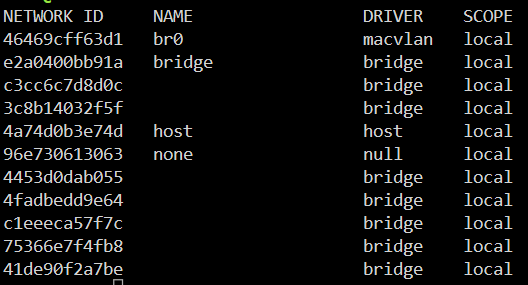
But the compse file does not contain any information about an ID. It only contains the name of the network... Where is the information stored?
-
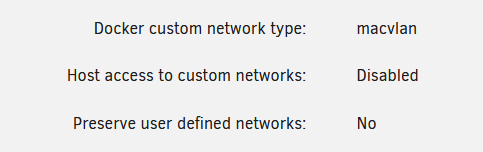
The problem actually only occurs after restarting the Docker service. I am currently using Unraid 7.1.0-beta.2. I have already tested it with eth0 instead of br0. I get the same error message here too. I have also tested various network and docker settings. Here is the latest version: I don't use Docker templates because I only use my own compose files. Creating my own macvlan seems to be the only solution, unfortunately.


-
I have it all: services: pihole: container_name: pihole networks: br0: ipv4_address: 192.168.x.x # dns: # - 192.168.x.x image: pihole/pihole:latest environment: TZ: Europe/Berlin PIHOLE_UID: 99 PIHOLE_GID: 100 volumes: - /xxx:/etc/pihole cap_add: # Required if you are using Pi-hole as your DHCP server, else not needed - NET_ADMIN restart: unless-stopped networks: br0: external: true The error still occurs. Only when I activate/deactivate the DNS entry in the config, for example, is the container started.
-
Hello, I have a set of Docker Compose containers with a specific network configuration like: networks: br0: ipv4_address: 192.168.x.x dns: - 192.168.x.x When I start this container, I get an error message like “Error response from deamon: could not find a network matching network mode ...” (screenshot attached). But when I change something, like disable/enable dns, the docker container starts without problems. What is the problem, unfortunately I have not found anything in the forum. Thanks for any constructive answers. kleiner-onliner



