sognix
Members
-
Joined
-
Last visited
-
Hi, I bought a new stick, an Transcend. With the help of the support I was able to transfer my licence. So a big thank you for your help!
-
It is booting normally with the old Transcend stick and my config. Now I see the GUID-Mismatch as you mentioned. I think it has something to do with the stick, but still: Why was it working with Unraid 6? Also: what do you think, should I do now? I have transfered the license to the new stick und licence transferring is only possible once in 12 months... Or do you think the devs are able to fix it with a following version? Thx for the support!
-
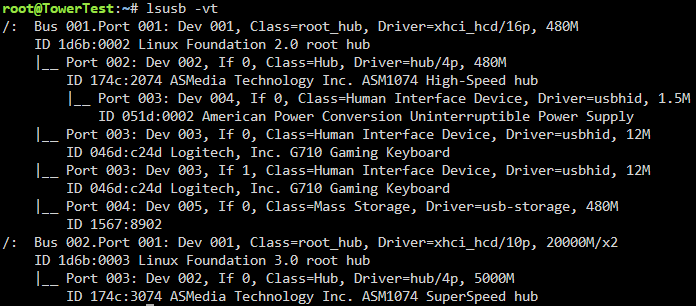
Thx for moving the thread. Used a very old stick (transcend), it bootet normally. lsusb -vt output: The old stick which worked with Unraid 6 was also an Intensio.
-
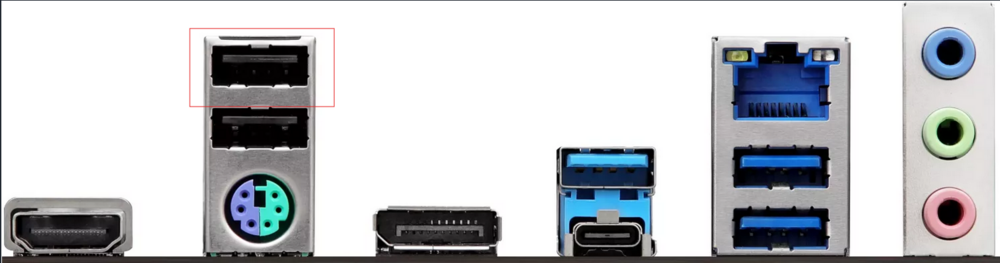
During the lsusb the Unraid USB-Drive was the only active drive which was attached via USB. So yes, it has to be that one. It es an Intensio 32 GB USB 3.0 Stick, just 2 weeks old. The Stick before was also an Intensio and worked very well with Unraid 6. Changing to Unraid 7 the problems began, with the old one (as I already said, I thought maybe the stick was dying so I changed) and with the new one. You can also see it on the 2nd screenshot in Port 1-4, which should be in lsusb Bus 001 Port 004. If it helps, it is following Mainboard: https://pg.asrock.com/mb/Intel/B760M PG Lightning/index.asp The Stick is in this port: In the neighbouring port is the Keyboard, the USB-C and neighbour are free and in the USB 3.0 ports next to the LAN are a turned off external USB-Drive, and the USB-Connection to my UPS. I also tried the other ports, but it's the same.

-
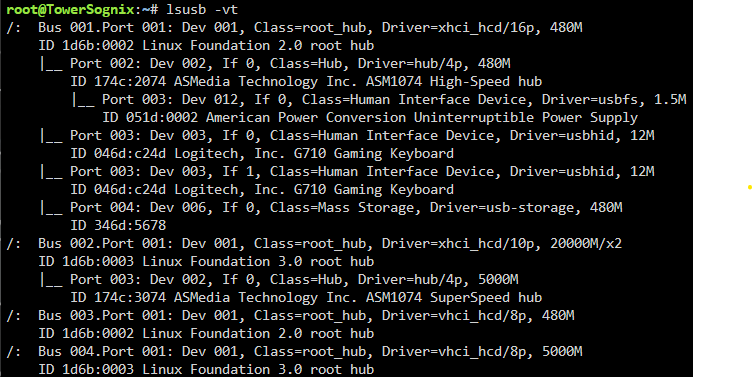
Hi, lsusb -vt: I also have installed the USB-Manager Plugin, if this gonna help: Thx!
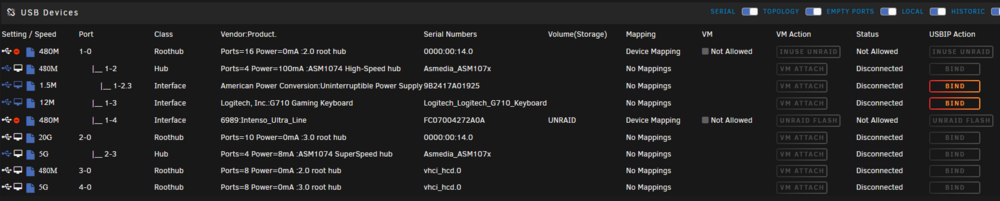
-
Hi, thx for the replys. I editet my post with a screenshot of the booting and also, because it was mentionend, after a boot up with the workaround, my lusb.
-
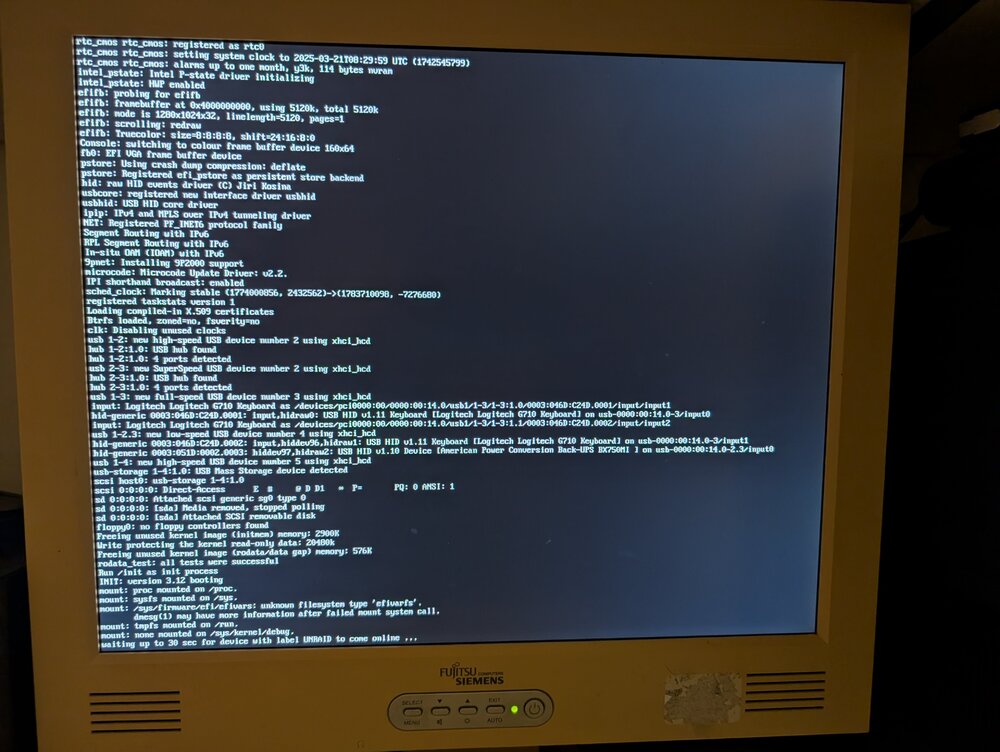
Hi, I'm at Unraid 7.0.1 and I still have the problem. My solution for the moment: When the message is popping up during start up, I have to disconnect and reconnect the USB-Drive during the 30 seconds. It is a "workaround" but not a good one. As i see in during startUp: It loads all USB-Devices but the stick as last one and than the stick can't be found anymore. I already thought, maybe my stick is dying and changed it, but that didn't help. Also to put it in some other USB-Interfaces didn't help. For disks: I have 6 HDD Disks, 2 m.2 and 2 SATA-SSD. So 10 disks in sum. I'm a private user and my Mainboard is an Asrock with Intel. With Unraid 6 it worked without any problems. Hope the devs can fix this with Unraid 7.0.2. Edit: my lusb Bus 001 Device 001: ID 1d6b:0002 Linux Foundation 2.0 root hub Bus 001 Device 002: ID 174c:2074 ASMedia Technology Inc. ASM1074 High-Speed hub Bus 001 Device 003: ID 046d:c24d Logitech, Inc. G710 Gaming Keyboard Bus 001 Device 004: ID 051d:0002 American Power Conversion Uninterruptible Power Supply Bus 001 Device 006: ID 346d:5678 6989 Intenso Ultra Line Bus 002 Device 001: ID 1d6b:0003 Linux Foundation 3.0 root hub Bus 002 Device 002: ID 174c:3074 ASMedia Technology Inc. ASM1074 SuperSpeed hub Bus 003 Device 001: ID 1d6b:0002 Linux Foundation 2.0 root hub Bus 004 Device 001: ID 1d6b:0003 Linux Foundation 3.0 root hub Edit: Screenshot from booting. It seems it is ejecting the usb-device: sd 0:0:0:0: [sda] Media removed, stopped polling