





Smoketrain
Members
-
Joined
-
Last visited
Everything posted by Smoketrain
-
I have cloned one of the incorrect drives to the new 18TB drive and ran now I am going to do the next step from your instructions: What is read only mode, I see maintenance mode, but not read only mode?
-
Thank you for your response, I am still learning unraid so I have some questions on how to proceed. The 10TB and 4TB drives will need to be fixed based on your last response. To test that process out, I can clone each drive and test the fix first. Can I clone the 10tb drive to an 18tb drive and test the fix there or do I need to clone a 10tb to a 10tb? I have not used DD before, is this the correct format? dd if=/dev/sdd of=/dev/sdb bs=64M conv=noerror the 10TB drive is listed as sdd, the 18TB drive is listed as sdb.
-
ok and what about the 4tb one?
-
root@Tower:~# gdisk /dev/sdc GPT fdisk (gdisk) version 1.0.10 Warning! Disk size is smaller than the main header indicates! Loading secondary header from the last sector of the disk! You should use 'v' to verify disk integrity, and perhaps options on the experts' menu to repair the disk. Caution: invalid backup GPT header, but valid main header; regenerating backup header from main header. Warning! One or more CRCs don't match. You should repair the disk! Main header: OK Backup header: ERROR Main partition table: OK Backup partition table: ERROR Partition table scan: MBR: protective BSD: not present APM: not present GPT: damaged **************************************************************************** Caution: Found protective or hybrid MBR and corrupt GPT. Using GPT, but disk verification and recovery are STRONGLY recommended. **************************************************************************** Command (? for help):
-
tower-diagnostics-20250328-1407.zip
-
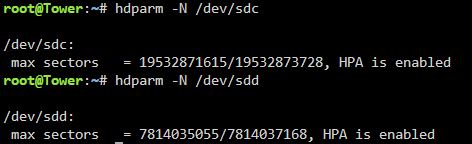
root@Tower:~# hdparm -N p19532873728 /dev/sdc /dev/sdc: setting max visible sectors to 19532873728 (permanent) max sectors = 19532873728/19532873728, HPA is disabled root@Tower:~# hdparm -N p7814037168 /dev/sdd /dev/sdd: setting max visible sectors to 7814037168 (permanent) max sectors = 7814037168/7814037168, HPA is disabled root@Tower:~# hdparm -N /dev/sdc /dev/sdc: max sectors = 19532873728/19532873728, HPA is disabled root@Tower:~# hdparm -N /dev/sdd /dev/sdd: max sectors = 7814037168/7814037168, HPA is disabledroot@Tower:~# hdparm -N /dev/sdc /dev/sdc: max sectors = 19532871615/19532873728, HPA is enabled root@Tower:~# hdparm -N /dev/sdd /dev/sdd: max sectors = 7814035055/7814037168, HPA is enabled Sorry about that, so you want me to do the commands hdparm -N p19532873728 /dev/sdc and hdparm -N p7814037168 /dev/sdd Are you saying that doing these commands will remove the HPA partition and then by doing the other commands again, we will see if the HPA partition has been removed?here is the output
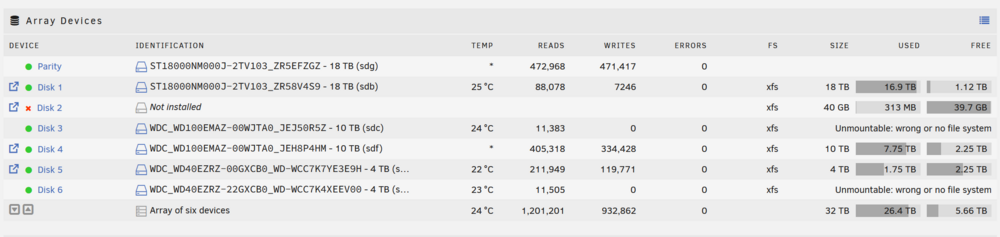
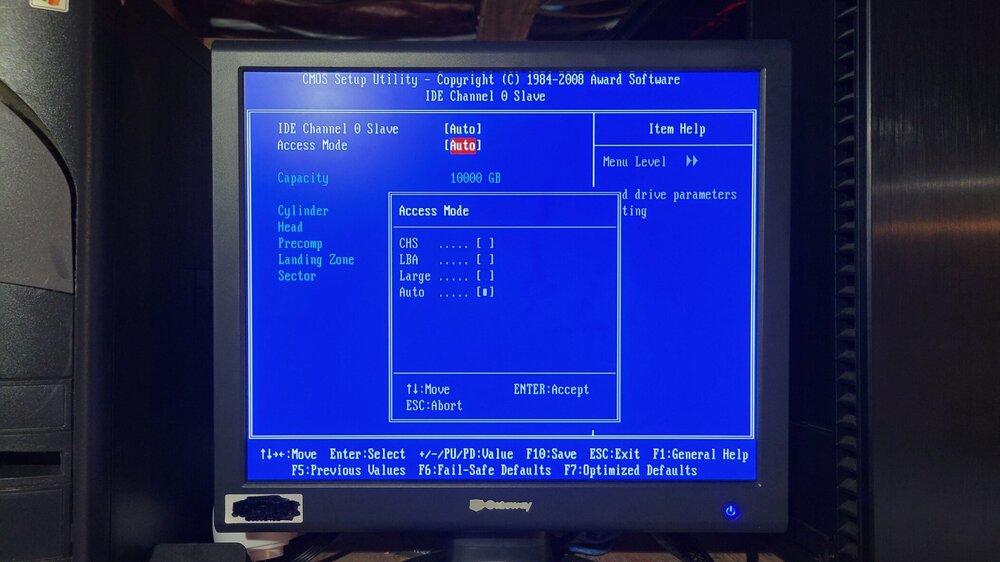
 Update: We did update the bios and we did find in the updated setting the place to turn off HPA (Bios to HDD). We verified that it is disabled. We then started up unraid and the 2 drives were still unmounted. Attached are the latest diagnostics. tower-diagnostics-20250327-2212.zip tower-diagnostics-20250327-2212.zipI was just checking the HPA link you gave us, that works fine, but the actual removal guide links for the HPA does not work anymore. Im just going to throw this out there but we have a Gigabybye GA-EX58-UD5P motherboard and we checked and we could not find an HPA setting in the bios, We are running original firmware. There is new firmware that we are upgrading to in order to see if that fixes things.no thats the whole issue, the two drives are not mountable even though I changed nothing with themWhat I did was I did a new config for the sever. I had read somewhere that when adding new drive you had to do that so thats why the server was able to start again.We found how to set up AHCI in the bios and we have turned that on and disabled IDE, have rebooted computer and have re-run diagnostics (attached) and we still have two drives that are unmountable (see screenshot). tower-diagnostics-20250326-1711.zip
 these are pluged directly onto the motherboradattached is some bios screen photos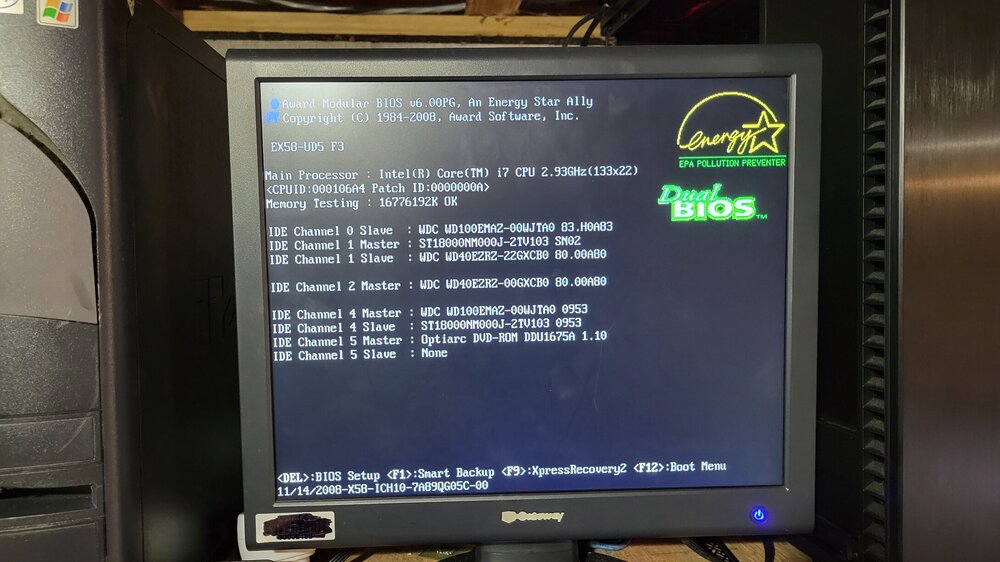
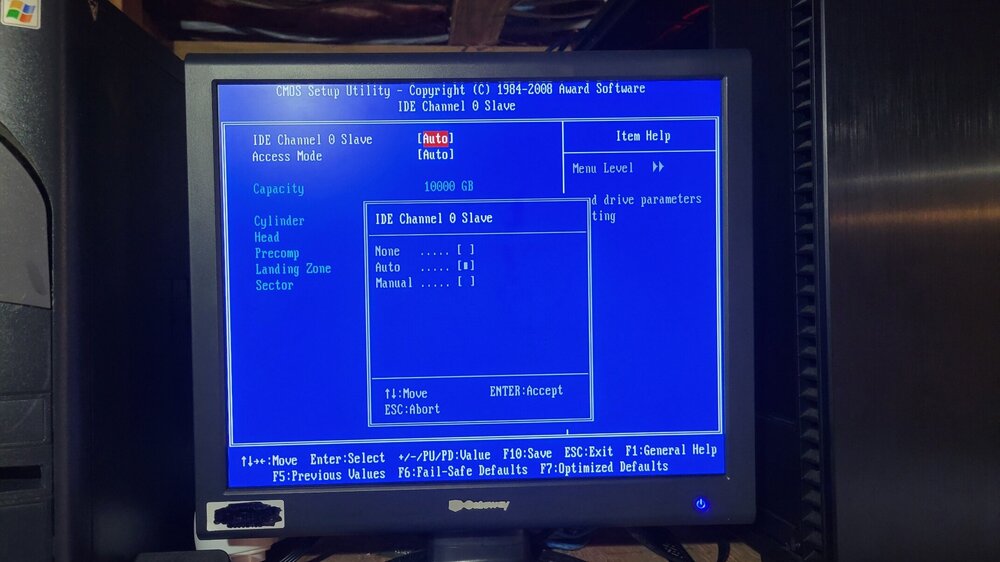
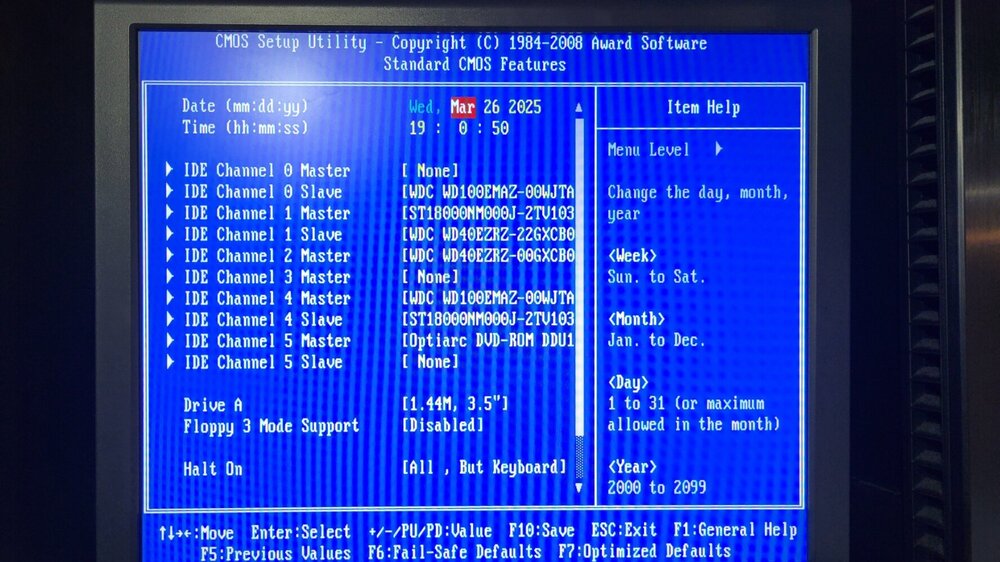
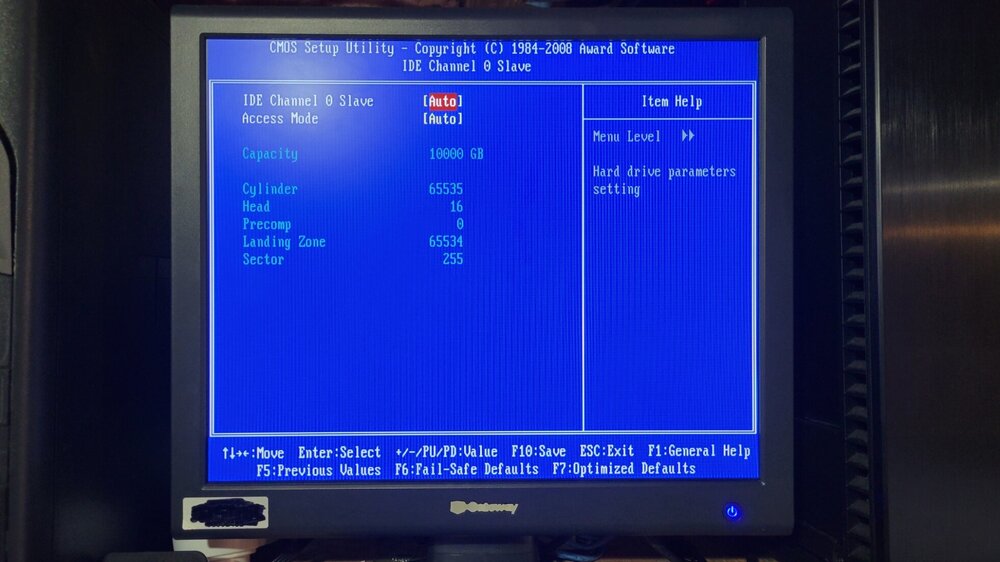 hello, I have some updates for you. I know you said screenshots, but I can't do that on the unraid machine, sorry. Attached it today's diagnostics with a screenshot from my pc. Drive 3 and 6 are unmountable for some reason even though they were working fine before with data on them tower-diagnostics-20250326-1505.zip
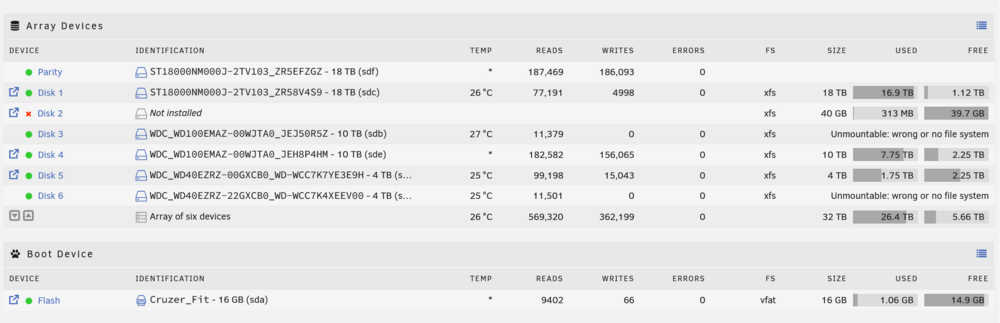 ok, it will be a while then. I need to get a gppu in the machine and then hook up a monitorok It there a way to see the bios though unraid, or do I have to go though the PC?I don't believe there was anything on it as when you would go into the directories it would show nothing on it but it did says there a little bit in use on it so I dont know if there was anything in it. The bigger ones are the 10tb and 4tb drives not showing up anymore.We were using it as a test to make sure the server would do what we wanted at the time. yes I still have all the original disksok, so what happened now that I have calmed down a little? I had a 40GB drive that was spitting errors left and right. I shut down the system, took it out, and put an 18 TB drive in to replace it. When I brought the system back up, disk 3 showed this (attached). I shut down the server again to take a look at maybe a bad connection, but no such luck. After a few simple troubleshooting things of unplugging and re plugging the disk 6 I belive was doing the same thing (no picture sorry). At this point, I think I did a stupid thing and read somewhere that when adding new drives, you have to make a new configuration, and I think that that messed me up even further. Now you should be totally up to speed.
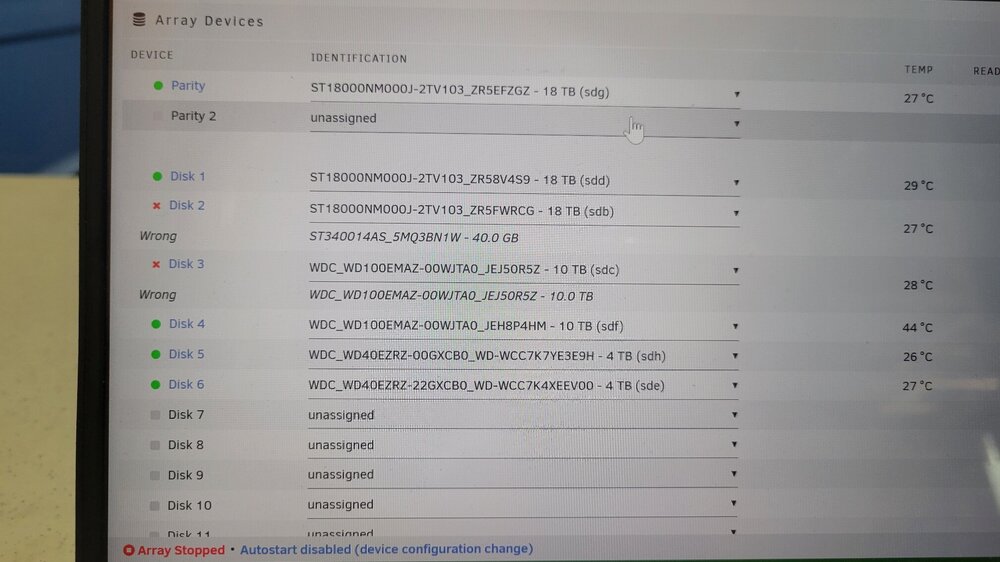 sorry about that here you go tower-diagnostics-20250325-1645.zipI had a 40 gb drive that was spitting out errors left and right, so I got an 18 tb drive to replace it. I shut down my file system, took out the 4gb drive, and put the 18tb drive in. Once I rebooted the system, it said a 10tb drive was gone, and now a 5tb drive is gone. I did not touch them or change the plugs on them, so I have no idea why they just stoped working. What can I do?


