Sqdz
Members
-
Joined
-
Last visited
-
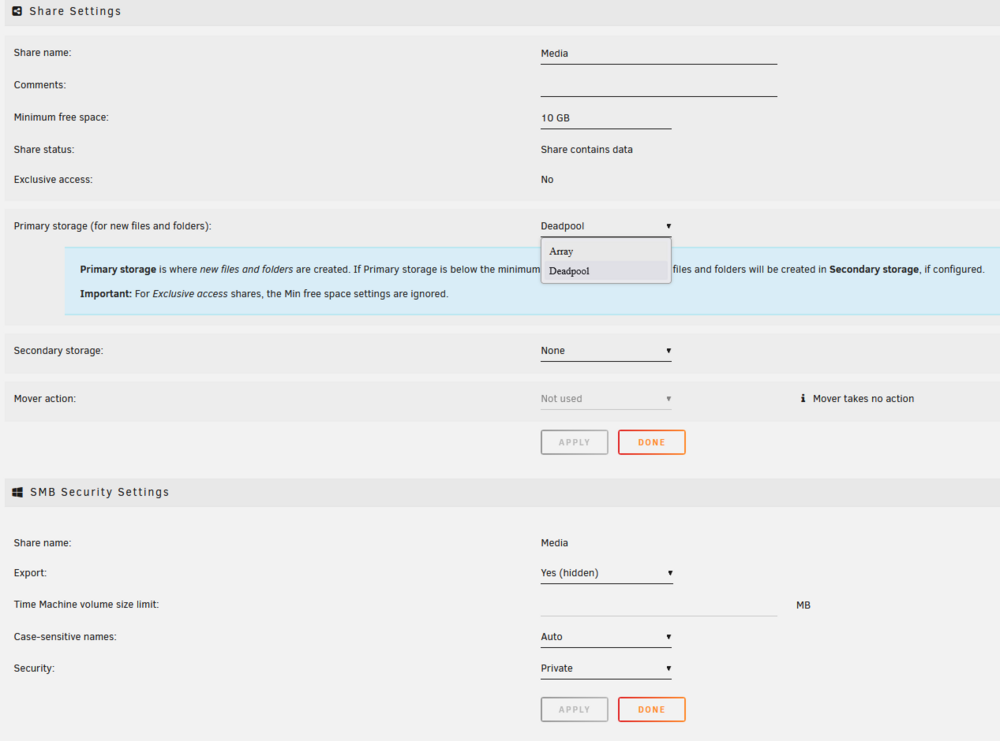
resolved after changing the name of the share + setting a minimum free space.
-
Hi all, After restarting my NAS and the pool, I noticed the media folder now shows 0 bytes of free space — although all the media files are still present. Unfortunately, I'm unable to copy any new files to it. I've already upgraded to Unraid 7.1.2, but the issue is persisting. I've attached the diagnostics - Any ideas where could be the issue ? Thanks in advance.
-
I updated to v7.0.1, but I couldn’t figure out how to start the pool without the array. That said, after the upgrade, the disk sizes are now displaying correctly - so everything’s sorted! Thanks!
-
I will give a try thanks! I might just get a license and upgrade it to v7, hopefully it might fix the issue. Looking at the screenshot, Unraid is showing /Media with 151GB free (when I should have like 3tb), so it's pretty strange.

-
Sorry I forgot, here is the result : root@hel:~# zfs list NAME USED AVAIL REFER MOUNTPOINT deadpool 6.57T 3.88T 140K /mnt/deadpool deadpool/Media 6.57T 3.88T 6.57T /mnt/deadpool/Media
-
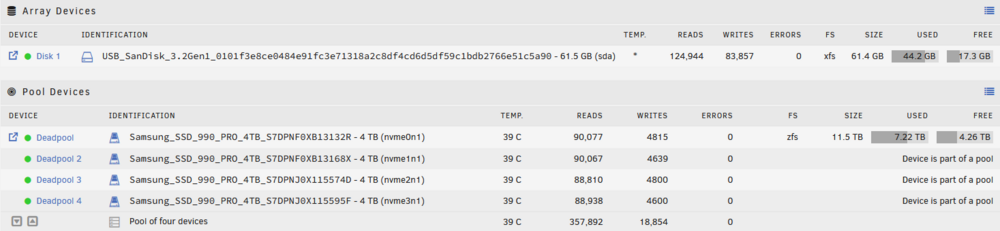
Thanks for the quick response! I'm running Unraid v6.12.10, so it won’t let me start without an array. NAME STATE READ WRITE CKSUM deadpool ONLINE 0 0 0 raidz1-0 ONLINE 0 0 0 /dev/nvme0n1p1 ONLINE 0 0 0 /dev/nvme1n1p1 ONLINE 0 0 0 /dev/nvme2n1p1 ONLINE 0 0 0 /dev/nvme3n1p1 ONLINE 0 0 0 Errors: No known data errors. The Media share reports 151GB of free space. Below is the share configuration for the "Deadpool" pool. I've attached the diagnostic ZIP file. Previously, Unraid threw a 500 error on the web server, and I lost access to unraid GUI admin panel except Jellyfin. After rebooting the NAS, Unraid wouldn’t start, so I had to change the usb key, format it and do a full reinstall, which fixed the issue. I haven’t modified the configuration since, yet the reported size changed suddenly two days later. I got the Unraid license "basic" with LINCSTATION N1. diagnostics-20250328-1608.zip

-
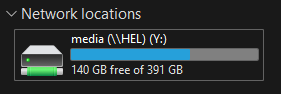
Hi all, The network drive is suddenly displaying incorrect storage space. Yesterday, it showed 7.22TB used out of 11TB, but today it’s showing 140GB used out of 391GB. I’ve tried disconnecting and reconnecting the drive, recreating the pool, restarting the array, and running a check—nothing changed. Despite this, all files remain accessible without any issues. Any idea what might be causing this?