jrock077
Members
-
Joined
-
Last visited
Everything posted by jrock077
-
Thanks so much! Installing the driver directly from the downloaded file was the way to go! docker-host-3-gpu:~$ nvidia-smi Mon Mar 31 12:18:12 2025 +-----------------------------------------------------------------------------------------+ | NVIDIA-SMI 570.133.07 Driver Version: 570.133.07 CUDA Version: 12.8 | |-----------------------------------------+------------------------+----------------------+ | GPU Name Persistence-M | Bus-Id Disp.A | Volatile Uncorr. ECC | | Fan Temp Perf Pwr:Usage/Cap | Memory-Usage | GPU-Util Compute M. | | | | MIG M. | |=========================================+========================+======================| | 0 Tesla P4 Off | 00000000:00:05.0 Off | Off | | N/A 41C P0 25W / 75W | 455MiB / 8192MiB | 15% Default | | | | N/A | +-----------------------------------------+------------------------+----------------------+ +-----------------------------------------------------------------------------------------+ | Processes: | | GPU GI CI PID Type Process name GPU Memory | | ID ID Usage | |=========================================================================================| | 0 N/A N/A 48930 C ...exmediaserver/Plex Transcoder 452MiB | +-----------------------------------------------------------------------------------------+
-
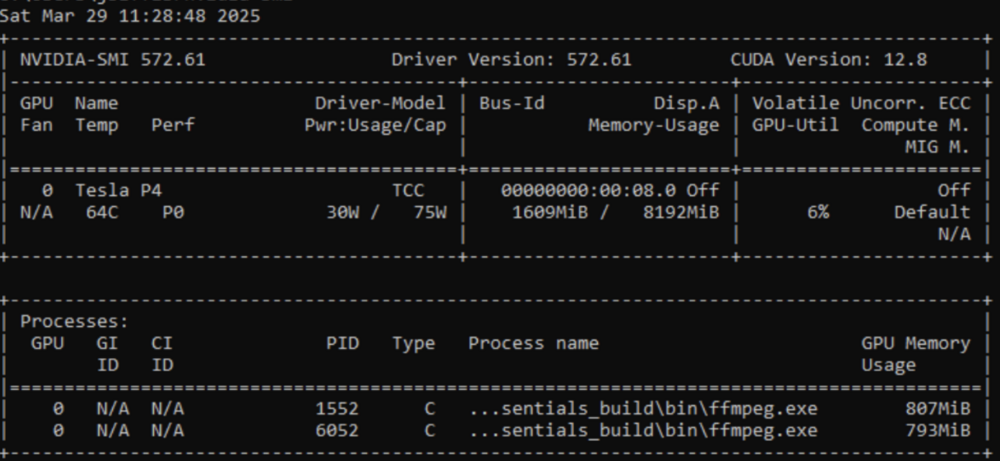
Having an issue where I can't seem to get the latest Nvidia drivers within my Ubuntu VM. For some reason, the latest that is available is version 470. Relevant info: Unraid is running on an HP DL380 Gen9 (Legacy Boot, not UEFI) Nvidia Tesla P4 GPU Unraid version is 7.0.1 Ubuntu version is 24.04 According to Nvidia's website, the latest driver available for the P4 is 572, so its not limited from that side. On the Ubuntu 24.04 VM: sudo ubuntu-drivers list --gpgpu returns the following udevadm hwdb is deprecated. Use systemd-hwdb instead. udevadm hwdb is deprecated. Use systemd-hwdb instead. nvidia-driver-470, (kernel modules provided by linux-modules-nvidia-470-generic) nvidia-driver-470-server, (kernel modules provided by linux-modules-nvidia-470-server-generic) nvidia-smi Sun Mar 30 19:40:01 2025 +-----------------------------------------------------------------------------+ | NVIDIA-SMI 470.256.02 Driver Version: 470.256.02 CUDA Version: 11.4 | |-------------------------------+----------------------+----------------------+ | GPU Name Persistence-M| Bus-Id Disp.A | Volatile Uncorr. ECC | | Fan Temp Perf Pwr:Usage/Cap| Memory-Usage | GPU-Util Compute M. | | | | MIG M. | |===============================+======================+======================| | 0 Tesla P4 Off | 00000000:00:05.0 Off | Off | | N/A 62C P0 25W / 75W | 257MiB / 8121MiB | 0% Default | | | | N/A | +-------------------------------+----------------------+----------------------+ +-----------------------------------------------------------------------------+ | Processes: | | GPU GI CI PID Type Process name GPU Memory | | ID ID Usage | |=============================================================================| | 0 N/A N/A 370765 C ...diaserver/Plex Transcoder 255MiB | +-----------------------------------------------------------------------------+ When I try to manually install a driver version - 550 on another Ubuntu VM, nvidia-smi says it can't communicate with the driver NVIDIA-SMI has failed because it couldn’t communicate with the NVIDIA driver. Make sure that the latest NVIDIA driver is installed and running What has worked: I set up a Windows 10 VM and was able to successfully instal the latest 572 driver from Nvidia The configuration of the two VMs (Ubuntu and Windows 10) is essentially identical. Here is the Ubuntu config: <?xml version='1.0' encoding='UTF-8'?> <domain type='kvm'> <name>Ubuntu-GPU-test</name> <uuid>0eb4964a-a4d2-dc82-185c-9e2cbc6a1232</uuid> <description>Just a test</description> <metadata> <vmtemplate xmlns="unraid" name="Ubuntu" icon="ubuntu.png" os="ubuntu" webui="" storage="default"/> </metadata> <memory unit='KiB'>8912896</memory> <currentMemory unit='KiB'>8912896</currentMemory> <memoryBacking> <nosharepages/> </memoryBacking> <vcpu placement='static'>4</vcpu> <cputune> <vcpupin vcpu='0' cpuset='29'/> <vcpupin vcpu='1' cpuset='61'/> <vcpupin vcpu='2' cpuset='31'/> <vcpupin vcpu='3' cpuset='63'/> </cputune> <os> <type arch='x86_64' machine='pc-i440fx-9.1'>hvm</type> <loader readonly='yes' type='pflash'>/usr/share/qemu/ovmf-x64/OVMF_CODE-pure-efi.fd</loader> <nvram>/etc/libvirt/qemu/nvram/0eb4964a-a4d2-dc82-185c-9e2cbc6a1232_VARS-pure-efi.fd</nvram> </os> <features> <acpi/> <apic/> </features> <cpu mode='host-passthrough' check='none' migratable='on'> <topology sockets='1' dies='1' clusters='1' cores='2' threads='2'/> <cache mode='passthrough'/> </cpu> <clock offset='utc'> <timer name='hpet' present='no'/> <timer name='hypervclock' present='no'/> <timer name='pit' tickpolicy='delay'/> <timer name='rtc' tickpolicy='catchup'/> </clock> <on_poweroff>destroy</on_poweroff> <on_reboot>restart</on_reboot> <on_crash>restart</on_crash> <devices> <emulator>/usr/local/sbin/qemu</emulator> <disk type='file' device='disk'> <driver name='qemu' type='raw' cache='writeback' discard='unmap'/> <source file='/mnt/user/domains/Ubuntu-GPU-test/vdisk1.img'/> <target dev='hdc' bus='virtio'/> <serial>vdisk1</serial> <boot order='1'/> <address type='pci' domain='0x0000' bus='0x00' slot='0x05' function='0x0'/> </disk> <disk type='file' device='cdrom'> <driver name='qemu' type='raw'/> <source file='/mnt/user/isos/ubuntu-24.04-live-server-amd64.iso'/> <target dev='hda' bus='sata'/> <readonly/> <boot order='2'/> <address type='drive' controller='0' bus='0' target='0' unit='0'/> </disk> <controller type='pci' index='0' model='pci-root'/> <controller type='sata' index='0'> <address type='pci' domain='0x0000' bus='0x00' slot='0x03' function='0x0'/> </controller> <controller type='virtio-serial' index='0'> <address type='pci' domain='0x0000' bus='0x00' slot='0x04' function='0x0'/> </controller> <controller type='usb' index='0' model='ich9-ehci1'> <address type='pci' domain='0x0000' bus='0x00' slot='0x07' function='0x7'/> </controller> <controller type='usb' index='0' model='ich9-uhci1'> <master startport='0'/> <address type='pci' domain='0x0000' bus='0x00' slot='0x07' function='0x0' multifunction='on'/> </controller> <controller type='usb' index='0' model='ich9-uhci2'> <master startport='2'/> <address type='pci' domain='0x0000' bus='0x00' slot='0x07' function='0x1'/> </controller> <controller type='usb' index='0' model='ich9-uhci3'> <master startport='4'/> <address type='pci' domain='0x0000' bus='0x00' slot='0x07' function='0x2'/> </controller> <interface type='bridge'> <mac address='52:54:00:56:4a:dd'/> <source bridge='br0'/> <model type='virtio-net'/> <address type='pci' domain='0x0000' bus='0x00' slot='0x02' function='0x0'/> </interface> <serial type='pty'> <target type='isa-serial' port='0'> <model name='isa-serial'/> </target> </serial> <console type='pty'> <target type='serial' port='0'/> </console> <channel type='unix'> <target type='virtio' name='org.qemu.guest_agent.0'/> <address type='virtio-serial' controller='0' bus='0' port='1'/> </channel> <input type='tablet' bus='usb'> <address type='usb' bus='0' port='1'/> </input> <input type='mouse' bus='ps2'/> <input type='keyboard' bus='ps2'/> <graphics type='vnc' port='-1' autoport='yes' websocket='-1' listen='0.0.0.0' sharePolicy='ignore'> <listen type='address' address='0.0.0.0'/> </graphics> <audio id='1' type='none'/> <video> <model type='qxl' ram='65536' vram='65536' vgamem='16384' heads='1' primary='yes'/> <address type='pci' domain='0x0000' bus='0x00' slot='0x1e' function='0x0'/> </video> <hostdev mode='subsystem' type='pci' managed='yes'> <driver name='vfio'/> <source> <address domain='0x0000' bus='0x05' slot='0x00' function='0x0'/> </source> <rom file='/mnt/user/isos/NVIDIA Tesla P4 BIOS 8192 171211.rom'/> <address type='pci' domain='0x0000' bus='0x00' slot='0x06' function='0x0'/> </hostdev> <memballoon model='none'/> </devices> </domain> Any suggestions for this?