texx2818
Members
-
Joined
-
Last visited
-
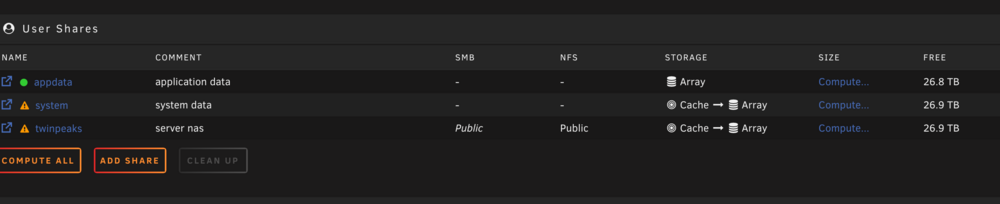
Attached. Got it, I will keep System & AppData on the pool. I'm going to let it finish moving then will reconfigure that. Thank you. It's my twinpeaks share that is not moving to the array. twinpeaks-diagnostics-20250405-1127.zip
-
Sorry, will do. I'll be honest, I can't remember the last time I used a forum, so absolutely my bad! Thank you for your recommendation, once my manual move finishes then I'm going to delete it and try again.
-
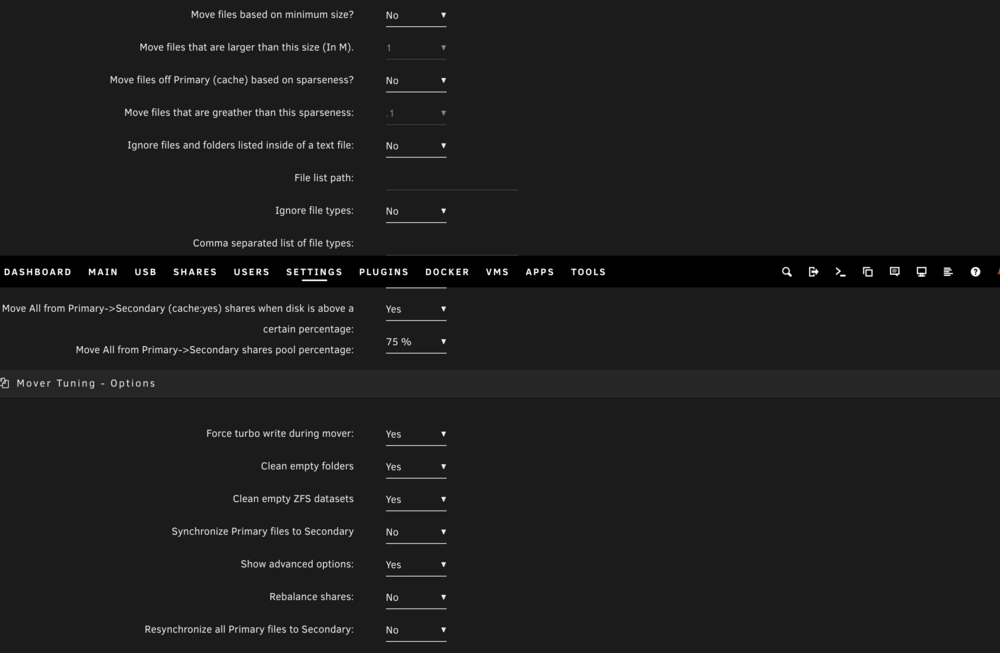
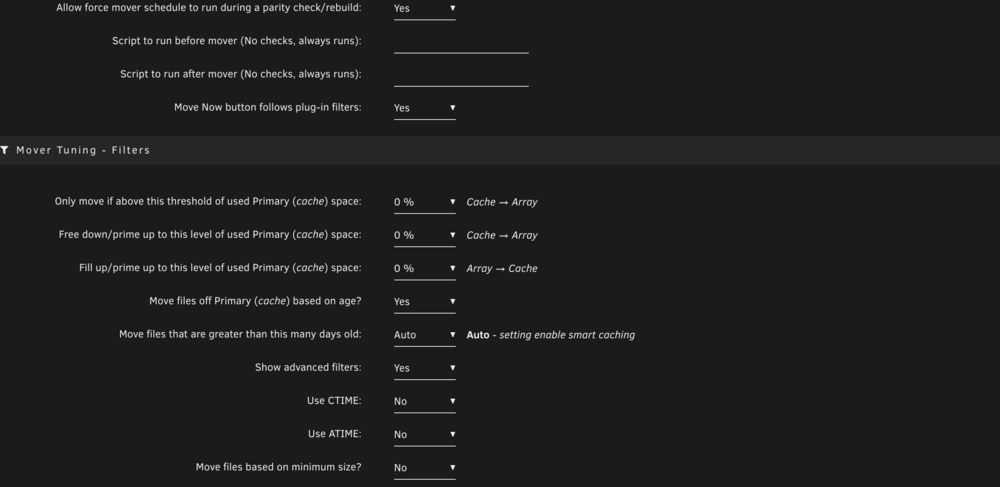
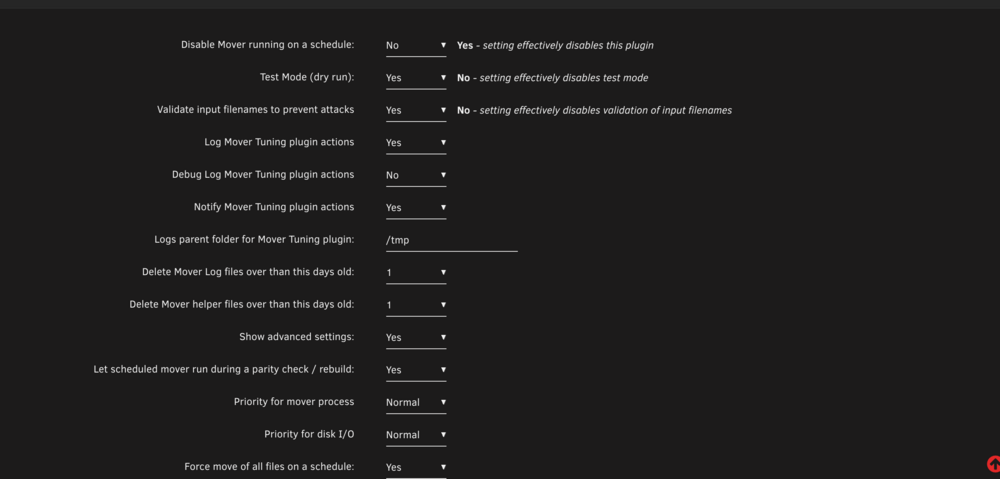
Been on Unraid for about a month, normally just am a Linux poweruser for everything, but decided to dive into Unraid, and while I have everything set up, I can not figure out for the life of me why the Mover won't work. It won't move from the cache pool to the array, but it'll tell me it did it. I eventually got fed up and just moved it manually since my cache pool was full. I've checked the logs and it keeps saying it's complete...do I have a setting wrong? I've attached screenshots of my settings.