Skip to content
View in the app

A better way to browse. Learn more.

Unraid

A full-screen app on your home screen with push notifications, badges and more.

To install this app on iOS and iPadOS
  1. Tap the Share icon in Safari
  2. Scroll the menu and tap Add to Home Screen.
  3. Tap Add in the top-right corner.
To install this app on Android
  1. Tap the 3-dot menu (⋮) in the top-right corner of the browser.
  2. Tap Add to Home screen or Install app.
  3. Confirm by tapping Install.

JTLiss

Members
  • Joined

  • Last visited

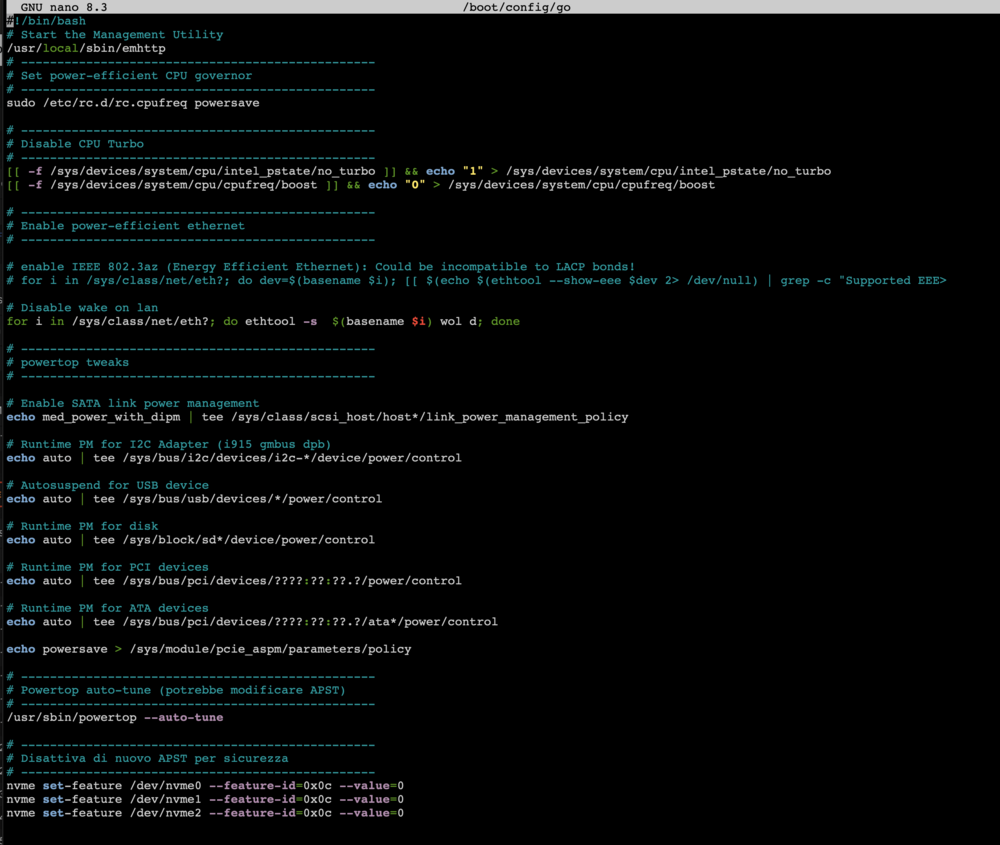
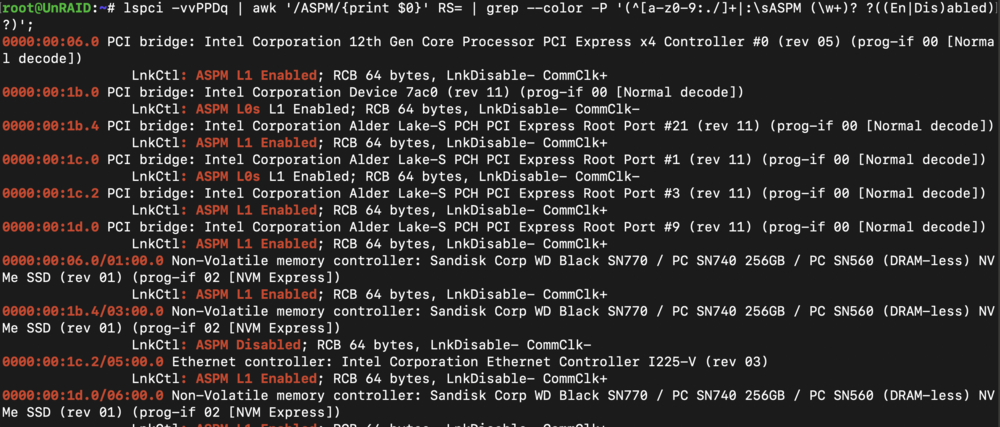
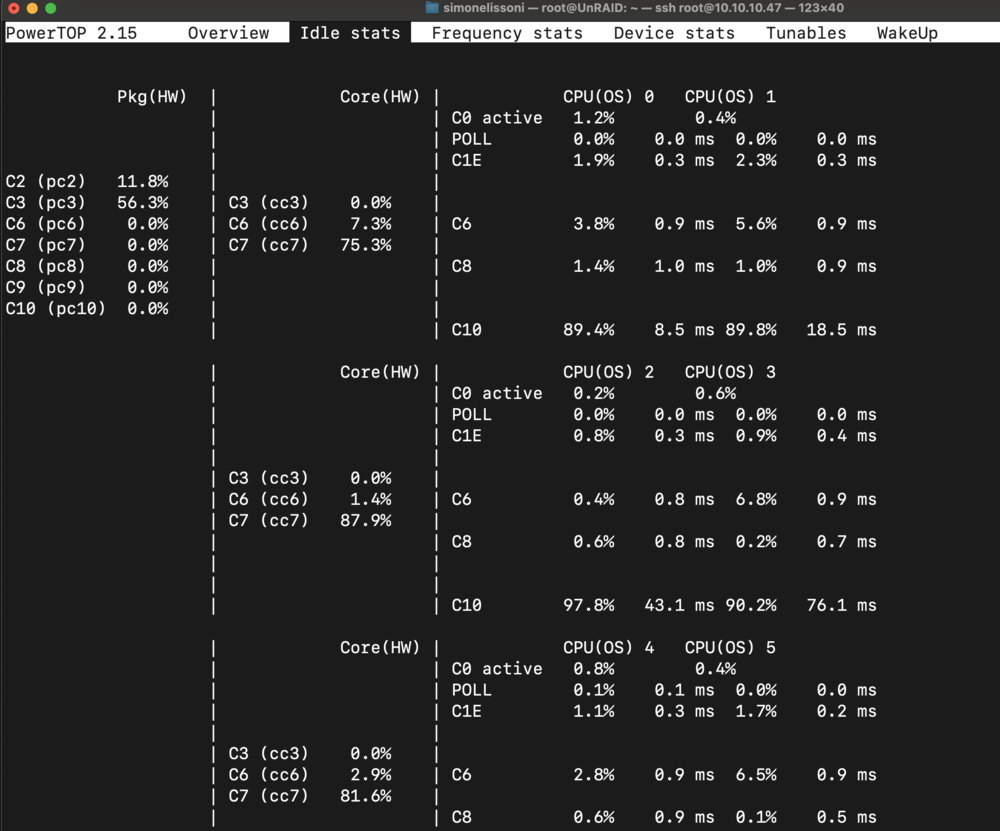
  1. Hey Guys, running Unraid 7.0.1 MB: MSI pro z690-A Intel i5-12400 32GB DDR5 3HDD WD Red 8Tb - array 3x WD black sn770 nvme - zfs cache pool I checked every possible setting in bios. I've reached a point where the powersave setting turned off one of the nvme and zfs pool got in degraded status. I've added a command to avoid ASPM for nvme in my go file. You can find it here below. As you can see I cannot go higher than c3. with other tries, I reached C6. When idle my server is 20-22W with all disk down. scaling_governor and pcie_aspm: both set to powersave.
Account

Navigation

Search

Search

Configure browser push notifications

Chrome (Android)
  1. Tap the lock icon next to the address bar.
  2. Tap Permissions → Notifications.
  3. Adjust your preference.
Chrome (Desktop)
  1. Click the padlock icon in the address bar.
  2. Select Site settings.
  3. Find Notifications and adjust your preference.