hutt0
Members
-
Joined
-
Last visited
Everything posted by hutt0
-
Ended up fixing it by rebuilding the Docker image; it looks like it was corrupted.
-
WebUI errors: Starting net.minecraft.server.Main 2025-08-04T12:43:46.445477951Z ServerMain WARN The use of package scanning to locate Log4j plugins is deprecated. Please remove the packages attribute from your configuration file. See https://logging.apache.org/log4j/2.x/faq.html#package-scanning for details. WARNING: A restricted method in java.lang.System has been called WARNING: java.lang.System::load has been called by com.sun.jna.Native in an unnamed module (file:/config/minecraft/libraries/net/java/dev/jna/jna/5.15.0/jna-5.15.0.jar) WARNING: Use --enable-native-access=ALL-UNNAMED to avoid a warning for callers in this module WARNING: Restricted methods will be blocked in a future release unless native access is enabled WARNING: A terminally deprecated method in sun.misc.Unsafe has been called WARNING: sun.misc.Unsafe::objectFieldOffset has been called by org.joml.MemUtil$MemUtilUnsafe (file:/config/minecraft/libraries/org/joml/joml/1.10.8/joml-1.10.8.jar) WARNING: Please consider reporting this to the maintainers of class org.joml.MemUtil$MemUtilUnsafe WARNING: sun.misc.Unsafe::objectFieldOffset will be removed in a future release [22:13:53] [ServerMain/INFO]: Environment: Environment[sessionHost=https://sessionserver.mojang.com, servicesHost=https://api.minecraftservices.com, name=PROD] [22:13:56] [ServerMain/INFO]: Loaded 1407 recipes [22:13:56] [ServerMain/INFO]: Loaded 1520 advancements [22:13:56] [Server thread/INFO]: Starting minecraft server version 1.21.8 [22:13:56] [Server thread/INFO]: Loading properties [22:13:56] [Server thread/INFO]: Default game type: SURVIVAL [22:13:56] [Server thread/INFO]: Generating keypair [22:13:56] [Server thread/INFO]: Starting Minecraft server on *:25565 [22:13:57] [Server thread/INFO]: Using epoll channel type [22:13:57] [Server thread/INFO]: Preparing level "world" [22:13:57] [Server thread/INFO]: Preparing start region for dimension minecraft:overworld [22:14:01] [Worker-Main-2/INFO]: Preparing spawn area: 0% [22:14:01] [Worker-Main-2/INFO]: Preparing spawn area: 0% [22:14:01] [Worker-Main-2/INFO]: Preparing spawn area: 0% [22:14:01] [Worker-Main-2/INFO]: Preparing spawn area: 0% [22:14:01] [Worker-Main-2/INFO]: Preparing spawn area: 0% [22:14:01] [Worker-Main-2/INFO]: Preparing spawn area: 0% [22:14:01] [Worker-Main-2/INFO]: Preparing spawn area: 0% [22:14:01] [Worker-Main-2/INFO]: Preparing spawn area: 0% [22:14:01] [Worker-Main-2/INFO]: Preparing spawn area: 0% [22:14:02] [Worker-Main-4/INFO]: Preparing spawn area: 0% [22:14:02] [Server thread/INFO]: Time elapsed: 4711 ms [22:14:02] [Server thread/INFO]: Done (5.185s)! For help, type "help" Following user guides on youtube to install but are getting errors above in the WebUI. Any help would be appreciated, thanks. hp-diagnostics-20250804-2220.zip
-
New diagnostics. After the diagnostics starting to rebuilt the docker image and reinstalling apps to see if that help the dockers disappearing and not updating hp-diagnostics-20250419-0921.zip
-
Yes that folder is just for transcodes. Moved the VMs to array just until this is sorted. hp-diagnostics-20250416-1848.zip
-
Had run it previously but it was running it again for some reason. Ran mover again overnight after a reboot, cache is almost full now though. hp-diagnostics-20250414-2033.zip
-
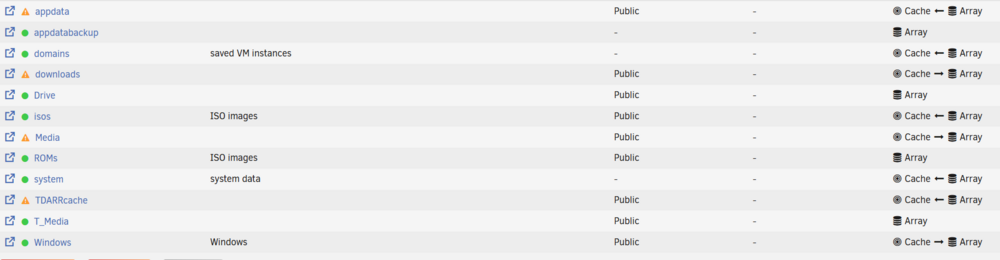
Yes, disabled docker and VMs, changed user shares to cache primary, secondary array with move to cache, ran mover overnight with the diagnostic in the first reply post. The cache drive usage size increased, so I assumed it worked (19GB to 295GB). It was the mover on the Main array operation screen.
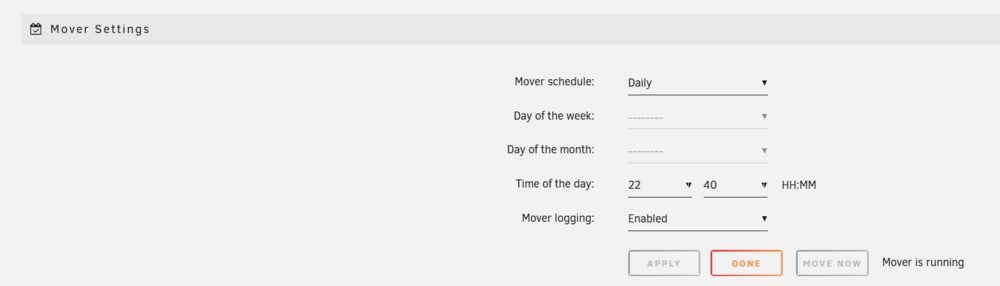
-
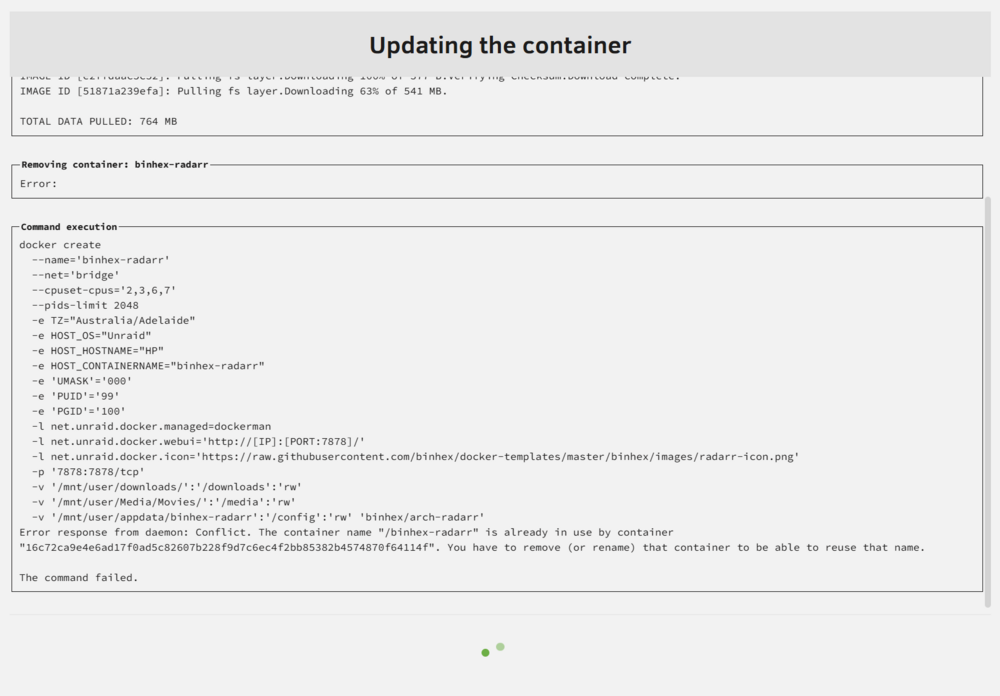
Updating docker apps still isn't working after turning the docker back on after reinstalling hp-diagnostics-20250412-1045.zip
-
Thanks for the response. Will disable docker and VMs, change user shares, run mover and repost. Diagnostics attached after action hp-diagnostics-20250412-1045.zip
-
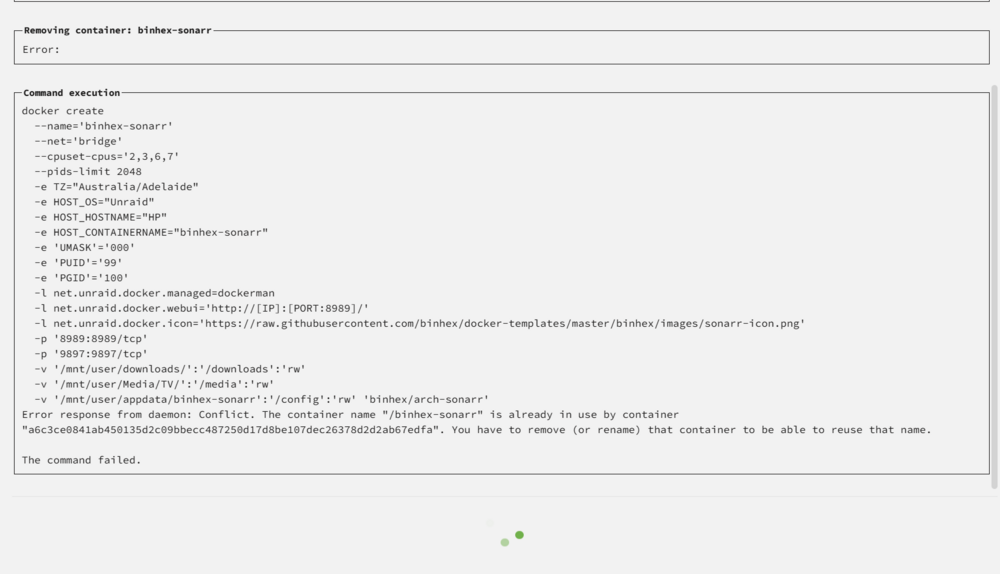
My docker container apps keep disappearing from the Unriad server, they reappear after reinstalling from previously installed apps with no issue but uninstall again a few days later multiple times. Any ideas on how to stop this? Looks like the apps are not updating as well. Apps removing themselves: Sonarr Radarr Prowlarr Any help would be appreciated, Thanks. hp-diagnostics-20250411-1640.zip