





javierpm
Members
-
Joined
-
Last visited
-
Thank you very much anyway for the help.
-
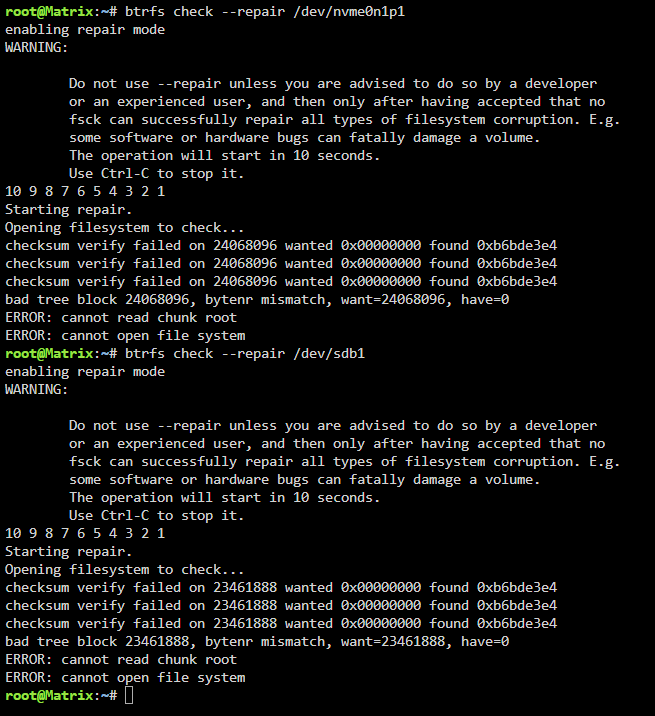
It doesn't look good:
-
With the arrays in Maintenance mode, correct?
-
No. This are the las lines: Apr 30 11:01:40 Matrix ool www[441601]: /usr/local/emhttp/plugins/dynamix/scripts/btrfs_check 'start' '/dev/sdb1' 'KINGSTON_SA400S37480G_50026B73828C0015' '--repair' Apr 30 11:14:41 Matrix flash_backup: adding task: /usr/local/emhttp/plugins/dynamix.my.servers/scripts/UpdateFlashBackup update Apr 30 11:32:48 Matrix ool www[771838]: /usr/local/emhttp/plugins/dynamix/scripts/btrfs_check 'start' '/dev/nvme0n1p1' 'Samsung_SSD_980_1TB_S649NL0WA02420T' '--repair'
-
So should I wait or cancel and delete the storage pools? I don't see it going past the point of "opening filesystem to check".
-
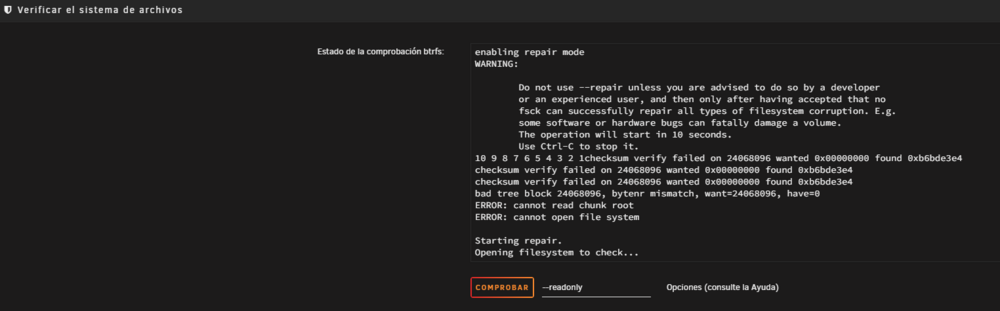
Finally I had to use the option to use BTRFS check --repair, and it's been going on for about 2 hours now:
-
Thank you very much. I'll try the recovery and post the results.
-
I have restarted the array and then tried restarting the server but unfortunately, I still can't mount it (I haven't done anything with the cache pool yet). Here are the new diagnostics: matrix-diagnostics-20250429-1314.zip

-
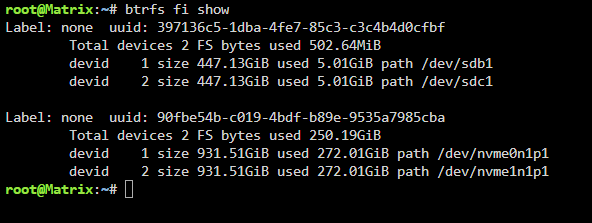
Hello, this is the ouput of the execution:
-
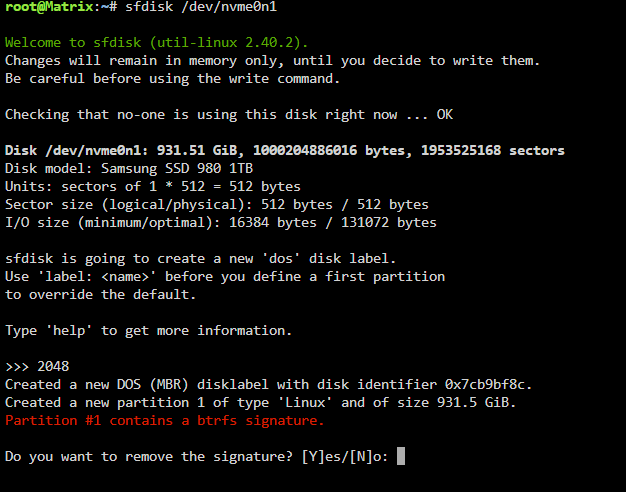
Don't worry, I was in the same situation. This is the output from the command execution, and I need to know what do I need to answer to the question it asks me:
-
I have no idea. I think I'll have to give up on the partition and regenerate it. The result for the other NVME is the same:
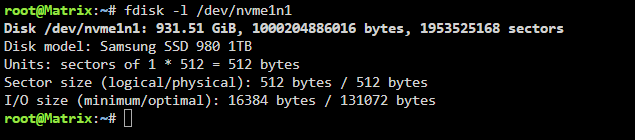
-
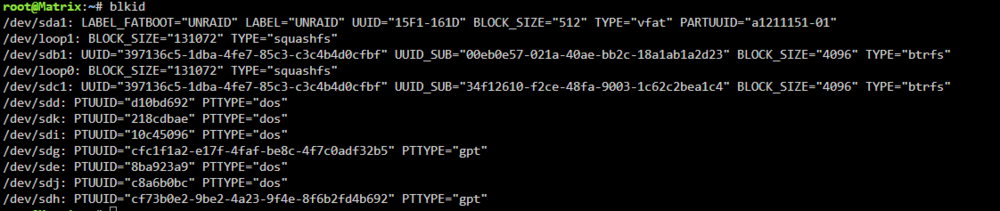
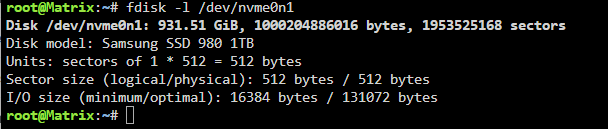
This is the ouput of blkid: I understand that the execution of the other command is on nvme0n1. If so, the result is:
-
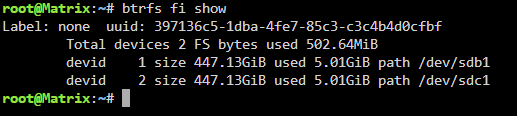
Thanks for your reply. This is the result of the execution:
-
Hi, Due to bad connection of USB port to motherboard, my pendrive got corrupted and after recovering it, my Cache pool and Vms-apps pool shows "Unmountable: Bad or No System File System". Please, can you help me recover them? I've attached the diagnostic file. matrix-diagnostics-20250426-1751.zip




