





koenvz
Members
-
Joined
-
Last visited
Everything posted by koenvz
-
Thanks I did and immediatly saw a noticeable speed improvement in loading the UI pages. Hopefully it won't happen again!
-
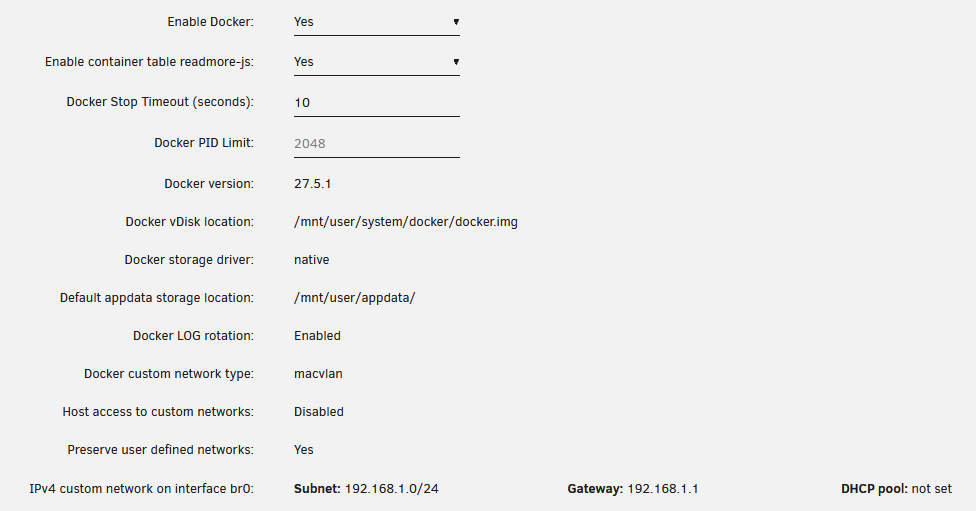
Here are my docker settings. /appdata and /system shares are on Cache drive only.
-
About once per week everything seems fine, but then I visit the Unraid UI through my browser and suddenly all docker containers are gone and it says "Docker service failed to start". Until the moment I visit the UI the docker containers are fine when I visit their UI for example. Outside of this visiting the UI works fine. Turning Docker off and on doesn't help with these issues. I do not see anything in the log that would point to an issue. After this I cannot stop the array, "Retry unmounting user share(s)...". I can only get it to shutdown by killing the power, and afterwards it has to do a parity check. I'm guessing this is because Docker is not properly stopped and the disks are still in use? The attached diagnostics are from when this happened, after I tried turning off and on Docker, and while it was busy "Retry unmounting user share(s)...". I managed to get it to "Retry unmounting diskshare(s)..." once, but no further than that. Any ideas what could cause this? glue-diagnostics-20250607-2226.zip
