Liefab
Members
-
Joined
-
Last visited
-
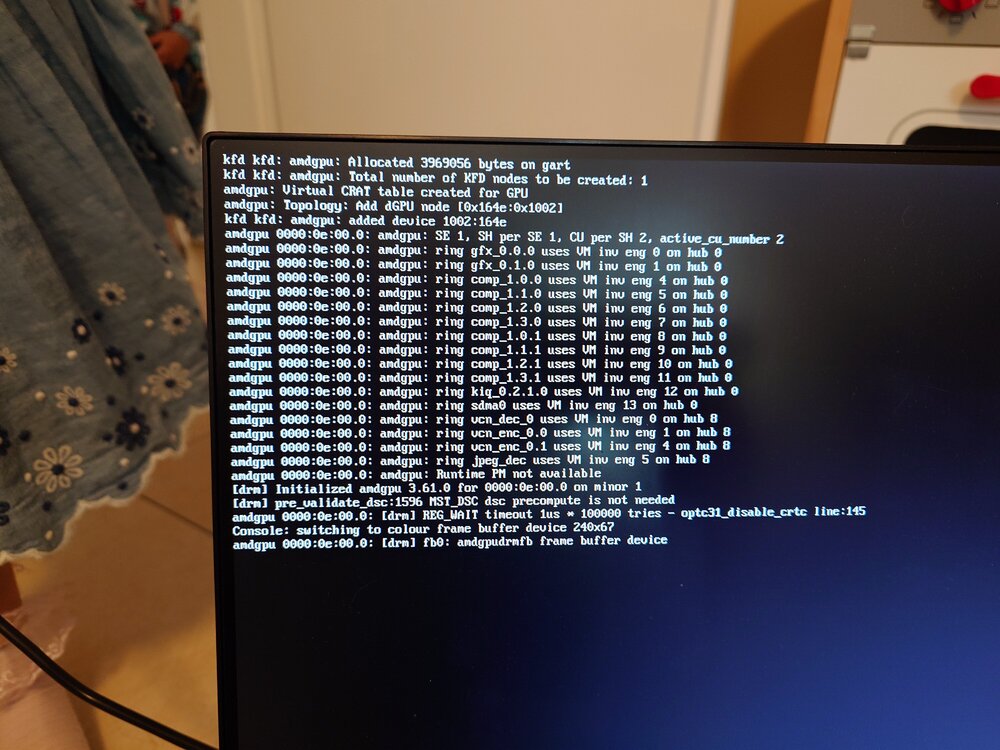
Okay, i solved the problem. Without a screen connected (or only through the VGA port instead of display port/HDMI) the system boots normally and is accessible through the lan.
-
I will try different memory sticks. I would hate it to be the mobo or CPU. All are new.
-
I was hoping not... Which component do you suspect? MoBo or CPU? Anything else?
-
Okay, I did blacklist amdgpu driver and radeon (created that file mentioned in the documentation) still the same result. I tried doing memtest from the unraid boot - this does not start. I also disconnected my SSDs and HBA. Just the nvmes remained. Memtest does not start and also the same error when i try to start unraid.
-
Hello Jorge, the issue also happens with non-GUI booting. I also tried other systems (truenas, Ubuntu server) and none of them work.
-
Hello, I am trying to set up my homeserver and keep getting stuck with this screen. I have tried two different USB sticks and also different USB connectors. I have a B650D40 motherboard with a Ryzen 9 7900. It gets stuck with the attached screen.