





lawyeti
Members
-
Joined
-
Last visited
-
That's a relief, thank you. I have two sticks of RAM. I will remove one to see if that makes a difference.
-
My file transfer locked up and I found this when i checked the log: Jul 17 17:49:15 yetiTerra kernel: CPU: 3 UID: 1000 PID: 20244 Comm: smbd[10.0.0.164 Tainted: P D W O 6.12.24-Unraid #1 Jul 17 17:49:15 yetiTerra kernel: Tainted: [P]=PROPRIETARY_MODULE, [D]=DIE, [W]=WARN, [O]=OOT_MODULE Jul 17 17:49:15 yetiTerra kernel: Hardware name: retsamarret 000-T9423-FBA001-3000-N/Default string, BIOS 5.19 06/17/2022 Jul 17 17:49:15 yetiTerra kernel: Call Trace: Jul 17 17:49:15 yetiTerra kernel: <TASK> Jul 17 17:49:15 yetiTerra kernel: dump_stack_lvl+0x47/0x70 Jul 17 17:49:15 yetiTerra kernel: check_preemption_disabled+0xb7/0xd0 Jul 17 17:49:15 yetiTerra kernel: __schedule+0x2d/0x760 Jul 17 17:49:15 yetiTerra kernel: ? _printk+0x58/0x80 Jul 17 17:49:15 yetiTerra kernel: do_task_dead+0x3e/0x40 Jul 17 17:49:15 yetiTerra kernel: make_task_dead+0xfc/0x110 Jul 17 17:49:15 yetiTerra kernel: rewind_stack_and_make_dead+0x16/0x20 Jul 17 17:49:15 yetiTerra kernel: RIP: 0033:0x15162567098e Jul 17 17:49:15 yetiTerra kernel: Code: Unable to access opcode bytes at 0x151625670964. Jul 17 17:49:15 yetiTerra kernel: RSP: 002b:00007ffe2116a7f8 EFLAGS: 00000246 ORIG_RAX: 0000000000000012 Jul 17 17:49:15 yetiTerra kernel: RAX: ffffffffffffffda RBX: 0000151620caaa00 RCX: 000015162567098e Jul 17 17:49:15 yetiTerra kernel: RDX: 0000000000100000 RSI: 000055a978453e80 RDI: 000000000000001e Jul 17 17:49:15 yetiTerra kernel: RBP: 0000000486500000 R08: 0000000000000000 R09: 0000000000000000 Jul 17 17:49:15 yetiTerra kernel: R10: 0000000486500000 R11: 0000000000000246 R12: 0000000000100000 Jul 17 17:49:15 yetiTerra kernel: R13: 000055a978453e80 R14: 000000000000001e R15: 0000000486500000 Jul 17 17:49:15 yetiTerra kernel: </TASK> Jul 17 17:49:15 yetiTerra kernel: BUG: scheduling while atomic: smbd[10.0.0.164/20244/0x00000000 Jul 17 17:49:15 yetiTerra kernel: Modules linked in: xt_conntrack xt_MASQUERADE xfrm_user xfrm_algo xt_addrtype tun nf_tables nfnetlink ip6table_nat iptable_nat nf_nat nf_conntrack nf_defrag_ipv6 nf_defrag_ipv4 md_mod ntfs3 tcp_diag inet_diag zfs(PO) spl(O) ip6table_filter ip6_tables iptable_filter ip_tables x_tables efivarfs af_packet cfg80211 rfkill 8021q garp mrp bridge stp llc bonding tls igc led_class x86_pkg_temp_thermal intel_powerclamp coretemp kvm_intel i915 drm_buddy kvm ttm i2c_algo_bit drm_display_helper wmi_bmof drm_kms_helper processor_thermal_device_pci_legacy processor_thermal_device processor_thermal_wt_hint crct10dif_pclmul crc32_pclmul crc32c_intel ghash_clmulni_intel sha512_ssse3 sha256_ssse3 sha1_ssse3 processor_thermal_rfim processor_thermal_rapl aesni_intel intel_rapl_common processor_thermal_wt_req crypto_simd processor_thermal_power_floor drm processor_thermal_mbox cryptd nvme intel_cstate int340x_thermal_zone i2c_i801 intel_gtt intel_soc_dts_iosf ahci i2c_smbus nvme_core agpgart mei_me libahci mei i2c_core Jul 17 17:49:15 yetiTerra kernel: iosf_mbi thermal fan tpm_crb tpm_tis tpm_tis_core video tpm wmi libaescfb backlight ecdh_generic ecc button acpi_tad acpi_pad [last unloaded: led_class] Jul 17 17:49:15 yetiTerra kernel: Preemption disabled at: Jul 17 17:49:15 yetiTerra kernel: [<0000000000000000>] 0x0 Jul 17 17:49:15 yetiTerra kernel: CPU: 3 UID: 1000 PID: 20244 Comm: smbd[10.0.0.164 Tainted: P D W O 6.12.24-Unraid #1 Jul 17 17:49:15 yetiTerra kernel: Tainted: [P]=PROPRIETARY_MODULE, [D]=DIE, [W]=WARN, [O]=OOT_MODULE Jul 17 17:49:15 yetiTerra kernel: Hardware name: retsamarret 000-T9423-FBA001-3000-N/Default string, BIOS 5.19 06/17/2022 Jul 17 17:49:15 yetiTerra kernel: Call Trace: Jul 17 17:49:15 yetiTerra kernel: <TASK> Jul 17 17:49:15 yetiTerra kernel: dump_stack_lvl+0x47/0x70 Jul 17 17:49:15 yetiTerra kernel: __schedule_bug+0x85/0xa0 Jul 17 17:49:15 yetiTerra kernel: __schedule+0x63/0x760 Jul 17 17:49:15 yetiTerra kernel: ? _printk+0x58/0x80 Jul 17 17:49:15 yetiTerra kernel: do_task_dead+0x3e/0x40 Jul 17 17:49:15 yetiTerra kernel: make_task_dead+0xfc/0x110 Jul 17 17:49:15 yetiTerra kernel: rewind_stack_and_make_dead+0x16/0x20 Jul 17 17:49:15 yetiTerra kernel: RIP: 0033:0x15162567098e Jul 17 17:49:15 yetiTerra kernel: Code: Unable to access opcode bytes at 0x151625670964. Jul 17 17:49:15 yetiTerra kernel: RSP: 002b:00007ffe2116a7f8 EFLAGS: 00000246 ORIG_RAX: 0000000000000012 Jul 17 17:49:15 yetiTerra kernel: RAX: ffffffffffffffda RBX: 0000151620caaa00 RCX: 000015162567098e Jul 17 17:49:15 yetiTerra kernel: RDX: 0000000000100000 RSI: 000055a978453e80 RDI: 000000000000001e Jul 17 17:49:15 yetiTerra kernel: RBP: 0000000486500000 R08: 0000000000000000 R09: 0000000000000000 Jul 17 17:49:15 yetiTerra kernel: R10: 0000000486500000 R11: 0000000000000246 R12: 0000000000100000 Jul 17 17:49:15 yetiTerra kernel: R13: 000055a978453e80 R14: 000000000000001e R15: 0000000486500000 Jul 17 17:49:15 yetiTerra kernel: </TASK> I ran Memtest for a day and a half over the weekend without failure. This is a Terramaster T9-423 with an Intel® Celeron® N5095.
-
I was able to reboot this time and the missing drive returned. So it appears that i can reboot but not while the array is running. This is similar to what happened before I started over. Edit: A new parity check is running. I am going to allow it to finish and then manually shut down the array before rebooting based on some posts i saw on reddit. Thank you for your help.
-
Done. Its rebooting. Is there any way to diagnose the issue? I would hate to let it run a parity check for the next day and just run into the same issue. Also, one of my disks is now missing. That disk completed the parity check before the restart.
-
ok, so just leave it like this? Its been ~ 8 hours (since i hit reboot in the GUI).
-
Tried a soft reset and the display now shows additional information. But it remains stuck.
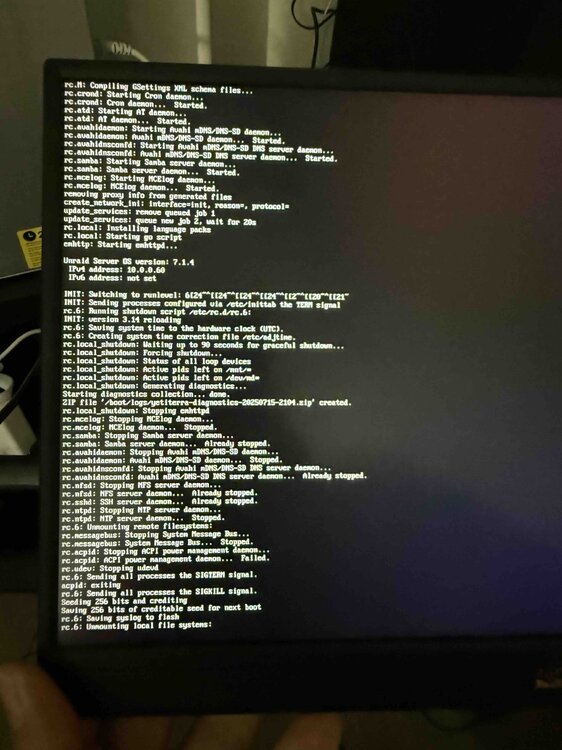
-
I did not have one connected at the time. now it just shows garbled text. It does not appear the system rebooted.
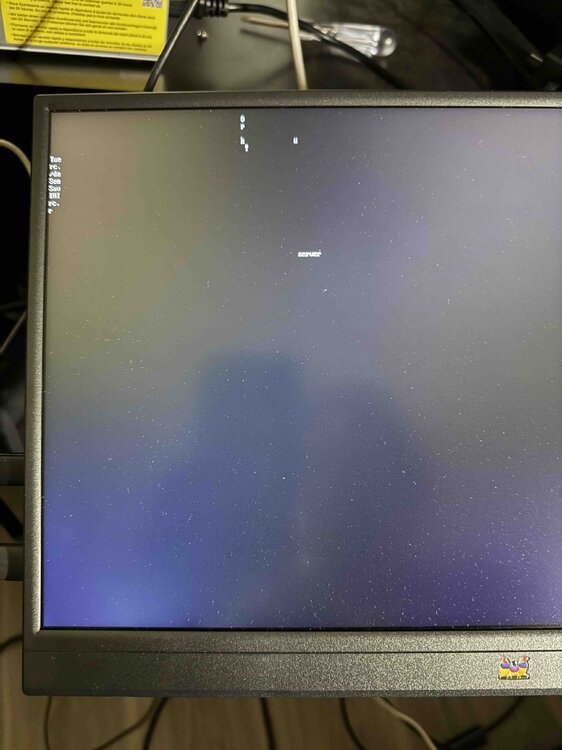
-
lawyeti joined the community
-
My first install of unRAID on my Terramaster T9-423 didn't work out. I reinstalled and successfully built an array. I tried to reboot the array but it seems to be stuck. The webpage says "REBOOT" "Array Stopping" "Unmounting disks" and then "System is rebooting" but the time counter keeps ticking up. Any idea what could be causing this error?

