





Eurwind
Members
-
Joined
-
Last visited
Everything posted by Eurwind
-
okay, thanks for the effort
-
I am sure they are not hidden. I ran 'ls -all' but there were no files listed. I didn't pay attention to the disk space, so I don't know
-
No it doesn't make sense. Unfortunately, I can not post an example, because I've restored all the files I still had backed up (iCloud). I've now lost the files I don't have a backup of.
-
The files are also missing when browsing locally
-
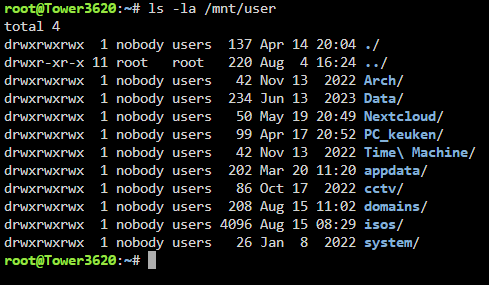
The sharename is 'Data' Output from ls -la /mnt/user
-
Thanks. I have uploaded the diagnostics file. tower3620-diagnostics-20250822-0827.zip
-
Files are missing from a data share folder. I still have a backup of some of the files that were in this folder. When I try to copy those files from the backup to the folder in question, I get a message that the files already exist. This would mean that the files are there, just not visible. Does anyone know how I can fix this?
