Sponer
Members
-
Joined
-
Last visited
-
i connect it and use "unnasigned devices" and mount a root share to view the contents
-
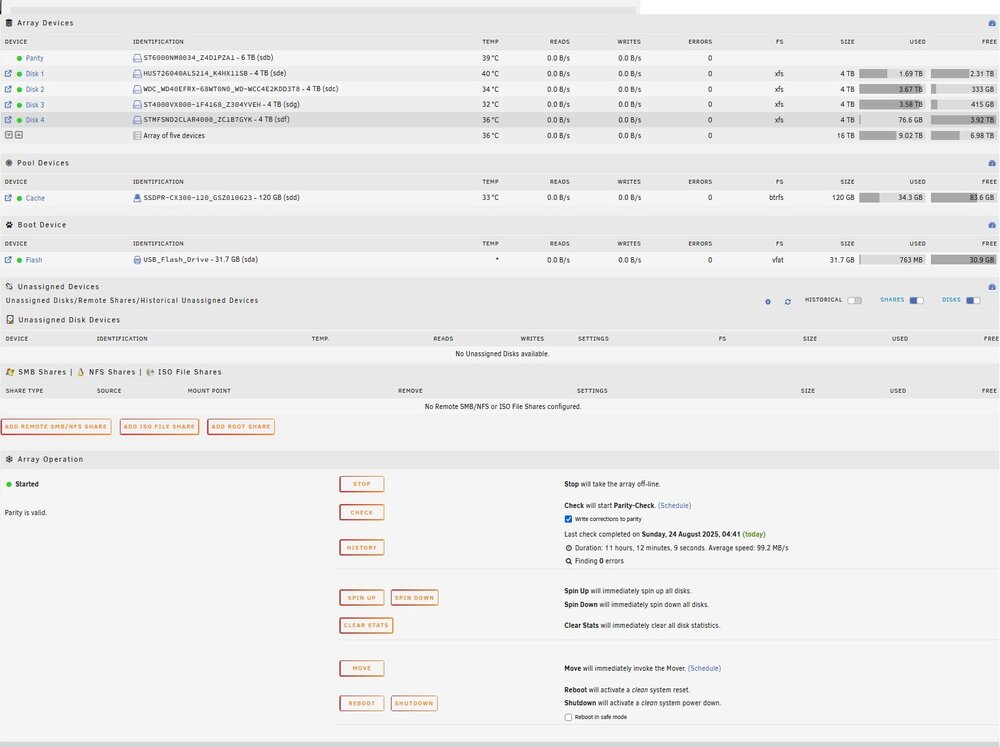
sorry - diagnostics with array started walserv-diagnostics-20250824-1949.zip
-
i have original disk but its empty walserv-diagnostics-20250824-1203.zip
-
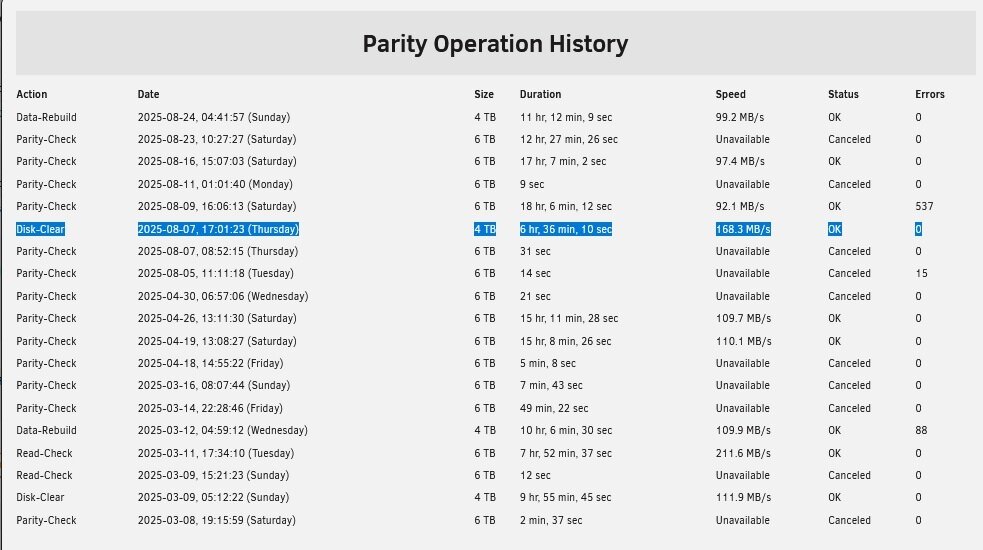
Hi For some time now, I’ve had a problem. One of the drives, specifically the fourth drive, sometimes disconnects (get Unassigned) while the Unraid server is running. And since I’m an amateur, I didn’t shut down the server twice as you suppose to (to get missing disk state),” and then I either re-added it or replaced it with another drive. I only powered down on once, and it seems that instead of a data rebuild, it was doing a disk clear. So my question is: are those data recoverable, since a parity check has already been performed? And today I tried to recover the data from the last parity check, but unfortunately, that drive is now empty.