





NSDiesel
Members
-
Joined
-
Last visited
Everything posted by NSDiesel
-
No probem, we will just have to wait and keep our fingers crossed. Thanks for all the help!
-
Hey JorgeB, Sorry to jump back in on this old post but did you ever hear anything back about this issue?
-
Thanks for all your help with this👍
-
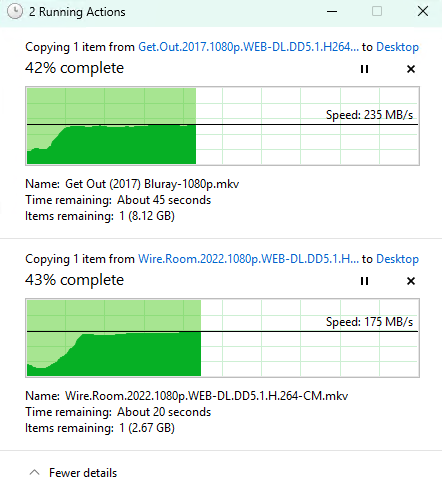
Same for me. I paused and then unpaused and the transfer went to normal speed. That is a very strange one!😅
-
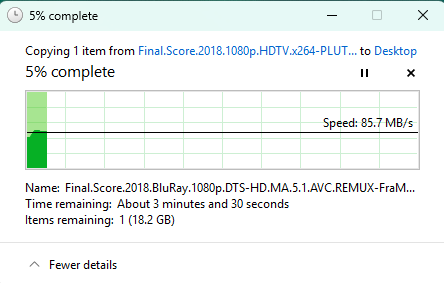
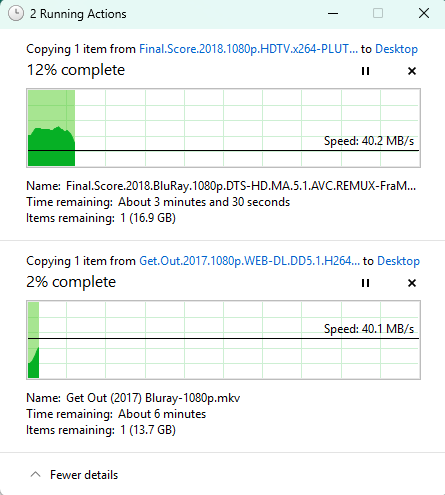
So I tried the same but for me it did not work. It seems to have slowed down copying a single file to less then 100MB/s and then just under half that when copying 2 files from different disks. I then removed the text from SMB extras and then it speeded up again but still get half the speed when copying 2 files.
-
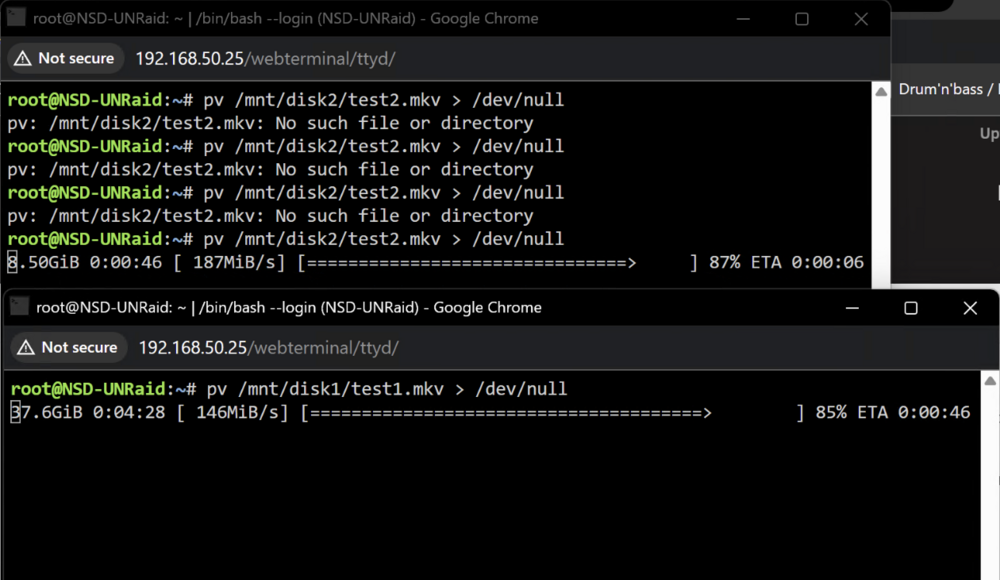
Definetly much faster for me when running your test scenario. Thanks for looking into this for me. I will use the web terminal whenever i need the extra speed as this seem much faster.
-
Thanks for making LT aware. I guess we will just have to see what happens going forward with updates. I might give it a try with NFS shares ans see if that makes a difference l.
-
Diagnostic file attached. Thanks for looking into this nsd-unraid-diagnostics-20250830-1933.zip
-
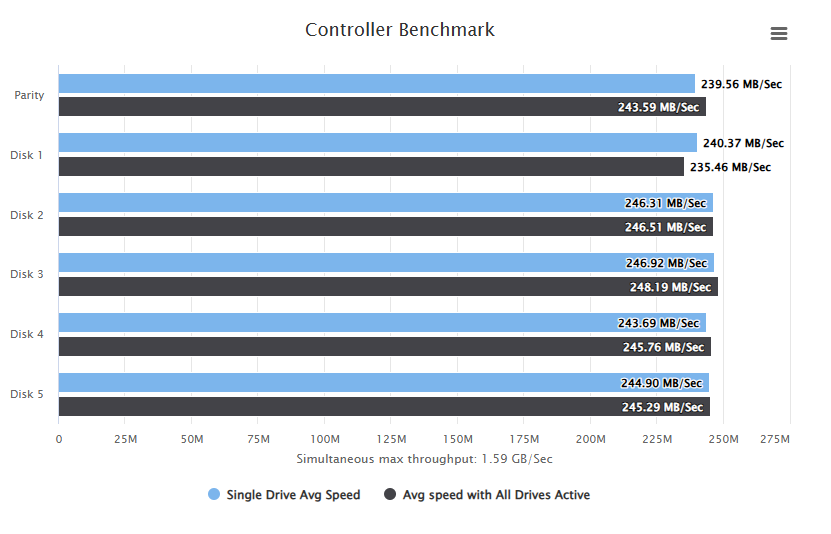
Based on the results below it does not look like the controller is the problem. Not sure what else to try to see what the isue might be
-
So I ran a bandwidth test using diskspeed on my controller. The rsult was "Current & Maximum Link Speed: 8GT/s (PCIe 3) width x2 (1.97 GB/s max throughput)" Would 6x Sata 7200rpm HDD's bottleneck this?
-
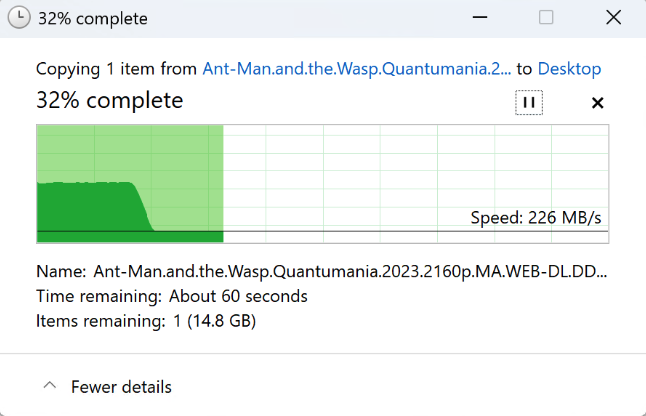
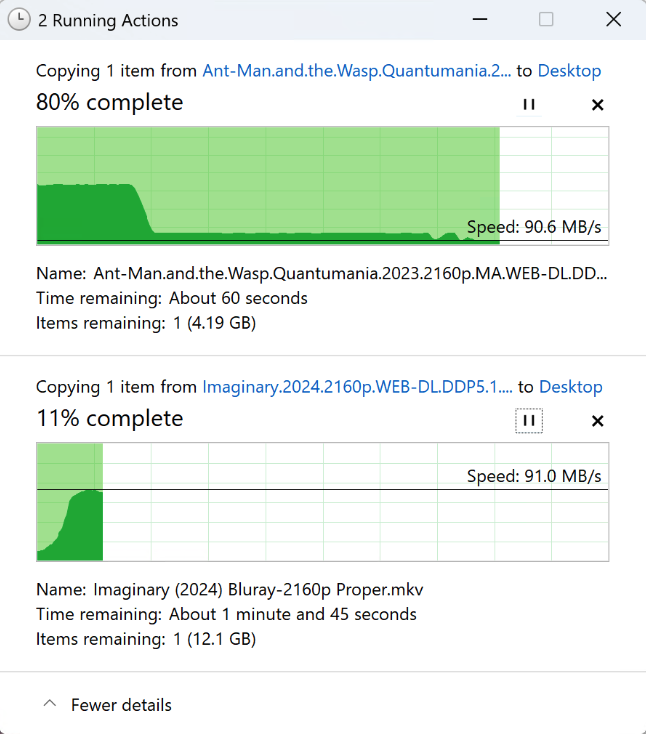
So just tried using disk shares and got the same result. I have added two screenshots to show the difference in speed and as I said both files are on different drives in the array.
-
Thanks for the reply. I will give this a try and see if anything changes. Im also thinking maybe it is my M.2 NVME to 6x SATA adapter that is a bottleneck.
-
First I want to apologize for how much of a beginner I am😅. I have setup an array of 6 disks, 1 of which is a parity drive. When copying 2 single large files from the array to my windows machine I notice the speed is halved even though the files are copying from 2 different drives in the array. I have a 10Gbe network card on both ends. So I will be getting about just over 200MB/s and then as soon as i start copying another file I notice each file copies at just under 100MB/s. I would understand this if they was copying from the same drive but I thought this wouldnt be the case as they are copying from 2 different drives. Any help with this would be much appreciated. Unraid Spec: Intel Core Ultra 5 225 32GB DDR5 Ram ASRock Z890I Nova WiFi Motherboard 6x Toshiba 12TB 7200rpm Drives 2x 500GB Samsung 970 NVME Cache (btrfs) ASUS XG-C100C 10G Network Adapter PCI-E x4


